
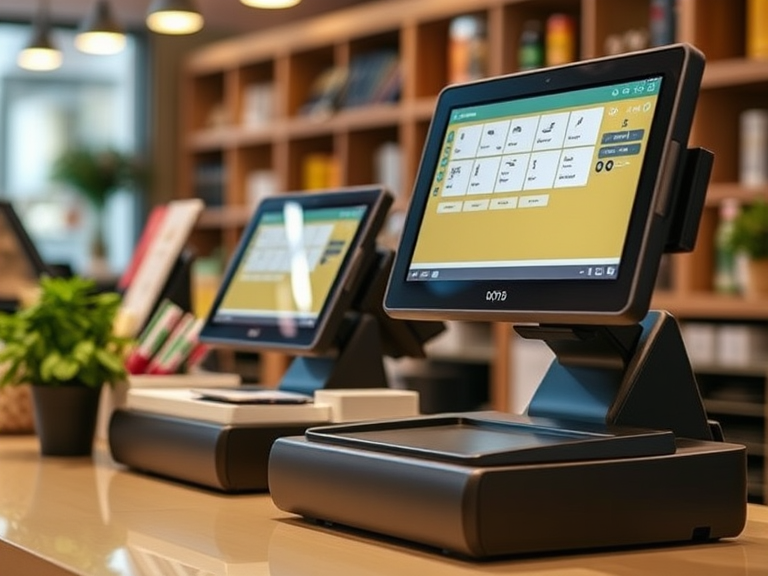
Ultimate Guide to Choosing the Best POS for Small Business
When it comes to running a small business, one of the most essential tools you can invest in is a POS system (Point of Sale system). Whether you’re running a retail store, a café, or any other small business, a good POS system helps streamline your operations, manage transactions, track inventory, and analyze sales. But with so many options available, how do you choose the best POS for small business that fits your needs?
In this guide, we will help you navigate the process of selecting the right POS system, answer frequently asked questions, and provide insights into the Top 10 POS Systems for Small Business. We will also delve into costs, features, and the advantages of different types of systems, including open payment gateway POS systems.
What is a POS System?
Definition and Purpose
A point of sale (POS) system is a comprehensive combination of software and hardware designed to facilitate business transactions, manage sales, and track customer data. At its core, a POS system aims to streamline retail operations, enhance customer satisfaction, and boost sales efficiency. Typically, a POS system includes various hardware components such as barcode scanners, receipt printers, and credit card readers, alongside software that manages sales data, inventory, and customer information. By integrating these elements, a POS system ensures that every transaction is smooth, accurate, and recorded, providing valuable insights into your retail operations and sales data.
Types of POS Software
When it comes to POS software, businesses have several options to choose from, each catering to different needs and environments:
Tablet POS Systems: Tailored for tablets, these systems offer a user-friendly interface and are often used in retail and hospitality settings. They combine the portability of mobile systems with the functionality of traditional POS systems.
Cloud-Based POS Systems: These systems are hosted online, allowing access from any device with an internet connection. They offer flexibility and real-time data synchronization, making them ideal for businesses with multiple locations or those that require remote access.
On-Premise POS Systems: Installed on a local server, these systems require a physical presence and are often preferred by businesses that prioritize data control and security. They are less dependent on internet connectivity, which can be a significant advantage in areas with unstable internet.
Mobile POS Systems: Designed for mobile devices, these systems enable businesses to process transactions on-the-go. They are perfect for pop-up shops, food trucks, and any business that needs to be mobile.
What to Look for in a POS System in 2025
1. Flexibility in Payment Processing
Let’s cut to the chase: a POS system with an open payment gateway is a must because it allows you to process payments efficiently. Why? Because it lets you choose your payment processor, ensuring better rates and avoiding the lock-in trap. Systems like Square force you to use their proprietary processing, convenient, but costly. Open gateways like NMI, CyberSource, or Authorize.net give you freedom. With these, you can:
- Negotiate competitive transaction fees.
- Switch processors if a better deal comes along without losing your data.
- Stay in control as your business needs evolve.
2. Scalability, Customization, and Inventory Management
Your business isn’t static, so why should your POS system be? A good POS system grows with you. Expanding from one store to five? Adding a new service line? Your POS should handle it effortlessly. Look for industry-specific features, like:
- Retail: Advanced inventory tracking and customer loyalty tools.
- Restaurants: Table management and online ordering integrations.
3. Technology Trends That Matter: Cloud Based POS System
POS systems in 2025 are packed with tech that makes life easier. POS systems offer essential features such as customer relationship tools, inventory tracking, back-office functionality, and analytics to enhance business operations. Here are some trends worth embracing:
- Cloud-Based Solutions: Access data anywhere, reduce IT headaches.
- AI Integration: Personalize customer experiences, predict trends, and optimize sales.
- IoT Devices: Smart shelves and connected devices streamline inventory and reduce errors.
- Contactless Payments: Meet customer demand with QR codes, mobile wallets, and tap-to-pay options.
4. Cost-Effectiveness
It’s not just about upfront costs. Subscription fees, transaction rates, and hidden charges can add up. With an open payment gateway, you can shop for the best deals and keep more money in your pocket. Transparency is key—don’t settle for less.
Essential Features of a POS System
Inventory Management
Inventory management is a cornerstone feature of any effective POS system. It allows businesses to keep track of stock levels, monitor product movement, and optimize inventory based on sales data. A robust POS system should offer:
- Real-Time Inventory Tracking: Keep an up-to-date record of stock levels to prevent overstocking or stockouts.
- Product Movement Monitoring: Analyze sales trends and product performance to make informed stocking decisions.
- Inventory Optimization: Use sales data to adjust inventory levels, ensuring you have the right products in the right quantities.
- Automated Reporting and Alerts: Receive notifications for low stock levels and generate detailed inventory reports.
- Supplier and Vendor Integration: Streamline ordering and restocking processes by integrating with suppliers and vendors.
Other essential features of a POS system include:
- Sales Tracking and Reporting: Monitor sales performance and generate comprehensive reports to gain insights into your business.
- Customer Data Management: Collect and analyze customer information to enhance service and tailor marketing efforts.
- Payment Processing: Integrate with multiple payment gateways to offer various payment options and ensure smooth transactions.
- Employee Management: Control access, track employee performance, and manage schedules.
- Online Sales Integration: Sync with e-commerce platforms to manage both in-store and online sales seamlessly.
- Mobile POS Capabilities: Process transactions anywhere, providing flexibility and convenience.
- Barcode Scanning and Printing: Use barcode scanners for quick and accurate product identification and printing.
- Customer Loyalty Programs: Implement loyalty and rewards programs to retain customers and encourage repeat business.
- Sales Data Analysis: Leverage sales data to gain insights and make data-driven decisions.
When selecting a POS system, it’s crucial to consider the specific needs of your retail business. Choose a system that offers the features and functionality necessary to support your operations and drive success.
Do You Need a POS System for Small Business?
Before diving into the details of which POS system is right for your business, it’s crucial to understand why you need one. You might be wondering: Do I need a POS system for small business?
Why You Need a POS System for Small Business
In simple terms, a POS system is a crucial tool for managing your business transactions. It facilitates customer checkouts, tracks sales, and integrates with your inventory management. Additionally, POS systems provide valuable reports to help you understand your profits and losses, ensuring your business runs smoothly.
If your small business handles sales directly with customers—whether online or in-person—having a POS system is not just convenient but essential. Whether you’re looking to accept payments in person, integrate with an online store, or track inventory, POS systems allow you to focus more on growing your business rather than managing the logistics of transactions.
How Do I Choose a POS for a Small Business?
Selecting the right POS system can be overwhelming, especially with so many options available. Here are the key factors you should consider to make the best choice for your business.
Assess Your Business Needs
The first step in choosing the right POS system is understanding your business needs. Are you running a retail store, a café, or an online business? Different types of businesses will have different requirements for a POS system. For example, a retail business might need advanced inventory management features, while a restaurant may require table management and order-taking features.
Budget Considerations
If you are working with a limited budget, you might want to look for cheap POS systems for small business or systems that have no monthly fees. Be mindful that while some POS systems are free, they may charge per transaction or offer limited features.
Integration with Other Tools
Does the POS system integrate with your existing business tools? For example, can it sync with your accounting software or CRM system? Integration ensures smooth business operations.
What Is the Most Widely Used POS System?
There are many POS systems available, but some are more popular and widely used than others. For example, Shopify POS is a widely used option, especially for businesses that also operate online.
What POS Does Starbucks Use?
Starbucks uses a custom POS system designed specifically for its needs. However, businesses looking for similar functionality might consider POS systems that integrate well with mobile payments, loyalty programs, and inventory management.
The Three Types of POS Systems
When considering what is the best POS system for your small business, it’s important to know the three main types of POS systems:
1. Traditional POS Systems
These are usually hardware-based systems that include a cash register, card reader, and receipt printer. They are often used in retail environments.
2. Cloud-Based POS Systems
These POS systems store data on remote servers and can be accessed from anywhere with an internet connection. They are ideal for businesses that operate in multiple locations or need mobile access.
3. Mobile POS Systems
These systems use smartphones or tablets as their main hardware and are ideal for businesses on the go, such as food trucks or pop-up shops. Mobile POS systems are generally easy to set up and cost-effective.
The Top 10 POS Systems for Small Business
Now that you understand how to choose the right POS system for your business, let’s explore the Top 10 POS Systems for Small Business. These systems have been carefully selected based on their affordability, features, and ease of use.
1. Square POS
Square POS is one of the most popular POS systems for small businesses due to its simple setup and no monthly fee structure. Square charges a small fee per transaction, making it a good choice for businesses that want to keep costs low. Which POS system has the lowest fees? Square is often a go-to for affordable solutions.
2. Shopify POS
If you’re running an online store and need to integrate seamlessly with your e-commerce platform, Shopify POS is a great option. It allows you to track sales, inventory, and customer data all in one place. However, Shopify POS does come with a transaction fee, so be sure to calculate costs based on your sales volume.
3. Toast POS
Designed for the restaurant industry, Toast POS offers both in-store and online ordering. It supports a range of features including payment processing, staff management, and reporting.
4. Lightspeed POS
Lightspeed POS is known for its advanced inventory management system, which is ideal for retailers. It allows businesses to manage products, track sales, and generate reports easily.
5. Clover POS
Clover POS offers a flexible pricing model and hardware options. It supports a wide range of businesses, from retail to restaurants, and integrates well with third-party apps.
6. Vend POS
Vend POS is a cloud-based system that’s particularly popular among retailers. It offers strong inventory management and integrates easily with accounting and CRM tools.
7. Revel POS
Revel POS offers an all-in-one solution for restaurants, bars, and retailers. It comes with a variety of features like staff management and inventory tracking.
8. PayPal Here POS
PayPal Here POS is a mobile POS system that lets businesses accept payments anywhere. It’s ideal for small businesses that operate in various locations or need an easy-to-use mobile system.
9. SumUp POS
SumUp POS offers simple and affordable POS systems with no monthly fees. It is best for small businesses that need basic functionalities at a low cost.
10. Zettle POS
Owned by PayPal, Zettle POS is an affordable mobile POS system. It’s perfect for small businesses that don’t require complex POS features and want a straightforward setup.
Selecting the Right POS System for Your Business
When selecting the right POS system for your business, consider the following steps:
Determine Your Budget
How much can you afford to spend? Some POS systems charge a monthly fee, while others may have a pay-per-transaction model. Be sure to assess your expected transaction volume and decide which option makes the most sense financially.
Evaluate POS Features
What features do you need? Look for systems that offer open payment gateways, inventory management, and integration with other business tools.
Benefits of Using Open Payment Gateway POS Systems
Flexibility and Cost Savings
Open payment gateways allow businesses to choose from a variety of payment processors, often leading to lower fees. Which POS system has the lowest charges? Open gateways can help businesses reduce transaction fees by selecting the most affordable payment processors.
Better Integration
These systems allow for greater integration with other business tools such as accounting software, CRM systems, and e-commerce platforms. This seamless integration helps you save time and avoid errors.
Why Swipesum Is Your Ideal POS Partner
When searching for the best POS system, Swipesum is an ideal partner. They provide expert advice, help you compare various POS systems, and secure the best rates for your business. Swipesum can help guide you through the decision-making process and ensure you select the right system that aligns with your business goals.
Steps to Get Started with Swipesum
- Reach out for a consultation to discuss your business needs.
- Compare POS systems based on fees, features, and integrations.
- Select the POS system that fits your budget and requirements.
How Much Does a POS System Cost?
The cost of a POS system can vary depending on several factors, including the hardware, software, and monthly fees. Some systems, like Square and SumUp, charge no monthly fee but take a small percentage of each transaction. Others, like Shopify POS, charge a monthly fee but offer more features.
Conclusion
When it comes to selecting the best POS system for your small business, there’s no one-size-fits-all answer. The key is to consider your business needs, budget, and the features that matter most to you. Whether you’re looking for a POS system for small business free, or seeking a system with open payment gateways, the right choice will help your business grow and run more efficiently.
By evaluating the options we’ve discussed and using Swipesum’s expert guidance, you’ll be on your way to making an informed decision that benefits your business in the long run.

What Are the Disadvantages of Pet Stores & the Pet Industry?
The pet industry is a rapidly growing sector, with millions of pet owners worldwide purchasing products and services for their furry companions. While pet stores offer convenience and a wide selection of pet-related goods, there are significant challenges and disadvantages that come with running and purchasing from these establishments. This article will delve into the disadvantages faced by pet stores, explore the threats to the pet industry, and address broader concerns regarding the ethics of pet care and adoption.
The Disadvantages of Pet Stores: Key Challenges in Retail
Pet stores play a vital role in the pet industry, offering everything from pet food and toys to grooming supplies and accessories. However, these stores face several challenges that may hinder their ability to thrive in a competitive market.
What Are the Disadvantages of Pet Stores?
- Limited Product Selection: One of the major drawbacks of pet stores is the limited range of products they can offer. While they may stock popular items, smaller, niche products like specialty foods, eco-friendly pet accessories, or custom pet care items can be difficult to find in physical stores.
- High Operational Costs: Pet stores typically have high operational costs, which include rent, utilities, wages, and the costs of stocking inventory. For smaller pet businesses, these overheads can eat into profits, making it difficult to maintain a competitive edge.
- Competition from Online Retailers: As e-commerce continues to grow, many pet owners are turning to online retailers for convenience, broader selections, and often better prices. Pet stores may struggle to compete with large e-commerce platforms like Amazon or Chewy, which offer competitive pricing and home delivery.
- Lack of Personalized Service: While some pet stores provide excellent customer service, they often can’t match the tailored experience offered by specialized pet businesses or vet clinics. Personalized pet care services, such as diet consultations or training advice, may be lacking.
What Are the Disadvantages of Store Brands?
- Quality Concerns: While store-brand products often come at a lower price, they may not always match the quality of name-brand items. In the pet industry, where quality is paramount for pet health, this can be a significant concern. Pet owners may hesitate to buy store-brand pet food, as it may not meet the same nutritional standards.
- Limited Variety: Store brands tend to offer fewer options compared to national brands, which may limit the choices available for customers looking for specific pet care solutions.
Are Pet Products Profitable?
While pet products can indeed be profitable, the margins on some items—particularly food and bulk products—are relatively low. Pet store owners often rely on volume sales and add-ons (such as pet grooming or training services) to make a significant profit. However, maintaining profitability in this space requires strategic pricing, efficient inventory management, and excellent customer service.
What Are the Advantages of Pet Stores?
- Convenience: One of the key advantages of pet stores is the convenience they provide. Pet owners can quickly buy food, toys, and other products without the need to wait for shipping.
- Immediate Access to Products: Customers can purchase pet products on-demand, without waiting for delivery. This is particularly important for items that pets need regularly, such as food, medications, or grooming supplies.
- In-person Support and Advice: Many pet stores offer knowledgeable staff who can provide immediate guidance on pet care, making them a valuable resource for new pet owners or those in need of advice about specific pet products.
- Physical Interaction with Products: Pet stores allow customers to see, touch, and interact with products before making a purchase. For example, pet owners can test out pet toys or feel the texture of pet bedding and accessories, which is not possible with online shopping.
Threats to the Pet Industry: External Factors Impacting Growth
The pet industry is dynamic and faces various external challenges that can impact its growth trajectory. Understanding these threats can help businesses and consumers alike navigate the ever-changing landscape.
What Are the Threats to the Pet Industry?
- Economic Downturns: Like many other industries, the pet business can be negatively affected by broader economic challenges. During recessions or periods of financial instability, people tend to cut back on discretionary spending, including pet products and services. This can lead to reduced sales for pet stores and other pet-related businesses.
- Changing Consumer Preferences: As consumers become more environmentally conscious, there has been a growing demand for eco-friendly pet products and sustainable alternatives. Pet businesses must adapt to these changes or risk falling behind.
- Regulatory Challenges: The pet industry faces increasing scrutiny, especially concerning pet food safety, pet care standards, and animal welfare. For example, some countries and states are implementing stricter regulations regarding pet food ingredients or the sale of certain pet products. Businesses must stay up to date with these regulations to avoid legal issues.
- Overcrowded Market: The pet industry has seen rapid growth, resulting in increased competition. This has created a crowded market where businesses struggle to differentiate themselves. Pet stores must find innovative ways to stand out, such as by offering personalized services or high-quality, unique products.
What Are the Issues with Pet Trade?
The pet trade has been associated with several ethical issues, such as the exploitation of animals in breeding farms, illegal trade of exotic pets, and the propagation of puppy mills. Ethical pet owners are increasingly concerned with the sources of their pets and the welfare of animals involved in the pet trade.
The Disadvantages of Animal Products: Ethical and Practical Concerns
Animal products, such as pet food made from meat and other animal derivatives, have been integral to the pet industry for years. However, as consumer awareness of animal rights grows, many pet owners are reevaluating their purchasing habits.
What Are the Disadvantages of Animal Products?
- Ethical Concerns: There is increasing debate about the use of animal-derived ingredients in pet food and other products. Many consumers are seeking cruelty-free, plant-based alternatives that align with their ethical values. This shift in consumer preferences has led to an increase in demand for vegan pet food and eco-friendly pet products.
- Sustainability Issues: The environmental impact of animal agriculture is another pressing concern. As awareness about climate change grows, many pet owners are seeking pet products that are sustainably sourced, using alternative materials or eco-friendly packaging.
- Health Risks: Some pet products made from animal materials, such as chew toys or grooming supplies, can pose health risks to pets. For example, certain types of plastic or untreated animal products may contain harmful chemicals that can affect pet health.
What Are the Disadvantages of Pet Packaging?
Packaging is a critical aspect of the pet industry, and the trend toward more sustainable, eco-friendly packaging is growing. Traditional pet food packaging often involves single-use plastics that contribute to waste. Some companies are responding by adopting biodegradable, recyclable, or reusable packaging, but the transition is slow.
What Are the Disadvantages of Pet Material?
Pet materials, such as toys and bedding, are often made from synthetic fabrics and plastics, which can contribute to environmental damage. There are growing concerns about the safety of some materials, especially when they are ingested by pets.
Pet Adoption: Challenges and Disadvantages
Adopting a pet can be a rewarding experience, but there are challenges associated with the process. Pet adoption has been on the decline in some areas, despite its many benefits.
Why Are Pet Adoptions Down?
One reason for the decline in pet adoption is the higher costs associated with adopting from shelters compared to purchasing from pet stores or breeders. While adoption fees often cover vaccinations and medical expenses, potential pet owners may be discouraged by the upfront cost or the lengthy process involved.
What Are the Disadvantages of Adopting a Pet?
While adopting a pet is often a more affordable and ethical option, it does come with some disadvantages:
- Behavioral Issues: Many shelter animals may have behavioral issues stemming from past trauma, neglect, or inadequate socialization. These pets may require extra patience and training.
- Health Concerns: Shelter pets may come with pre-existing health conditions that require additional veterinary care, which can add to the cost and responsibility of ownership.
- Uncertainty about Pet’s History: Unlike buying from breeders, adopting pets from shelters means you may not have a clear history of the animal’s past medical or behavioral conditions.
Why Are Shelters So Expensive?
Shelters often face high operational costs, including feeding, grooming, and providing medical care for animals. These expenses are typically passed on to adopters through adoption fees, which can be expensive in some regions.
Why Animals Should Not Be Killed in Shelters?
The practice of euthanizing animals in shelters is controversial, with many advocates pushing for no-kill shelters that aim to save all animals. Many people believe that more focus should be placed on adoption rather than euthanasia.
Are Shelters Stressful for Animals?
While shelters aim to provide care, they can be stressful environments for animals. The noise, lack of space, and constant interaction with other animals can cause anxiety and behavioral problems. This is why many people advocate for fostering over traditional shelter adoption.
Why Pet Stores Don’t Sell Dogs: Ethical and Legal Reasons
Why Do Pet Stores Not Sell Dogs?
In recent years, many pet stores have stopped selling dogs due to ethical concerns regarding puppy mills, the overbreeding of animals, and the practice of selling dogs that are not properly socialized. Some areas have passed laws that ban the sale of dogs in pet stores to combat these issues.
Why Do Stores Not Allow Pets?
Most stores do not allow pets for safety and hygiene reasons. Allowing animals in public spaces can present health risks, especially for customers with allergies or phobias of animals.
Conclusion
While the pet industry continues to grow, it faces numerous challenges that impact businesses and consumers alike. From the ethical issues surrounding pet products to the difficulties in pet adoption, it is crucial for businesses to address these concerns to ensure a sustainable and ethical future for the industry. By understanding the disadvantages of pet stores and the broader pet industry, consumers can make more informed choices, and businesses can work toward solutions that benefit both pets and pet owners.

What is the Trend in the Pet Industry in the USA in 2025?
The pet industry in the USA is experiencing incredible growth, and 2025 promises to bring even more innovation and evolution. Pet owners, businesses, and investors alike must stay on top of these developments to ensure they’re aligned with emerging trends. From advanced pet technology to eco-friendly pet products and services, this article explores what’s trending now in the pet industry, especially in the USA, and what’s expected to shape the market in 2025.
The Pet Industry Growth in the USA: What’s Trending Now?
How fast is the pet industry growing? In 2025, the pet industry in the USA is projected to exceed $30 billion in consumer spending. As more households welcome pets into their homes, pet care and the demand for products and services are expanding at an accelerated rate. Whether it’s advancements in pet technology, the rise of pet fitness, or the increasing focus on sustainability, the industry’s growth is fueled by an evolving demand for quality pet care and convenience.
What is the trend in the pet industry in USA? Consumers are gravitating toward convenience, with many opting for subscription services that deliver pet food, toys, and other essentials to their doorsteps. Additionally, the increasing humanization of pets, the growing demand for sustainable products, and the emphasis on health and fitness are key drivers of the market.
Pet Technology Trends: A Revolution in Pet Care
Pet technology trends will be one of the leading forces driving the pet industry in 2025. Innovations in pet tech are transforming the way pet owners care for their animals. From smart collars to health-monitoring devices, pet technology is making pet care more efficient and personalized.
One of the standout trends in pet fitness monitoring and pet weight management is the development of wearables for pets. These devices can track activity levels, help with weight control, and even alert owners about potential health issues before they become serious. The pet fitness care market will continue to grow as pet owners look for more ways to ensure their pets remain healthy and active.
Smart collars, GPS trackers, and activity monitors for pets are not only helping track health and fitness, but they are also enhancing the overall pet care experience. With advancements in pet health technology, owners can better manage their pets’ diets, exercise routines, and even mental well-being.
Sustainability and Eco-Friendly Products
Sustainability demands are reshaping the pet industry. As awareness of environmental concerns grows, consumers are increasingly looking for eco-friendly pet products. Brands are responding by offering products that are environmentally conscious, from biodegradable toys to sustainable pet food packaging.
A major trend is the rise of sustainable & eco-friendly dog food, which uses responsibly sourced ingredients and eco-friendly packaging. This trend addresses the growing demand for pet food that aligns with a consumer’s own sustainability values. Pet food companies are embracing the use of organic and natural ingredients, and eco-conscious pet food subscriptions are on the rise.
Consumers are not only interested in eco-friendly pet products but are also seeking out businesses that align with their values of sustainability. This has created a growing niche in the pet store industry where businesses are shifting toward offering products that are both high quality and environmentally responsible.
The Rise of Pet-Related Subscriptions: Convenience at Its Best
In 2025, pet food & toy subscriptions will continue to grow in popularity. These subscription services allow pet owners to have food, toys, and supplies delivered directly to their door on a regular schedule, offering convenience and personalization. Pet owners are increasingly opting for consumer convenience, and subscriptions are a perfect way to meet this need.
Pet-related subscriptions are also becoming more tailored. For example, pet food subscription boxes allow owners to choose the right food based on their pet’s breed, size, and specific dietary needs. The ease and convenience of having a consistent supply of pet essentials delivered each month is making subscription services more attractive to pet owners.
Investment Opportunities: Why You Should Invest in the Pet Industry
If you’re considering entering the pet industry, now is the time. With the continuous growth of the pet market, especially in the USA, investing in the pet industry with Dogtopia or similar pet service businesses is a great way to capitalize on this booming sector.
The pet industry has proven to be resilient, even during times of economic uncertainty. Whether you’re looking into pet care franchises, pet tech, or sustainable pet products, the demand is only expected to rise. As the pet industry grows, it will also attract more investors, seeking opportunities in both established and emerging markets.
Pet Ownership Trends: What’s Changing?
What is the trend in pet ownership for 2025? Pet ownership is evolving. More people are adopting pets as part of their families, especially as pets are seen more as family members than ever before. This shift is leading to increased spending on premium products, luxury pet accessories, and health-focused care options.
The trend of adopting pets rather than buying from breeders continues to rise, with many people turning to shelters to find their new companions. This rise in adoption aligns with societal shifts toward animal welfare and the desire to reduce overpopulation in shelters.
The Future of Pet Food: Innovations and Health Trends
What is the future of the pet food industry? Pet food trends will focus on health and personalization. Owners are becoming more concerned with what they feed their pets, and in response, the market is seeing a surge in demand for sustainable pet food and organic pet food. Personalized nutrition plans for pets, offered through pet food subscriptions, will allow owners to choose the right food based on their pets’ specific needs, whether it’s for weight management, allergies, or general health.
As pet owners look for healthier, more sustainable options, the demand for sustainable & eco-friendly dog food will only increase. This aligns with the broader trend of environmentally-conscious consumers looking for products that reflect their values.
The Positive Aspects of the Pet Industry: Opportunities and Growth
What are the positive and future aspects of the pet industry? The pet care market shows no signs of slowing down. With a growing focus on pet health, fitness, and sustainability, businesses that cater to these demands will thrive. The increased humanization of pets, combined with a greater focus on their well-being, is pushing the pet industry forward, making it more dynamic and innovative than ever before.
The pet store industry will continue to adapt, offering a wider range of products that focus on both pet care and sustainability. As more pet owners become educated about the importance of responsible pet ownership, the pet care market will see more investment in new technologies and services.
Pet Fitness Care Market and Weight Management
The pet fitness care market will be a significant part of the industry’s evolution in 2025. Pet owners are becoming more aware of the importance of keeping their pets physically and mentally fit. The demand for tools that help monitor pets’ fitness and pet weight management will continue to rise, especially as pet health becomes a top priority.
Devices that help monitor activity, track calories, and measure progress will allow owners to keep their pets in the best shape possible. Additionally, services like fitness training and personalized weight management programs are becoming increasingly popular.
Conclusion
In 2025, the pet industry in the USA is set to reach new heights. With the rapid expansion of pet technology trends, sustainability efforts, and personalized pet care, there’s never been a better time to be part of the pet care market. Whether you’re an investor looking to capitalize on the growth or a pet owner seeking the best care for your furry friends, staying informed on these trends will ensure you’re ahead of the curve.
From pet-related subscriptions to pet fitness monitoring, the industry is evolving quickly, offering a wealth of opportunities for businesses and pet owners alike. As we look toward the future, the demand for the pet market will continue to rise, creating a bright future for both pets and their owners.
FAQs
- What are the pet trends in 2025?
Pet trends in 2025 include the rise of pet technology, such as pet fitness monitoring and smart collars, a growing interest in eco-friendly pet products, and an increase in pet-related subscriptions. - How fast is the pet industry growing?
The pet industry in the USA is growing rapidly, with projections to exceed $30 billion in 2025. This growth is driven by consumer demand for premium, health-focused, and eco-conscious pet products. - What is the future of the pet food industry?
The future of the pet food industry will see a shift towards sustainable pet food, personalized diets, and organic ingredients, with more focus on health and nutrition. - What are the trends in pet food market?
Trends in the pet food market include sustainable & eco-friendly dog food, the rise of personalized nutrition, and pet food subscriptions tailored to specific pet needs.
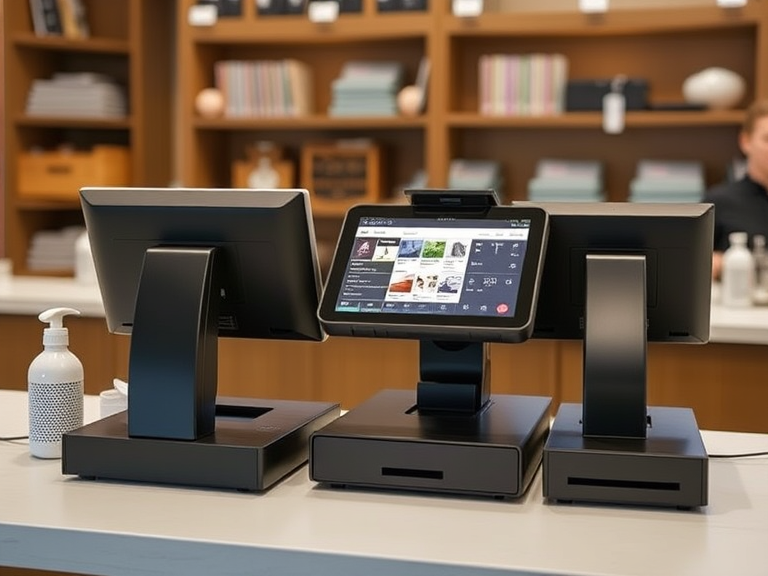
How Much Is It to Get a POS Machine? The Ultimate Guide
In today’s competitive business environment, implementing a Point of Sale (POS) system is essential for streamlining operations, improving customer experiences, and managing various business functions. However, one of the most common questions businesses ask when considering a POS system is: “How much does it cost to get a POS machine?”
The truth is, POS system costs can vary significantly depending on several factors, including the type of business, system features, and payment models. In this comprehensive guide, we’ll take you through the different types of POS systems, how pricing works, additional costs you should consider, and even ways to finance your POS system to ensure you make an informed and cost-effective decision.
By the end of this article, you will have a thorough understanding of the true cost of getting a POS machine for your business and how to choose the best solution that fits your needs and budget.
What Is a POS Machine and Why Do You Need One?
A POS machine (Point of Sale) is an essential tool that allows businesses to complete transactions by processing payments. It involves both hardware (like POS terminals, card readers, receipt printers, and barcode scanners) and software (the system that handles transactions, inventory management, sales reporting, and customer relationship management).
Whether you run a retail shop, a restaurant, a café, or even a mobile business, POS systems make transactions fast, accurate, and secure. For modern businesses, a reliable POS system can manage multiple functions in one place, from processing payments to tracking inventory, managing employees, and generating financial reports.
In simple terms, the POS machine is a cornerstone of your business operations, enabling you to run smoother and more profitable operations. But just how much does it cost to get one?
Factors That Influence the Cost of a POS Machine
The cost of a POS machine depends on multiple factors. To help you get an accurate estimate, we’ll break down each of these elements:
1. Type of POS System
The first thing to consider is the type of POS system that suits your business. The following are the three main categories:
- Cloud-Based POS Systems:
- Pricing Range: Typically, these systems are subscription-based and cost between $30 and $150 per month per terminal. While the initial investment is lower than on-premise systems, the monthly fees can add up over time.
- Best for: Small to medium-sized businesses or those that require remote access to data (e.g., mobile businesses, cafes, or retail).
- Advantages: Automatic updates, remote access, and lower upfront costs.
- Example Providers: Square, Lightspeed, and Shopify.
- On-Premise POS Systems:
- Pricing Range: On-premise systems tend to have a higher upfront cost, typically between $1,000 to $10,000 or more, depending on hardware and features. There may also be additional fees for software upgrades and system maintenance.
- Best for: Larger businesses with complex needs, multiple locations, or high transaction volumes.
- Advantages: Complete control over your data and system customization.
- Example Providers: POS Nation, Heartland Retail.
- Mobile POS Systems:
- Pricing Range: Mobile POS systems tend to be the most affordable, ranging from $200 to $1,500 depending on hardware and features.
- Best for: Small businesses, mobile vendors, food trucks, or businesses that need flexibility.
- Advantages: Low cost, easy portability, and quick setup.
- Example Providers: Square, PayPal Here, Clover Go.
2. Hardware and Equipment
The hardware you choose for your POS system directly affects the total cost. Here’s a breakdown of what you might need:
- POS Terminal: This is the core of your system. Basic terminals cost $200–$500, but advanced terminals with larger screens, better processors, and custom features can go up to $1,500 or more.
- Receipt Printer: Depending on the type, receipt printers generally cost between $100–$300. High-end or thermal printers can go higher.
- Card Readers: For accepting card payments, card readers range from $50 to $300, with EMV chip card readers typically being more expensive.
- Barcode Scanners: These cost between $50 and $250, depending on the type (manual vs. automatic).
- Cash Drawer: Basic cash drawers typically cost between $100 and $300.
Remember that you can sometimes lease these devices, which will reduce your initial investment but come with an additional monthly fee.
3. Software Features
The software that runs your POS system is where the real cost variations come in. Features such as inventory management, CRM (Customer Relationship Management), sales reporting, and employee scheduling can make a POS system much more valuable to your business—but they can also increase the price.
Here’s what to expect in terms of software costs:
- Basic POS Software: If you’re just looking for a simple POS system to process payments and track sales, you may only need the basic plan. These plans often start around $0 to $50 per month.
- Advanced POS Software: Systems with inventory management, employee scheduling, and detailed reporting can cost anywhere from $100 to $500 per month.
- Custom POS Software: Some businesses require highly tailored POS software, which can increase the costs significantly, with prices ranging from $1,000 to $5,000 or more.
4. Business Size and Location
The size of your business, as well as its location, can also affect the cost of your POS system. Larger businesses with multiple locations will need more terminals, possibly customized features, and scalable software, which can increase the overall cost.
For a single-location small business, you may spend between $500 to $3,000 for basic hardware and software. However, for multi-location businesses or large-scale operations, you could be looking at $5,000 to $20,000 or more, depending on customization, hardware, and the complexity of your needs.
Breaking Down the Costs of a POS System
Let’s now break down the costs of getting a POS machine with a detailed look at the initial setup costs, ongoing fees, and additional costs:
1. Initial Setup Costs
This includes the purchase of the POS hardware and the software setup.
- Basic Systems: If you opt for an entry-level cloud-based POS system, the initial setup costs can range from $200 to $1,000, including basic terminals and card readers.
- Mid-Range Systems: With added features like inventory management, customer relationship tools, and employee management, mid-range systems generally cost between $1,000 to $5,000.
- High-End Systems: For businesses with complex needs or multi-location setups, prices for high-end POS systems can range from $5,000 to $20,000 or more.
2. Ongoing Costs
After purchasing your POS system, you’ll have ongoing fees to manage, which include:
- Monthly Software Subscription: Typically, cloud-based POS systems come with monthly fees that range from $30 to $150 per terminal. High-end systems may cost more for features like analytics, reporting, and employee scheduling.
- Payment Processing Fees: Every transaction processed through your POS will likely incur a fee. This can be anywhere from 2% to 3.5% per transaction, depending on your payment processor.
- Maintenance and Support: On-premise systems may require periodic updates, repairs, and maintenance, which could cost between $100 to $500 per year.
3. Additional Costs
Some additional costs to consider:
- Training: Many POS vendors offer training services for an extra cost, typically ranging from $200 to $1,000, depending on how comprehensive the training is.
- Add-Ons and Integrations: If you need specific integrations with other tools, such as accounting software or customer loyalty programs, those can add an extra $20 to $200 per month.
Financing Your POS System
If the upfront cost of a POS system seems daunting, there are several financing options you can explore:
- Leasing: Leasing a POS system allows you to avoid paying for the entire system upfront. Instead, you pay a fixed monthly fee over a set period, typically ranging from 24 to 48 months.
- Subscription Models: Many providers, especially cloud-based ones, offer subscription-based models where you pay a monthly fee for the use of their software and hardware.
- Payment Plans: Some POS vendors offer installment payment plans for hardware and software, allowing you to spread out the cost over several months.
Best POS Systems and Their Pricing
Here’s a quick overview of some of the most popular POS systems, along with their pricing:
- Square: Known for its ease of use, Square offers a free POS system, but charges 2.6% + 10¢ per transaction.
- Toast: A great choice for restaurants, Toast starts at $69/month per terminal.
- Lightspeed: Perfect for retailers, Lightspeed charges from $69/month for basic systems.
- Clover: Flexible and customizable, Clover’s hardware can range from $500 to $1,500, and software starts at $14/month.
Conclusion
The cost of a POS machine depends largely on your business size, industry, and specific needs. From $200 for basic mobile POS solutions to $20,000 for a full-featured multi-location system, the price range is wide, but investing in a POS system is crucial for growing and managing your business efficiently.
To determine the best option for you, consider factors such as business size, transaction volume, hardware and software needs, and budget constraints. Additionally, look at financing options like leasing or subscriptions to make the costs more manageable.
By carefully evaluating your needs and available POS options, you can ensure you get a system that not only fits your budget but also supports your long-term business success.
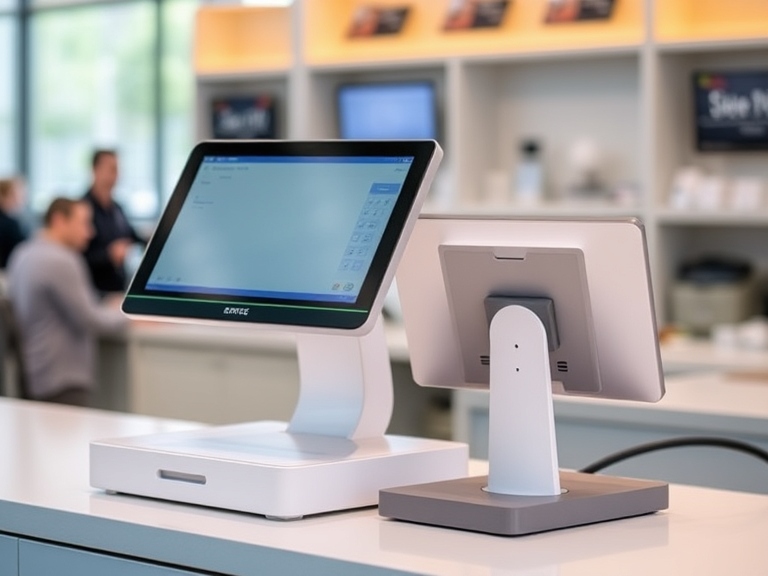
The Ultimate Guide to Choosing the Best Pet Shop POS System for 2025
As a pet shop owner, managing inventory, tracking sales, and providing exceptional customer service can be overwhelming, especially if you don’t have the right tools in place. A pet shop POS system is a game-changer in streamlining these tasks, helping you focus on growing your business while ensuring smooth operations.
In this comprehensive guide, we’ll walk you through what a pet store’s point of sale system is, how much it costs, and what to look for when choosing the best POS system for your pet shop in 2025. Whether you’re a small boutique store or a large pet supply retailer, you’ll find the perfect solution to enhance your business.
What is a Pet Shop POS System?
A pet shop POS system is a specialized point of sale solution designed for pet retailers. Unlike generic POS systems, these solutions are tailored to manage the unique inventory and customer needs of pet shops. Whether you sell pet food, accessories, toys, or grooming products, a pet store POS system helps you efficiently process transactions, manage inventory, track customer data, and generate detailed sales reports.
Core Features of a Pet Shop POS System:
- Sales Processing: A POS system allows you to accept payments quickly, whether by card, cash, or mobile payment methods.
- Inventory Management: Pet stores often have a diverse range of products, from perishable items like pet food to durable goods like collars and leashes. A pet POS system helps you track stock levels, automatically reorder products, and prevent overstocking or understocking.
- Customer Profiles and CRM: A good pet shop POS solution stores detailed customer profiles, including pets’ breeds, medical history, and purchase preferences. This helps build loyalty and enhance customer service.
- E-Commerce Integration: As more pet shops expand their businesses online, a pet store pos system that integrates with e-commerce platforms is crucial for managing both in-store and online sales seamlessly.
- Reporting and Analytics: POS systems provide insights into sales trends, top-selling products, and customer behavior, helping you make data-driven decisions for your pet shop.
How Much Does a Pet Shop POS System Cost?
The cost of a pos for pet store can vary significantly based on features, software, hardware, and your business’s size. Most POS providers offer different pricing tiers to cater to businesses of all sizes, from small boutique pet stores to large multi-location retailers.
POS System for Pet Shop Pricing Overview:
- Low-Cost Systems: For small pet shops or new businesses, there are affordable options starting at $0 to $50 per month. These plans typically include basic features like sales processing and simple inventory management.
- Mid-Range POS Systems: Systems that cost between $50 and $150 per month typically offer more advanced features such as customer relationship management (CRM), reporting tools, and employee management capabilities. These are ideal for growing pet stores.
- Premium POS Systems: For larger pet shops or multi-location businesses, you might pay $150 or more per month. These systems provide comprehensive solutions, including advanced analytics, inventory management, and full integration with e-commerce platforms.
Factors Affecting the Cost of Pet Store POS Systems:
- Software Subscription: Many pet store POS software providers offer subscription-based pricing, which varies depending on the features included.
- Hardware Costs: POS hardware—like terminals, barcode scanners, and receipt printers—can also add to the total cost. Some systems offer hardware packages for a one-time fee or as part of a monthly subscription.
- Transaction Fees: Depending on your POS provider, you might be charged transaction fees or payment processing fees (typically 2.6% to 3.5% per transaction).
- Add-Ons and Integrations: Some systems charge extra for add-ons, such as loyalty programs, advanced reporting, or multi-location support. Consider these costs when calculating the total expense.
How Much Does a Pet Shop POS System Cost Per Month?
On average, small pet shops can expect to pay between $30 to $70 per month for a basic pet store POS system. However, for businesses that require more advanced features like inventory management, customer profiles, or e-commerce integration, the monthly cost can go up to $150 or more.
Top Features to Look for in a Pet Shop POS System
When evaluating different POS systems for pet stores, it’s essential to choose a solution that fits your unique needs. Here are some features to look for:
1. Inventory Management
A key feature for any pet store POS system is inventory management. Look for software that allows you to track stock levels in real-time, manage suppliers, and generate purchase orders automatically. A pet store POS system with inventory management ensures you never run out of bestsellers and minimizes waste, especially for perishable items like pet food.
2. Customer Relationship Management (CRM)
Building strong customer relationships is crucial for pet stores. A good POS system for pet shops allows you to store customer profiles, track purchase histories, and offer personalized recommendations. Pet shop point of sale systems with customer profiles enable you to create loyalty programs and offer targeted promotions, which can improve customer retention.
3. E-Commerce Integration
For pet retailers that operate both online and offline, POS systems for pet stores with online integration are a must. These systems sync in-store and online inventory and sales, allowing for seamless management across multiple sales channels.
4. Sales Reporting and Analytics
Analytics are essential for understanding your pet store’s performance. A pet POS system with reporting tools lets you track sales trends, identify popular products, and analyze customer behavior, making it easier to optimize your operations.
5. Affordable POS Systems with Loyalty Programs
Loyalty programs are particularly effective in pet shops, where customers often return for regular pet care products. Consider an affordable pet shop POS system with loyalty programs to reward repeat customers and increase sales.
Best Pet Shop POS Systems for 2025
Now that you know what features to look for, let’s take a look at some of the best POS systems for pet stores in 2025. These systems combine reliability, ease of use, and industry-specific tools for pet retailers.
1. Square POS
- Price: Free basic plan with optional paid features starting at $12/month.
- Best For: Small pet shops or start-ups.
- Features: Inventory management, sales tracking, customer profiles, and the ability to integrate with e-commerce platforms like Shopify. Square is an excellent option for businesses looking for an affordable POS system for pet stores.
2. Lightspeed POS
- Price: Starting at $69/month.
- Best For: Medium-sized pet stores and retailers.
- Features: Advanced inventory management, multi-location support, and robust reporting tools. Lightspeed’s pet store POS software is particularly effective for pet stores with a wide variety of products.
3. PetStorePro
- Price: Custom pricing (request a demo).
- Best For: Pet shops looking for specialized software.
- Features: Customizable features tailored to pet stores, including pet-specific inventory management, CRM, and reporting. PetStorePro is the go-to POS system for pet retailers who need an all-in-one solution.
4. Clover POS
- Price: Starts at $9.95/month for the basic plan.
- Best For: Pet stores that want a customizable, cloud-based POS solution.
- Features: Cloud-based POS system for pet stores with add-ons for loyalty programs, inventory management, and online sales integration. Clover provides a pet shop point of sale solution that grows with your business.
5. Vend POS
- Price: Starting at $99/month.
- Best For: Large pet stores and multi-location businesses.
- Features: Advanced inventory tracking, customer profiles, multi-location support, and seamless e-commerce integration. Vend POS is ideal for large pet supply stores that require comprehensive reporting and analytics.
How to Choose the Best POS System for Your Pet Shop
When selecting a pet shop POS system, consider your specific business needs, budget, and plans for growth. Here’s how to make the best choice:
- Evaluate Your Needs: Do you need advanced features like inventory management, customer profiles, or e-commerce integration? Understand your business’s specific needs to avoid paying for unnecessary features.
- Consider Your Budget: For smaller pet shops, look for affordable POS systems for pet stores that offer core features at a lower cost. For larger pet retailers, investing in a more robust system with advanced tools may be worth the extra expense.
- Scalability: Choose a pet store POS system with inventory management and features that can scale as your business grows, especially if you plan to expand into multiple locations.
- Test the System: Many POS providers offer free trials or demos. Take advantage of these opportunities to test how the software fits your pet shop’s workflow.
Conclusion
A pet shop POS system is a vital tool for enhancing operational efficiency, improving customer service, and boosting sales. By considering key features like inventory management, CRM, and e-commerce integration, you can select the best POS system for your pet shop and ensure long-term success.
Whether you’re looking for an affordable POS system for pet stores or a more advanced solution with customizable features, there’s a system to suit your needs. Start by evaluating your pet store’s requirements, budget, and growth potential to make the best decision for your business.
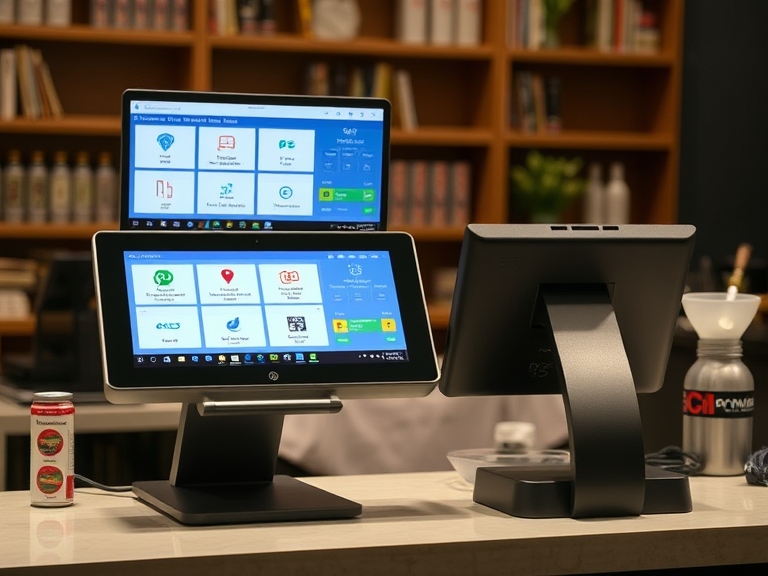
The Best POS Systems for Small Boutiques in 2025: Full Guide
As a small boutique owner, having the right tools to streamline your business operations is crucial. One of the most vital pieces of technology you’ll need is a Point of Sale (POS) system. A good POS system can help you manage inventory, process payments, track customer behavior, and much more. But with so many options on the market, how do you choose the best POS for your small boutique?
In this guide, we’ll walk you through the key features to look for in a POS system, review the top POS solutions for small boutiques, and provide expert advice on selecting the right system for your business needs.
What is a POS System and Why Does Your Boutique Need One?
A POS system is more than just a tool for processing transactions. It’s an all-in-one solution that helps manage various aspects of your boutique, such as:
- Inventory management
- Customer relationship management
- Sales reporting
- Employee management
- Payment processing
For a small boutique, where personal service and efficient operations are key, having the right POS system is essential for optimizing your store’s performance. The best POS for small boutiques not only makes daily transactions easier but also improves the customer experience, simplifies inventory tracking, and provides valuable insights to grow your business.
Key Features to Look for in a POS System for Small Boutiques
Choosing the right POS system for your boutique involves evaluating various features that cater to your specific needs. Here are the top features to look for when selecting a POS system:
1. Ease of Use
A POS system should have an intuitive, user-friendly interface that doesn’t require extensive training for you or your staff. This is particularly important for small boutique owners, who may not have time for complicated systems. POS systems with simple navigation make it easier to quickly complete transactions and avoid delays during peak shopping hours.
2. Inventory Management
Efficient inventory management is crucial for a small boutique. You need to track stock levels, manage product variants, and reorder items before running out. The best POS for small boutiques should offer features like real-time inventory tracking, low-stock alerts, and easy product categorization.
3. Customer Relationship Management (CRM)
An integrated CRM system helps you track customer behavior, preferences, and past purchases. With this data, you can personalize offers, set up loyalty programs, and build long-term relationships with your customers. A POS with customer profiles ensures that you have all the necessary information to enhance customer experience and increase repeat business.
4. Payment Processing and Security
The ability to accept various forms of payment, such as credit/debit cards, mobile wallets, and gift cards, is a must for any modern POS system. Security is also critical, as you’ll be handling sensitive customer data. Look for POS systems that comply with PCI DSS standards and offer end-to-end encryption to keep transactions secure.
5. Reporting and Analytics
The best POS systems provide detailed reports and analytics on sales performance, inventory trends, and customer behavior. These insights allow you to make data-driven decisions on promotions, pricing, and stock management. Look for systems that offer customizable reports and real-time analytics.
6. Cloud-Based and Mobile Options
A cloud-based POS system allows you to access your store’s data from anywhere, making it easy to track sales or manage inventory on the go. Additionally, mobile POS systems allow you to process transactions using a tablet or smartphone, which is ideal for small boutiques that may have limited counter space.
Top 5 POS Systems for Small Boutiques in 2025
Now that you understand the key features to look for, let’s take a closer look at the best POS systems for small boutiques available in 2025. Each of these solutions offers unique features that cater to the needs of small retailers.
1. Square for Retail
Square is one of the most popular POS systems for small businesses, and for good reason. It’s an affordable, easy-to-use solution that works well for boutiques of all sizes.
- Key Features:
- Free POS app with advanced features available via subscription.
- Real-time inventory tracking and low-stock alerts.
- Sales analytics and reporting.
- Integrated payment processing with competitive rates.
- Best For: Small boutiques with basic needs or those just starting out.
- Pricing: Free for basic features; advanced features start at $60/month.
2. Lightspeed Retail
Lightspeed is an advanced POS system that offers robust features ideal for boutiques with a larger inventory or more complex operations.
- Key Features:
- Advanced inventory management with detailed product categorization.
- Customizable reports and sales analytics.
- Multi-location support for growing boutiques.
- Seamless integration with eCommerce platforms.
- Best For: Boutiques with a large inventory or multiple locations.
- Pricing: Starts at $69/month for a single store.
3. Shopify POS
If your boutique has both a physical store and an online shop, Shopify POS might be the ideal choice. Shopify’s POS solution is tightly integrated with its eCommerce platform, making it a great choice for boutiques with both in-person and online sales.
- Key Features:
- Easy syncing of online and offline inventory.
- Integrated payment processing with Shopify Payments.
- Advanced customer management tools.
- Mobile POS for on-the-go sales.
- Best For: Boutiques with both physical and online stores.
- Pricing: Starts at $29/month for the basic plan.
4. Vend POS
Vend is a cloud-based POS system that is perfect for small boutiques looking for a solution that can scale with their business.
- Key Features:
- Real-time inventory updates and low-stock alerts.
- Customer management and loyalty program features.
- Integration with Xero and QuickBooks for accounting.
- Multi-store management for growing boutiques.
- Best For: Boutiques looking for a flexible and scalable POS system.
- Pricing: Starts at $99/month.
5. Clover POS
Clover offers a highly customizable POS system with a variety of hardware options and software plans to choose from. It’s perfect for boutique owners who need flexibility in terms of hardware and payment solutions.
- Key Features:
- Customizable hardware options (POS terminals, card readers, receipt printers).
- Mobile POS capability.
- Integration with a wide range of third-party apps.
- Secure payment processing with EMV compliance.
- Best For: Boutiques that require flexible payment solutions and hardware.
- Pricing: Hardware prices vary; software plans start at $14.95/month.
How to Choose the Best POS System for Your Small Boutique
With so many options available, selecting the right POS system for your boutique may seem overwhelming. Here are a few steps to help you make the best decision:
1. Assess Your Boutique’s Needs
Evaluate the size of your boutique, your inventory management needs, and your customer service priorities. Consider whether you need a basic POS system or a more advanced solution with custom reporting and multi-location capabilities.
2. Set a Budget
POS systems vary widely in cost, from free solutions to premium options with advanced features. Determine what features are essential for your boutique, and choose a system that fits within your budget.
3. Consider Scalability
As your boutique grows, your needs will evolve. Choose a POS system that can scale with your business, offering features like multi-location support, advanced analytics, and more integrations as you expand.
4. Check Customer Support and Reviews
Look for POS systems with excellent customer support, as issues may arise. Read reviews from other boutique owners to see if a particular POS system meets their needs.
Benefits of Using the Right POS for Your Small Boutique
Using the right POS system can bring numerous benefits to your small boutique, including:
- Increased Efficiency: Speed up transactions and reduce human errors.
- Better Customer Experience: Process payments quickly and offer personalized service.
- Data-Driven Decisions: Use analytics to make better decisions about inventory, pricing, and promotions.
Conclusion
Selecting the best POS system for your small boutique is a crucial decision that will have a significant impact on your business operations. Whether you choose a simple, cost-effective option like Square for Retail, or a more robust solution like Lightspeed Retail, make sure the system you select meets your boutique’s unique needs.
By investing in the right POS, you can improve efficiency, enhance customer satisfaction, and set your boutique up for long-term success. Evaluate the features, pricing, and scalability of each system, and choose the one that helps you manage your boutique with ease and confidence.
Can I Use Square POS Without Paying? Everything You Need to Know
Understanding Square POS
Square POS (Point of Sale) is one of the most popular systems for small businesses looking to streamline their operations, manage payments, and track inventory. One of the most common questions from new users is, “Can I use Square POS without paying?” The short answer is yes, you can use Square POS without paying any monthly fees, but there are certain aspects of the service that may require payments.
This article will break down Square’s pricing structure, what features are available for free, and when you might need to pay for additional services. By the end, you’ll have a clear understanding of how Square works and whether it’s the right fit for your business.
What is Square POS?
Before diving into the specifics of pricing, it’s important to understand what Square POS is and how it helps businesses.
Square POS is a comprehensive system designed to help businesses process payments, manage sales, and track inventory. It’s suitable for small businesses, independent contractors, pop-up shops, food trucks, and even large retailers. Square provides an intuitive and user-friendly platform that integrates with smartphones, tablets, and specialized hardware, allowing users to accept a variety of payment methods, including credit cards, debit cards, and mobile payments like Apple Pay and Google Pay.
While Square offers free software, it charges fees for payment processing, and additional features may require subscription plans. Square is often praised for its straightforward pricing model, which means no hidden monthly fees unless you choose a paid plan.
Square POS Free Features
One of the major benefits of using Square POS is that it offers a range of free features. The free version is ideal for many businesses, especially those just getting started or small businesses that don’t need advanced functionality.
Here’s what you can access without paying anything:
1. Transaction Processing Without a Monthly Fee
Square does not charge a monthly fee for using the POS system. Instead, it earns revenue by charging a per-transaction fee for every payment you process through the platform. For swiped, dipped, or tapped card payments, the fee is generally 2.6% + 10¢ per transaction.
For invoices or online payments, the rate is slightly higher at 2.9% + 30¢. Cash payments and manual entry payments have no transaction fees.
2. Basic Point-of-Sale (POS) Features
The Square Point of Sale app provides basic POS functions like:
- Sales and transaction history tracking.
- Item and inventory management, allowing you to create product categories and track stock levels.
- Customer profiles to store contact information and purchase history.
- Simple reporting tools to track sales trends and performance.
3. Customer Management Tools
Square allows you to store customer information and create loyalty programs, all at no cost. The basic CRM features enable you to send digital receipts and send marketing emails to your customers. This feature is crucial for businesses looking to engage with their customers and promote repeat business.
4. Multi-Device Capability
Square POS is compatible with a wide range of devices, including smartphones, tablets, and Square’s own hardware (like Square Stand or Register). You can accept payments directly from your device using the free app, making it convenient for mobile businesses or small storefronts.
When Do You Have to Pay for Square POS?
While Square’s basic functionality is free, businesses that need more advanced features will need to upgrade to a paid plan. Here’s when you may have to pay for Square POS:
1. Advanced Reporting and Analytics
Square’s free plan offers basic reporting tools, but if you need more in-depth data, such as detailed sales breakdowns, employee performance, or inventory analytics, you’ll need to opt for Square’s paid plans.
2. Employee Management
For businesses that require advanced employee management features like timecards, access control, and payroll, Square’s Employee Management feature comes with additional costs. You’ll need to subscribe to Square for Retail or Square for Restaurants, which offer these functionalities at an additional fee.
3. Customization and Branding
If you want to customize your receipts or branding for customer-facing materials like invoices and business cards, you may need to upgrade to Square’s Professional or Premium plans. These plans allow more extensive customization.
4. Add-Ons and Optional Services
Square also offers paid add-ons for businesses that want to enhance their services. For example, you can add gift cards, loyalty programs, and email marketing to your Square account, which typically requires a monthly subscription. Prices for these services start at $0.50 per card for Square Gift Cards, and Square Loyalty costs $45 per month.
5. Hardware Costs
While the Square POS app is free, some hardware components require a one-time payment. For example:
- Card readers (from $10 to $49).
- Square Stand ($199).
- Square Register ($799).
These fees are not recurring but should be factored into your overall cost structure.
Square Fees and Pricing Breakdown
Square operates on a pay-as-you-go model, meaning businesses only pay fees when they process payments or use premium features. Here’s a breakdown of the most common costs:
1. Transaction Fees
Square’s transaction fees are straightforward, but they do vary based on the type of transaction. Here’s a quick summary:
- In-person transactions (via card reader): 2.6% + 10¢ per transaction.
- Online transactions (via invoices or online stores): 2.9% + 30¢ per transaction.
- Manual card entry (keyed-in payments): 3.5% + 15¢ per transaction.
2. Paid Plans
If you need more advanced functionality, Square offers a few paid options:
- Square for Retail: Starting at $0/month for basic features or $60/month for advanced features like inventory management, employee scheduling, and sales reports.
- Square for Restaurants: Starting at $0/month for basic tools or $60/month for additional restaurant-specific features.
3. Additional Add-Ons
Some add-ons require separate subscriptions:
- Square Loyalty: Starts at $45/month.
- Square Marketing: Starts at $15/month.
- Square Gift Cards: Fees starting at $0.50 per card.
Can You Avoid Paying for Square POS?
While you can use Square POS without paying any monthly subscription fees, there are still transaction fees that you’ll need to consider. However, if you’re focused on keeping costs low, here are a few strategies to minimize payments:
1. Use Cash Payments
One way to avoid paying Square’s transaction fees is by accepting cash payments. Square charges no fees for cash transactions, though you won’t benefit from the digital tracking features for cash sales.
2. Limit Paid Add-Ons
Avoid subscribing to optional add-ons unless absolutely necessary. Stick to the free version of Square POS and only opt for paid services like Loyalty Programs or Marketing when you’re ready to scale your business.
3. Use Lower-Cost Hardware
If you don’t need advanced hardware like Square Register, consider using your smartphone or tablet with a free Square card reader, which has minimal upfront costs.
Square Alternatives
While Square POS is a leading system for small businesses, it’s always a good idea to explore alternatives. Here are a few other POS systems that offer free or low-cost options:
- PayPal Here: Offers a free app with payment processing fees similar to Square.
- Shopify POS: Free plan available for Shopify users, but the premium version adds a fee.
- Toast POS: A free restaurant POS with paid options for more advanced features.
8. Pros and Cons of Using Square POS Without Paying
1. Pros
- No monthly subscription fees: Square’s free POS system is great for startups and small businesses.
- Easy setup and user-friendly: The app is easy to download and use on both smartphones and tablets.
- Basic features for free: Inventory management, sales reports, and customer profiles are all included at no cost.
2. Cons
- Transaction fees can add up, especially for businesses with high sales volume.
- Limited advanced features: Some businesses might outgrow the free version and need to upgrade to paid plans.
- Hardware costs: You’ll need to pay for any hardware (card readers, terminals, etc.).
Conclusion
In summary, you can use Square POS without paying, but it’s essential to understand the costs associated with the system. Square offers a range of free features ideal for small businesses, including payment processing, inventory management, and basic customer management tools. However, as your business grows or if you need more advanced tools, you may need to invest in Square’s paid plans or optional services.
Evaluate your business’s needs and budget to determine if Square’s free POS system is enough, or if you would benefit from the additional features provided by paid subscriptions. Whatever you choose, Square POS remains a robust, scalable solution that’s accessible for businesses of all sizes.
FAQs
Q1: Can I use Square POS without paying any fees?
Yes, you can use Square POS without paying any monthly fees, but you’ll incur transaction fees for card payments.
Q2: How much does Square POS cost monthly?
Square’s basic POS software is free. However, advanced features like employee management and analytics may require a paid plan starting at $60/month.
Q3: What are the hidden fees in Square POS?
While Square’s pricing is transparent, transaction fees apply to card payments. Additional costs may come from hardware purchases or optional add-ons.
Q4: Is Square POS free for all businesses?
Square offers a free plan suitable for most small businesses. Larger businesses or those with more complex needs might need to upgrade to a paid plan.
Q5: Can I use Square POS without a credit card reader?
Yes, Square allows you to use your smartphone or tablet to manually input payments, but a credit card reader is required for card swipes and taps.

How to Attract Customers to Your Pet Store: A Complete Guide
Owning and managing a pet store in today’s competitive market is more than just having the right products for pets. It’s about building a reputation, increasing foot traffic, generating online sales, and creating an environment where customers feel confident and excited about spending their hard-earned money on pet supplies. Attracting customers to your pet store is not a one-size-fits-all solution but requires a strategic approach that combines traditional marketing, digital tactics, and excellent customer service.
In this comprehensive guide, we’ll explore step-by-step strategies for attracting customers to your pet store, increasing visibility, and ensuring long-term success.
Understanding Your Target Audience: Who Are Your Customers?
The first key to attract customers to your pet store is understanding who you’re targeting. Different pet owners have varying needs, budgets, and preferences. By identifying your target audience and catering to them specifically, you can create customized experiences and marketing strategies that appeal directly to their desires.
Identifying Pet Owner Segments
Pet stores serve a variety of customers, including:
- Dog owners: Often looking for food, accessories, toys, grooming products, and medications.
- Cat owners: They need litter, food, scratching posts, and other pet care products.
- Exotic pet owners: These customers require specific care items for pets like reptiles, birds, and fish.
- New pet owners: Customers who just adopted a pet may need a full range of products, from food to beds and toys.
- Senior pet owners: These customers may be looking for products that cater to aging pets, such as joint supplements or calming products.
By understanding these segments, you can tailor your marketing efforts (in-store displays, product choices, promotions, etc.) to meet the specific needs of each group.
Boost Your Local Visibility with Local SEO
Local SEO is an essential strategy for pet stores, especially for those with a brick-and-mortar presence. If your store isn’t visible to potential customers when they search for pet products near them, your competitors will capture the market share.
Optimize Your Google My Business Profile
Google My Business (GMB) is a free tool that lets you manage how your pet store appears in Google Search and Maps. By optimizing your GMB profile, you can ensure your business shows up in local searches when customers type phrases like “pet store near me” or “pet supply store in [city].”
- Complete your profile: Add your business name, address, phone number, website, hours of operation, and a clear description of what you offer.
- Add photos: Upload high-quality images of your store, products, and staff to help customers form a connection with your brand.
- Ask for reviews: Positive reviews improve your credibility and ranking in local searches, so actively encourage happy customers to leave reviews.
Use Local Keywords and Content
Incorporate location-based keywords into your website’s content, meta descriptions, and blog posts. For example, if you’re located in Chicago, you can use keywords such as “best pet store in Chicago” or “affordable pet supplies in Chicago.”
- Local landing pages: If your pet store operates in multiple locations or regions, consider creating location-specific landing pages with tailored content and local keywords.
- Engage in local link building: Partner with other local businesses, influencers, or local blogs to build backlinks to your website, improving local search visibility.
Enhance Your Social Media Strategy for Customer Engagement
In today’s digital age, social media platforms are powerful tools for connecting with potential customers. For pet stores, social media is an opportunity to show off your products, share educational content, engage with your audience, and even create a loyal following.
Which Platforms Should You Use?
To maximize reach, it’s crucial to be active on social media platforms that pet owners frequent. Some of the best platforms for pet stores include:
- Instagram: Pet owners love sharing images and videos of their pets. By posting adorable pet photos, product demos, and behind-the-scenes store content, you can increase engagement and attract followers.
- Facebook: Facebook is ideal for building community through groups, events, and interactive posts. You can host giveaways, share success stories, and create an online community of pet lovers.
- TikTok: With its rapidly growing audience, TikTok is a great platform to showcase humorous pet content, viral challenges, and quick product tutorials.
- Pinterest: Pinterest allows you to share pet care tips, DIY pet projects, and visually appealing content. It’s a great platform for driving traffic to your website and increasing brand awareness.
Create Compelling and Shareable Content
- User-Generated Content: Encourage customers to share pictures or videos of their pets using your products. Feature these on your social media accounts as a way to build trust and a sense of community.
- Pet Care Tips: Share valuable content like how to groom a dog, proper pet nutrition, or training techniques. Offering solutions to common pet owner challenges increases your credibility and engagement.
- Contests and Giveaways: Running fun and engaging social media contests can help you grow your following and generate buzz about your store.
Offer Exclusive Promotions and Discounts
Attracting customers to your pet store often comes down to offering value that they can’t resist. By providing exclusive promotions, you can create urgency and boost sales while attracting new customers.
Seasonal Sales
Take advantage of holidays and special events to offer limited-time sales. For instance, you can offer discounts for:
- National Pet Day
- Black Friday/Cyber Monday
- Christmas or New Year
- Back-to-School season
These promotions can drive traffic to both your physical and online store.
Loyalty Programs
A great way to keep customers coming back is to implement a loyalty program. For example, you could offer a point-based system where customers earn points for every purchase, which can later be redeemed for discounts or free products. This incentivizes repeat business.
Flash Sales
Hold flash sales to create a sense of urgency. Offering deep discounts on popular items for a limited time encourages customers to act quickly.
Improve the In-Store Experience: A Memorable Shopping Journey
While online shopping continues to grow, many customers still prefer to visit physical pet stores to interact with products in person. A great in-store experience can lead to customer loyalty and positive word-of-mouth referrals.
Store Layout and Ambiance
Your store should be well-organized, with clearly marked sections for different pet categories. Create an atmosphere that is welcoming for both pets and owners. Consider having:
- A pet-friendly environment, allowing pets to visit the store.
- Well-lit, clean aisles to make shopping comfortable.
- Interactive displays or pet testing areas for customers to try out products.
Training Your Staff
Knowledgeable, friendly staff make a huge difference in attracting and retaining customers. Train your staff to be approachable, helpful, and well-versed in pet care products. They should be able to give tailored advice based on the customer’s needs and pets’ requirements.
Offer In-Store Services
Enhance the customer experience by offering services like:
- Pet grooming: Offer grooming packages for dogs and cats to bring customers in.
- Pet training: Offer classes or workshops for pet behavior.
- Pet adoption events: Partner with local shelters to host adoption events.
Invest in E-Commerce and Online Marketing
As the digital landscape continues to evolve, having a robust online presence is essential for attracting customers. An e-commerce website allows you to reach customers who prefer to shop online and offers convenience for those who may not be able to visit your physical store.
Build a User-Friendly E-Commerce Store
Ensure your website is mobile-optimized, fast, and easy to navigate. Product pages should include detailed descriptions, pricing, and high-quality images. Customers should be able to quickly add items to their cart and checkout with minimal hassle.
Email Marketing and Automation
Email marketing remains one of the most effective ways to engage customers. Build an email list by offering discounts or free resources in exchange for sign-ups. Use email campaigns to:
- Share promotions and new arrivals.
- Offer personalized product recommendations.
- Send helpful pet care tips and content.
Paid Advertising
Paid ads through platforms like Google Ads, Facebook Ads, and Instagram Ads can target specific demographics such as pet owners in your local area. These ads can drive both online and in-store traffic.
Build Strong Relationships with Local Pet Communities
Collaborating with other businesses and organizations in your local pet community can be a great way to attract new customers. By partnering with animal shelters, dog trainers, and pet clinics, you can tap into their established customer bases and gain exposure.
Sponsor Local Pet Events
Sponsoring or participating in local events such as pet adoption days, pet fairs, or charity walks is a great way to connect with pet owners. These events give you the chance to promote your products while also giving back to the community.
Collaborate with Local Influencers
Local pet influencers or bloggers can help you reach new audiences. Look for pet influencers with a significant following in your area to promote your store or run giveaways.
Conclusion
Attracting customers to your pet store is a combination of various strategies that go beyond traditional marketing. Understanding your audience, boosting your local SEO, leveraging social media, offering promotions, improving the in-store experience, and investing in e-commerce are all key factors in growing your pet store’s customer base. By providing exceptional value, building a strong local presence, and delivering a personalized experience, your pet store will not only attract customers but also turn them into loyal, repeat clients.

How to Choose the Best POS System for Your Business Type
Choosing the right Point of Sale (POS) system is a critical decision for any business. A well-suited POS system can streamline operations, enhance customer satisfaction, and provide valuable insights to help your business grow. However, with so many options on the market, finding the best fit for your specific business type can be challenging. Here’s a step-by-step guide to help you make the right choice.
Understand Your Business Needs
Every business has unique requirements, so your first step is to identify what you need from a POS system.
- Retail Stores: Look for inventory tracking, barcode scanning, and CRM features.
- Restaurants: Focus on table management, split-bill payments, and kitchen display systems.
- Service-Based Businesses: Prioritize appointment scheduling, invoicing, and customer databases.
- eCommerce and Omnichannel Businesses: Ensure seamless integration with online platforms and centralized inventory management.
Decide Between Cloud-Based and On-Premise Systems
POS systems typically come in two forms:
- Cloud-Based POS:
- Access data from anywhere with an internet connection.
- Automatic software updates.
- Ideal for businesses with multiple locations or remote management needs.
- On-Premise POS:
- Data is stored locally on your servers.
- No reliance on internet connectivity.
- Suitable for businesses that prefer complete control over their system.
Prioritize User-Friendliness
A POS system should be easy to use for both you and your staff.
- Opt for an intuitive interface that minimizes training time.
- Look for customizable layouts tailored to your workflows.
- Test the demo or free trial to ensure it aligns with your team’s comfort level.
Why It Matters: A complicated system can slow down operations and lead to employee frustration.
Evaluate Payment Processing Options
Payment flexibility is key to meeting customer expectations. Ensure your POS system supports:
- Credit/debit cards, mobile wallets (e.g., Apple Pay, Google Pay), and contactless payments.
- QR code-based payments or buy-now-pay-later options.
- Integration with your preferred payment processor to avoid high fees.
Consideration: Some systems have built-in payment processing, while others let you choose your provider.
Look for Scalability and Flexibility
As your business grows, your POS system should be able to grow with you. Look for features like:
- Adding new locations or users without significant costs.
- Modular functionality to add tools as your needs evolve (e.g., loyalty programs, eCommerce).
- Multi-currency and multi-language support for global expansion.
Key Point: Scalability ensures your investment remains valuable long-term.
Check for Industry-Specific Features
Many POS systems are designed with specific industries in mind. For example:
- Retail: Inventory categorization, sales analytics, and discount management.
- Restaurants: Table layouts, menu customization, and kitchen printers.
- Salons/Spas: Appointment booking, customer profiles, and product upselling tools.
Pro Tip: Choose a system tailored to your business type to avoid paying for unnecessary features.
Integration Capabilities
Your POS system should integrate seamlessly with other tools you use, such as:
- Accounting software (e.g., QuickBooks, Xero).
- Marketing platforms for email and SMS campaigns.
- Customer Relationship Management (CRM) systems.
- eCommerce platforms like Shopify, WooCommerce, or Magento.
Why It’s Important: Streamlined integration reduces manual work and ensures data consistency.
Assess Reporting and Analytics Features
A good POS system should provide valuable insights to help you make informed decisions. Look for:
- Real-time sales tracking and performance analytics.
- Customizable reports for inventory, revenue, and employee performance.
- Customer behavior insights to drive personalized marketing strategies.
Tip: Advanced reporting tools are crucial for identifying growth opportunities.
Consider Hardware Compatibility
Evaluate the hardware you need, such as:
- Touchscreen terminals, barcode scanners, receipt printers, and card readers.
- Mobile POS devices for flexibility and portability.
- Compatibility with existing hardware to minimize upfront costs.
Important: Some systems are hardware-specific, while others work with third-party devices.
Evaluate Customer Support and Pricing
- Customer Support: Look for 24/7 support via phone, email, or live chat to resolve issues quickly.
- Pricing: Consider upfront costs, monthly subscription fees, transaction fees, and hidden costs.
- Free Trial: Opt for systems that offer trials to test their features before committing.
Pro Tip: Choose a provider with a strong reputation for reliability and service.
Conclusion
Selecting the best POS system for your business type requires a balance of features, usability, and scalability. By focusing on your specific needs, evaluating payment options, and ensuring compatibility with your existing tools, you can find a solution that enhances efficiency and boosts profitability.
Ready to make the switch? Research your options, test demos, and invest in a system that aligns with your business goals. The right POS system can be a game-changer for your operations and customer satisfaction.
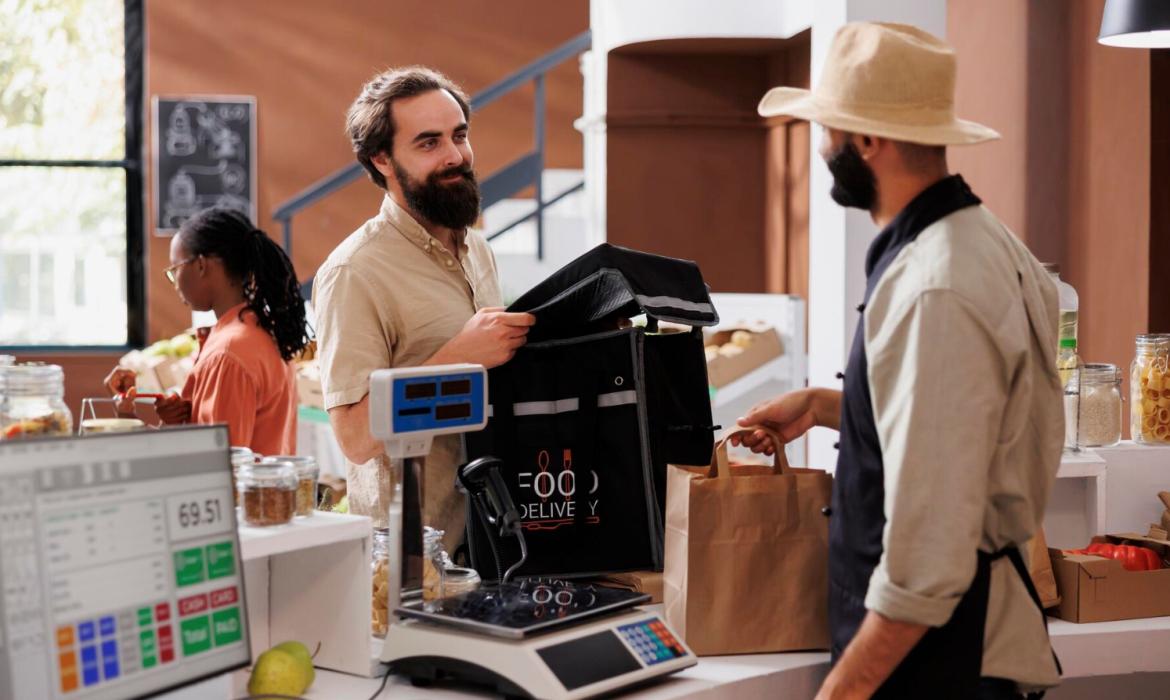
The Future of POS Technology: Trends to Watch in 2024
Point of Sale (POS) technology continues to evolve, reshaping how businesses operate and interact with customers. As we move into 2024, emerging trends in POS systems are set to further enhance convenience, efficiency, and customer experiences. Here are the top trends to watch in POS technology this year.
1. AI-Powered Insights and Automation
Artificial intelligence (AI) is revolutionizing POS systems by providing deeper insights and automating routine tasks. In 2024, expect to see:
- Predictive Analytics: AI helping businesses forecast sales trends and optimize inventory.
- Automated Customer Engagement: Personalized promotions and recommendations based on purchase history.
- Fraud Detection: Enhanced security features to identify and prevent fraudulent transactions.
Why It Matters: AI-driven POS systems save time and enable data-driven decision-making, giving businesses a competitive edge.
2. Biometric Payments and Authentication
Biometric technology, such as facial recognition and fingerprint scanning, is gaining traction in POS systems. These innovations are enhancing security and speeding up transactions.
- Faster Checkouts: Customers can complete transactions with a simple scan.
- Enhanced Security: Biometric authentication reduces fraud risks.
- Seamless Integration: This technology can also be used for employee logins and access controls.
What to Watch: As privacy concerns grow, businesses must ensure compliance with data protection regulations.
3. Mobile and Contactless Payment Dominance
The demand for contactless payments continues to rise, and POS systems are adapting to accommodate this shift. Key developments include:
- Tap-to-Pay Integration: Widespread adoption of NFC-enabled devices.
- QR Code Payments: Growing popularity in both developed and emerging markets.
- Wallet App Compatibility: Seamless integration with apps like Apple Pay, Google Pay, and PayPal.
Impact on Retail: These features enhance the customer experience and cater to the growing preference for cashless transactions.
4. Unified Omnichannel Systems
Businesses operating across multiple sales channels need POS systems that integrate seamlessly. In 2024, expect to see more solutions offering:
- Centralized Inventory Management: Real-time updates across all platforms.
- Consistent Customer Data: Unified profiles for personalized shopping experiences.
- Flexible Returns and Exchanges: Simplified processes for purchases across channels.
Trend Highlight: Omnichannel POS systems will play a key role in providing a cohesive shopping experience for customers.
5. Enhanced Customization and Scalability
Modern businesses require POS systems that adapt to their unique needs. Trends in 2024 include:
- Customizable Interfaces: Tailored layouts for specific industries.
- Modular Features: Businesses can add or remove functionalities as needed.
- Cloud Scalability: Easy expansion for multi-location operations.
Why It’s Important: This flexibility ensures that POS systems remain relevant as businesses grow and evolve.
6. Eco-Friendly POS Solutions
Sustainability is becoming a priority across industries, and POS systems are no exception. Look for:
- Paperless Transactions: Digital receipts becoming the standard.
- Energy-Efficient Devices: Systems designed to minimize power consumption.
- Recyclable Hardware: Eco-friendly materials in POS terminals and peripherals.
Key Takeaway: Eco-conscious POS solutions not only reduce waste but also appeal to environmentally aware customers.
7. Integration with IoT and Smart Devices
The Internet of Things (IoT) is expanding the capabilities of POS systems. In 2024, expect more integrations with:
- Smart Shelves: Real-time inventory updates when items are removed.
- Connected Wearables: Staff using smartwatches for alerts and transactions.
- Voice-Activated Systems: Hands-free operation for faster service.
What’s Next: IoT-enabled POS systems will redefine the customer and employee experience.
8. Subscription-Based POS Models
The software-as-a-service (SaaS) model is gaining popularity for POS systems. Benefits include:
- Lower Upfront Costs: Pay-as-you-go pricing models.
- Regular Updates: Automatic access to the latest features.
- Flexible Plans: Options to scale up or down based on business needs.
Future Outlook: Subscription models make advanced POS technology accessible to small and medium-sized businesses.
Conclusion
POS technology in 2024 is all about enhancing efficiency, security, and customer satisfaction while keeping pace with digital innovation. As these trends unfold, businesses that adopt cutting-edge POS systems will be better positioned to meet the demands of a fast-changing retail landscape.
What’s Your Move? Stay ahead of the curve by investing in a future-ready POS system. Which trend excites you the most? Let us know in the comments!

