
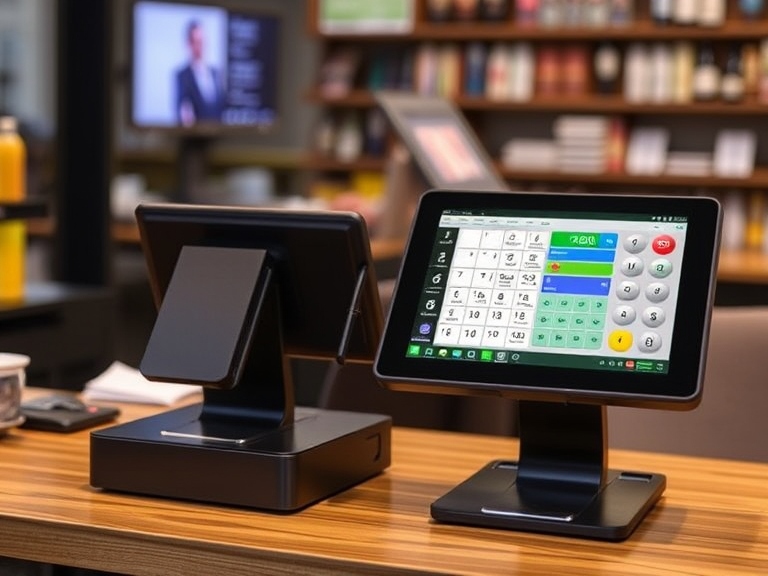
Understanding Square POS
Square POS (Point of Sale) is one of the most popular systems for small businesses looking to streamline their operations, manage payments, and track inventory. One of the most common questions from new users is, “Can I use Square POS without paying?” The short answer is yes, you can use Square POS without paying any monthly fees, but there are certain aspects of the service that may require payments.
This article will break down Square’s pricing structure, what features are available for free, and when you might need to pay for additional services. By the end, you’ll have a clear understanding of how Square works and whether it’s the right fit for your business.
What is Square POS?
Before diving into the specifics of pricing, it’s important to understand what Square POS is and how it helps businesses.
Square POS is a comprehensive system designed to help businesses process payments, manage sales, and track inventory. It’s suitable for small businesses, independent contractors, pop-up shops, food trucks, and even large retailers. Square provides an intuitive and user-friendly platform that integrates with smartphones, tablets, and specialized hardware, allowing users to accept a variety of payment methods, including credit cards, debit cards, and mobile payments like Apple Pay and Google Pay.
While Square offers free software, it charges fees for payment processing, and additional features may require subscription plans. Square is often praised for its straightforward pricing model, which means no hidden monthly fees unless you choose a paid plan.
Square POS Free Features
One of the major benefits of using Square POS is that it offers a range of free features. The free version is ideal for many businesses, especially those just getting started or small businesses that don’t need advanced functionality.
Here’s what you can access without paying anything:
1. Transaction Processing Without a Monthly Fee
Square does not charge a monthly fee for using the POS system. Instead, it earns revenue by charging a per-transaction fee for every payment you process through the platform. For swiped, dipped, or tapped card payments, the fee is generally 2.6% + 10¢ per transaction.
For invoices or online payments, the rate is slightly higher at 2.9% + 30¢. Cash payments and manual entry payments have no transaction fees.
2. Basic Point-of-Sale (POS) Features
The Square Point of Sale app provides basic POS functions like:
- Sales and transaction history tracking.
- Item and inventory management, allowing you to create product categories and track stock levels.
- Customer profiles to store contact information and purchase history.
- Simple reporting tools to track sales trends and performance.
3. Customer Management Tools
Square allows you to store customer information and create loyalty programs, all at no cost. The basic CRM features enable you to send digital receipts and send marketing emails to your customers. This feature is crucial for businesses looking to engage with their customers and promote repeat business.
4. Multi-Device Capability
Square POS is compatible with a wide range of devices, including smartphones, tablets, and Square’s own hardware (like Square Stand or Register). You can accept payments directly from your device using the free app, making it convenient for mobile businesses or small storefronts.
When Do You Have to Pay for Square POS?
While Square’s basic functionality is free, businesses that need more advanced features will need to upgrade to a paid plan. Here’s when you may have to pay for Square POS:
1. Advanced Reporting and Analytics
Square’s free plan offers basic reporting tools, but if you need more in-depth data, such as detailed sales breakdowns, employee performance, or inventory analytics, you’ll need to opt for Square’s paid plans.
2. Employee Management
For businesses that require advanced employee management features like timecards, access control, and payroll, Square’s Employee Management feature comes with additional costs. You’ll need to subscribe to Square for Retail or Square for Restaurants, which offer these functionalities at an additional fee.
3. Customization and Branding
If you want to customize your receipts or branding for customer-facing materials like invoices and business cards, you may need to upgrade to Square’s Professional or Premium plans. These plans allow more extensive customization.
4. Add-Ons and Optional Services
Square also offers paid add-ons for businesses that want to enhance their services. For example, you can add gift cards, loyalty programs, and email marketing to your Square account, which typically requires a monthly subscription. Prices for these services start at $0.50 per card for Square Gift Cards, and Square Loyalty costs $45 per month.
5. Hardware Costs
While the Square POS app is free, some hardware components require a one-time payment. For example:
- Card readers (from $10 to $49).
- Square Stand ($199).
- Square Register ($799).
These fees are not recurring but should be factored into your overall cost structure.
Square Fees and Pricing Breakdown
Square operates on a pay-as-you-go model, meaning businesses only pay fees when they process payments or use premium features. Here’s a breakdown of the most common costs:
1. Transaction Fees
Square’s transaction fees are straightforward, but they do vary based on the type of transaction. Here’s a quick summary:
- In-person transactions (via card reader): 2.6% + 10¢ per transaction.
- Online transactions (via invoices or online stores): 2.9% + 30¢ per transaction.
- Manual card entry (keyed-in payments): 3.5% + 15¢ per transaction.
2. Paid Plans
If you need more advanced functionality, Square offers a few paid options:
- Square for Retail: Starting at $0/month for basic features or $60/month for advanced features like inventory management, employee scheduling, and sales reports.
- Square for Restaurants: Starting at $0/month for basic tools or $60/month for additional restaurant-specific features.
3. Additional Add-Ons
Some add-ons require separate subscriptions:
- Square Loyalty: Starts at $45/month.
- Square Marketing: Starts at $15/month.
- Square Gift Cards: Fees starting at $0.50 per card.
Can You Avoid Paying for Square POS?
While you can use Square POS without paying any monthly subscription fees, there are still transaction fees that you’ll need to consider. However, if you’re focused on keeping costs low, here are a few strategies to minimize payments:
1. Use Cash Payments
One way to avoid paying Square’s transaction fees is by accepting cash payments. Square charges no fees for cash transactions, though you won’t benefit from the digital tracking features for cash sales.
2. Limit Paid Add-Ons
Avoid subscribing to optional add-ons unless absolutely necessary. Stick to the free version of Square POS and only opt for paid services like Loyalty Programs or Marketing when you’re ready to scale your business.
3. Use Lower-Cost Hardware
If you don’t need advanced hardware like Square Register, consider using your smartphone or tablet with a free Square card reader, which has minimal upfront costs.
Square Alternatives
While Square POS is a leading system for small businesses, it’s always a good idea to explore alternatives. Here are a few other POS systems that offer free or low-cost options:
- PayPal Here: Offers a free app with payment processing fees similar to Square.
- Shopify POS: Free plan available for Shopify users, but the premium version adds a fee.
- Toast POS: A free restaurant POS with paid options for more advanced features.
8. Pros and Cons of Using Square POS Without Paying
1. Pros
- No monthly subscription fees: Square’s free POS system is great for startups and small businesses.
- Easy setup and user-friendly: The app is easy to download and use on both smartphones and tablets.
- Basic features for free: Inventory management, sales reports, and customer profiles are all included at no cost.
2. Cons
- Transaction fees can add up, especially for businesses with high sales volume.
- Limited advanced features: Some businesses might outgrow the free version and need to upgrade to paid plans.
- Hardware costs: You’ll need to pay for any hardware (card readers, terminals, etc.).
Conclusion
In summary, you can use Square POS without paying, but it’s essential to understand the costs associated with the system. Square offers a range of free features ideal for small businesses, including payment processing, inventory management, and basic customer management tools. However, as your business grows or if you need more advanced tools, you may need to invest in Square’s paid plans or optional services.
Evaluate your business’s needs and budget to determine if Square’s free POS system is enough, or if you would benefit from the additional features provided by paid subscriptions. Whatever you choose, Square POS remains a robust, scalable solution that’s accessible for businesses of all sizes.
FAQs
Q1: Can I use Square POS without paying any fees?
Yes, you can use Square POS without paying any monthly fees, but you’ll incur transaction fees for card payments.
Q2: How much does Square POS cost monthly?
Square’s basic POS software is free. However, advanced features like employee management and analytics may require a paid plan starting at $60/month.
Q3: What are the hidden fees in Square POS?
While Square’s pricing is transparent, transaction fees apply to card payments. Additional costs may come from hardware purchases or optional add-ons.
Q4: Is Square POS free for all businesses?
Square offers a free plan suitable for most small businesses. Larger businesses or those with more complex needs might need to upgrade to a paid plan.
Q5: Can I use Square POS without a credit card reader?
Yes, Square allows you to use your smartphone or tablet to manually input payments, but a credit card reader is required for card swipes and taps.

