
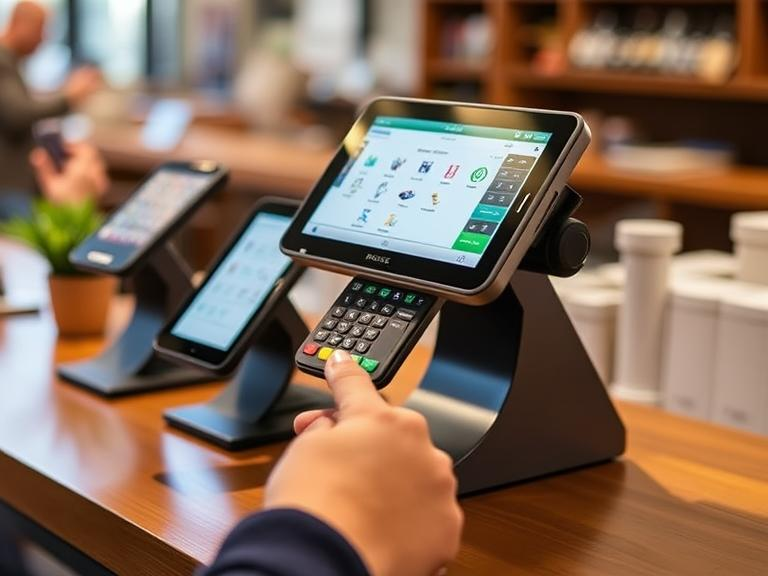
Everything You Need to Know About Modern POS Systems
What is a Modern POS System?
A modern POS (Point of Sale) system is a tool businesses use to complete sales, accept payments, and manage inventory. Unlike old-school cash registers, modern POS systems run on computers, tablets, and smartphones. They connect to cloud-based software, allowing business owners to track sales, inventory, and customer data from anywhere.
What Are the 4 Types of POS Systems?
Different businesses need different types of POS systems. Here are the four main categories:
- Traditional POS Systems – Installed on local computers, commonly found in large retail stores.
- Tablet POS Systems – Used on iPads or Android tablets, providing mobility and flexibility.
- Mobile POS Systems – Work on smartphones, great for small businesses and on-the-go sales.
- Cloud-Based POS Systems – Store sales data online, offering remote access and real-time updates.
What is POS Modernization?
POS modernization refers to upgrading older point-of-sale systems with newer features like cloud access, mobile payment options, and AI-powered analytics. A modern POS system helps businesses operate faster, improve accuracy, and provide better service to customers.
What is a POS System Example?
A restaurant using a tablet-based POS system is a good example. A waiter enters an order into the system, which automatically sends it to the kitchen. When the customer is ready to pay, the system calculates the total and allows payment through cash, credit card, or mobile wallet.
What Are the Three Types of POS?
POS systems can be categorized based on their usage:
- Retail POS Systems – Designed for stores, handling sales, inventory, and promotions.
- Restaurant POS Systems – Include features like menu management, kitchen communication, and table service.
- Service-Based POS Systems – Used by salons, spas, and appointment-based businesses to track services and bookings.
Where Are POS Systems Used?
POS systems are used in a variety of businesses, including:
- Grocery stores and supermarkets
- Clothing and electronics shops
- Restaurants, cafes, and food trucks
- Hotels and hospitality businesses
- Gyms and wellness centers
- Gas stations and convenience stores
What is the POS System Method?
The POS system method outlines the steps businesses follow to complete transactions:
- Product Selection – Items are added to the system.
- Payment Processing – The system calculates the total and processes payment.
- Receipt Generation – A printed or digital receipt is provided.
- Stock Update – The system adjusts inventory levels.
- Sales Report – Data is stored for tracking and analysis.
What Are the 5 Uses of a POS System?
POS systems help businesses in multiple ways:
- Transaction Processing – Speeds up checkouts and reduces errors.
- Inventory Management – Tracks stock levels in real time.
- Customer Data Tracking – Helps with loyalty programs and personalized marketing.
- Employee Performance Monitoring – Records sales data and work hours.
- Business Reporting – Provides financial insights to help owners make better decisions.
What is POS Technology?
POS technology includes both the software and hardware needed for transactions. Key components include:
- Touchscreen monitors or tablets
- Barcode scanners
- Receipt printers
- Cash drawers
- Credit card readers
What is POS and CRM System?
A POS system processes transactions, while a CRM (Customer Relationship Management) system manages customer interactions. Some modern POS systems come with built-in CRM features to track customer purchases and preferences.
How to Install Modern POS?
Setting up a modern POS system is straightforward:
- Select a POS software – Choose one that fits your business type.
- Set up the hardware – Install screens, barcode scanners, and printers.
- Configure the software – Add product lists, pricing, and tax details.
- Train staff – Teach employees how to use the system.
- Start processing sales – Begin tracking transactions and inventory.
What is Online POS System?
An online POS system is cloud-based, allowing businesses to complete transactions using an internet connection. It enables remote access, automatic updates, and real-time inventory tracking.
What is the Most Popular POS System?
Several POS systems are widely used across industries:
- Square – A favorite among small businesses and mobile sellers.
- Shopify POS – Ideal for online and in-store retail businesses.
- Lightspeed – Best for large retailers and restaurants.
- Toast – Designed specifically for restaurants and cafes.
- Epos Now – A versatile choice for businesses of all sizes.
What is the Future of POS System?
The future of POS systems is focused on new technology and smarter automation:
- AI and Machine Learning – Helps businesses analyze trends and customer behavior.
- Contactless Payments – Tap-and-go and mobile wallet payments are becoming the norm.
- Omnichannel Integration – Merging in-store and online shopping experiences.
- Voice-Activated POS – Hands-free transactions for quicker checkouts.
Who Uses POS System?
Businesses of all types use POS systems, including:
- Retail stores
- Restaurants and coffee shops
- Hotels and resorts
- Salons and spas
- Gas stations
- Event ticketing services
Choosing the right POS system can simplify your business operations. Whether you need a cloud-based, mobile, or traditional POS, there’s an option for every business type. Ready to upgrade your POS system? Start exploring your choices today!
FAQs
What is a modern POS system?
A modern POS system is a digital sales tool that manages transactions, inventory, and payments in real time.
What are the four types of POS systems?
Traditional, tablet, mobile, and cloud-based POS systems are the four main types.
Why do businesses upgrade to modern POS systems?
To improve efficiency, accept multiple payment types, and track sales from anywhere.
What is the future of POS systems?
AI-powered analytics, contactless payments, and voice-activated transactions are shaping the future.
Who benefits from using a POS system?
Retailers, restaurants, salons, and service-based businesses use POS systems to simplify operations.
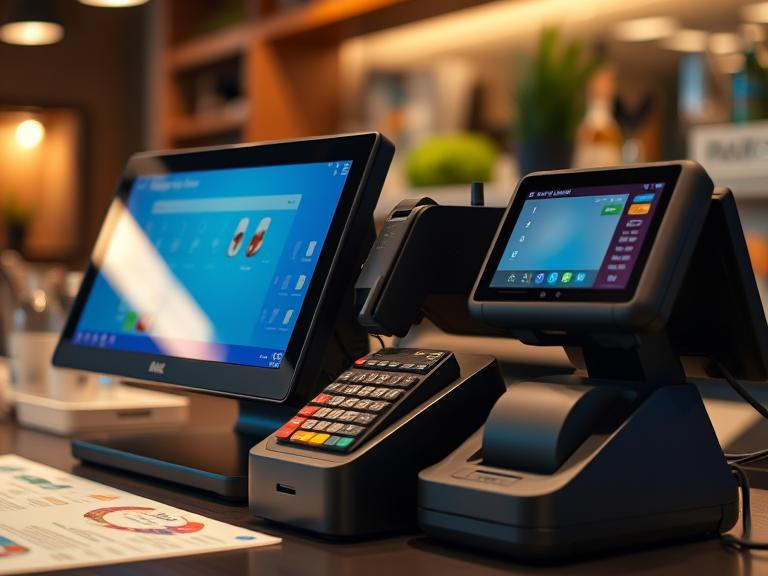
How to Save on POS System Installation and Setup Costs
Setting up a POS system can feel like a big expense, especially for small business owners. But the right approach can cut costs without sacrificing quality. If you’re wondering, “How much does it cost to install a POS system?” or “How can I save money in POS?”—this guide has you covered. We’ll break down the setup costs, compare different providers, and share money-saving tips to help you get the best deal.
Breaking Down POS System Costs
What Is the Cost of POS Setup?
The total price of a POS system depends on hardware, software, installation fees, and payment processing charges. Here’s what you need to budget for:
- Hardware: A basic setup includes a tablet, cash drawer, barcode scanner, and receipt printer. Expect to pay $500 to $2,500 depending on the brand and quality.
- Software: Subscription-based plans range from $20 to $300 per month based on features.
- Installation: Some providers offer free setup, while others charge $500 to $1,500 for on-site installation.
- Processing Fees: Every transaction comes with a charge. Rates typically range from 1.5% to 3.5% per transaction.
- Ongoing Costs: Monthly maintenance, updates, and security measures can add another $20 to $100 per month.
How to Reduce POS System Installation Costs
DIY vs. Professional Setup: Which One Saves More?
If you’re tech-savvy, you can set up your own system and skip installation fees. But if you prefer professional help, check if your provider offers free setup. Wondering, “How long does it take to install a POS system?” A DIY setup can take a few hours, while professional installations might require a full day.
Choosing a Cloud-Based or Mobile POS System
Instead of a traditional system, a cloud-based POS saves on hardware costs. Mobile options work on tablets or smartphones, cutting down on expensive registers. If you’re a small business owner asking, “Do you need a POS system for small business?”—a mobile POS might be your best bet.
Taking Advantage of Free Installation Offers
Some providers offer free setup and training as part of their subscription plans. If you’re concerned about “How much does it cost to apply for POS?”—look for companies that waive application and activation fees.
Comparing POS Providers: Which One Saves You More Money?
Is Clover Better Than Square? Which Is Better, Square or Lightspeed?
- Square: Great for small businesses, offers free basic software. How much is Square POS per month? Paid plans start at $29 per month.
- Lightspeed: Advanced features for retail and restaurants. How much is Lightspeed POS per month? Plans start at $69 per month.
- Clover: Offers flexible pricing but requires a long-term contract.
- Shopify POS: Best for online businesses with physical stores. Which is better, Shopify or Lightspeed? Shopify is better for e-commerce, while Lightspeed suits brick-and-mortar businesses.
Leasing vs. Buying a POS System: What’s More Cost-Effective?
How Much Does It Cost to Rent a POS System?
Leasing a POS system costs $30 to $100 per month, depending on the provider and equipment. Renting works well if you’re testing a new system, but long-term, buying can save more money.
Buying vs. Renting: Which One Makes Sense for You?
- Buy if: You plan to use the system for more than 2 years.
- Rent if: You run seasonal sales or need a temporary solution.
How to Start a POS Business on a Budget
How Much Can I Have to Start a POS Business?
Starting a POS business can cost between $1,000 and $10,000, depending on software, licenses, and marketing. If you’re asking, “How much does a POS system for a bar cost?”—expect a higher price due to industry-specific features like inventory tracking and tab management.
Common Mistakes That Increase POS Setup Costs
- Overpaying for features you don’t need.
- Ignoring hidden fees. Some providers charge extra for updates and customer support.
- Skipping compatibility checks. Make sure your new system works with your existing hardware.
Final Money-Saving Tips for POS Installation
- Look for discounts on refurbished hardware.
- Consider open-source POS software.
- Bundle services to get a better deal.
Conclusion
Setting up a POS system doesn’t have to break the bank. By choosing the right provider, skipping unnecessary costs, and exploring free setup options, you can keep expenses low. Ready to find the best POS system for your business? Compare providers today and start saving!
FAQs
How much does it cost to install a POS system?
The cost varies based on hardware, software, and provider fees. It typically ranges from $500 to $2,500 for setup and installation.
How can I save money in POS installation?
You can save by choosing a cloud-based system, installing it yourself, using refurbished hardware, or opting for free setup offers from providers.
Do you have to pay monthly for a POS system?
Yes, most POS providers charge a monthly fee for software and payment processing, ranging from $20 to $300 per month.
Which is better, Square or Lightspeed?
Square is ideal for small businesses with free basic software, while Lightspeed offers advanced features for retail and restaurants.
How long does it take to install a POS system?
A DIY installation can take a few hours, while professional installation might require a full day depending on system complexity.
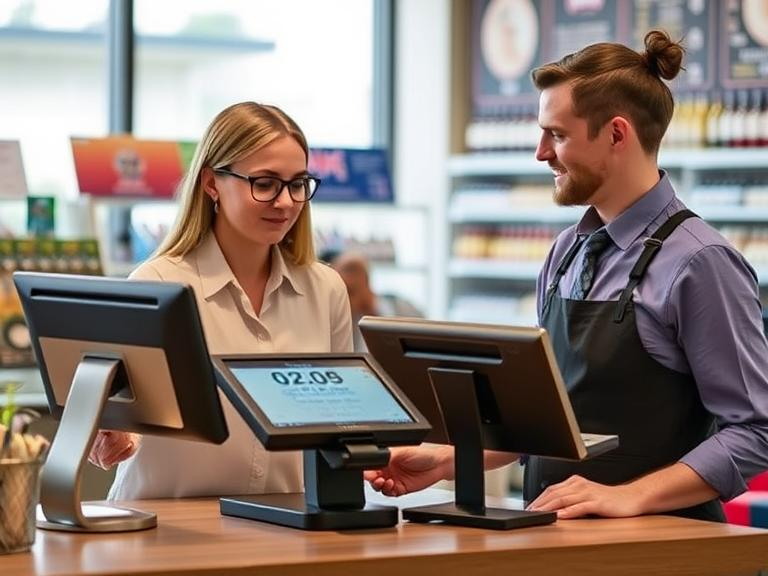
The Ultimate Guide to Cloud POS Solutions
Introduction to Cloud POS Solutions
Managing sales, tracking inventory, and ensuring smooth business operations are essential for any business. A cloud-based point of sale (POS) solution simplifies these processes by storing data online, allowing businesses to access and manage transactions from any internet-connected device.
What is a Cloud POS Solution?
A cloud POS solution is an online platform that handles transactions, inventory management, and sales analytics. Unlike traditional POS systems that rely on local storage, cloud-based solutions provide real-time access to data, making business operations more efficient.
What is Cloud-Based Sales Management?
Cloud-based sales management refers to handling customer transactions and sales data through an online system. Businesses can track sales, adjust pricing, and generate reports without being tied to a physical location.
How Does a Cloud POS System Function?
A cloud POS system operates by connecting to remote servers that store and process sales data. Whenever a sale is made, the system updates inventory and records transactions instantly, eliminating the need for manual data entry.
Difference Between Cloud-Based and Traditional POS Systems
Traditional POS systems store data locally and require manual updates. In contrast, cloud POS solutions offer real-time updates and remote access, making business management more seamless and efficient.
Example of a Cloud POS Solution
Platforms like Lightspeed and Vend provide cloud POS solutions that allow businesses to process sales transactions, manage inventory, and integrate with e-commerce platforms, all from a centralized online dashboard.
Types of Cloud POS Solutions
Common Types of POS Systems
- Mobile POS: Uses smartphones or tablets to process transactions, ideal for small businesses and pop-up stores.
- Terminal POS: Runs on dedicated hardware, commonly used in retail stores and large enterprises.
- Self-Service Kiosks: Allow customers to make purchases without a cashier, often seen in quick-service restaurants and retail outlets.
Cloud POS Systems for Retail vs. Hospitality
Retail businesses require inventory control, while hospitality businesses need table management and order tracking. Cloud-based POS solutions cater to different industries by providing specialized features for efficient operations.
Advantages of Cloud-Based POS Solutions
- Remote Access: Manage business data from any location.
- Automatic Software Updates: Stay up to date with the latest features and security patches.
- Enhanced Security: Data is stored safely in the cloud, reducing the risk of loss or theft.
- Seamless Integration: Connects with accounting, CRM, and e-commerce platforms for a unified business solution.
Essential Features of a Cloud POS System
Key Features of Cloud-Based POS
- Real-time inventory tracking
- Multi-store management capabilities
- Cloud-powered analytics and reporting
- Offline functionality with automatic sync
- User-friendly interface for quick adoption
How Cloud-Based Sales Software Works
Cloud sales software streamlines customer interactions by storing purchase history and enabling data-driven decision-making. It helps businesses improve customer engagement and enhance sales strategies.
Understanding Cloud Marketplaces
Cloud POS systems integrate with online marketplaces like eBay and Shopify, allowing businesses to manage both in-store and online transactions from a single platform.
Industry-Specific Cloud POS Solutions
Cloud POS Systems for Retail Businesses
Retailers benefit from cloud POS solutions that offer barcode scanning, sales forecasting, and centralized inventory management. These systems help retailers streamline product tracking and enhance customer experiences through personalized marketing.
Cloud POS Solutions for Restaurants
Restaurant businesses require cloud POS systems with features like digital menu management, order tracking, and kitchen display integration. These tools help improve service efficiency and reduce order errors, making restaurant management easier.
Selecting the Right Cloud POS System for Your Business
Is a Cloud POS System the Same as an ERP?
While a POS system focuses on sales transactions, an ERP (Enterprise Resource Planning) system handles broader business functions like accounting, HR, and procurement. Some cloud POS solutions integrate with ERP software to provide a comprehensive business management platform.
Cloud-Based vs. On-Premise POS Systems
A cloud POS system operates online, offering flexibility and automatic updates, while an on-premise POS requires dedicated IT support and manual updates. Cloud solutions provide cost-effective scalability, making them a preferred choice for growing businesses.
Real-World Success Stories of Cloud POS Adoption
Many businesses report increased efficiency and improved sales tracking after switching to cloud POS solutions. A fashion retailer reduced stock discrepancies by 30% using real-time inventory updates, while a café chain saw a 20% boost in sales by integrating online ordering features into their POS system. Such case studies highlight the transformative power of cloud-based POS technology.
Why a Cloud POS Solution is a Smart Investment
Cloud POS solutions empower businesses by providing real-time sales tracking, seamless inventory management, and enhanced customer engagement. Whether operating a retail store or a restaurant, a cloud POS system ensures efficient operations and business growth.
Ready to upgrade your business with a cloud POS system? Explore top-rated solutions today and choose the one that fits your needs!
FAQs
What is a cloud-based POS system?
A cloud-based POS system is an online platform that processes transactions and manages business operations like sales and inventory from any device with internet access.
How does a cloud POS system differ from a traditional POS system?
Unlike traditional POS systems that store data locally, cloud POS systems store data online, offering real-time updates and remote access.
Can a cloud POS system work offline?
Yes, many cloud POS systems offer offline functionality, which syncs data automatically once the internet connection is restored.
Are cloud POS systems secure?
Yes, cloud POS systems offer enhanced security by storing data in the cloud, reducing the risk of data loss or theft compared to local storage.
What industries benefit the most from cloud POS systems?
Retail, restaurant, and hospitality industries benefit greatly from cloud POS systems due to features like inventory tracking, order management, and real-time reporting.
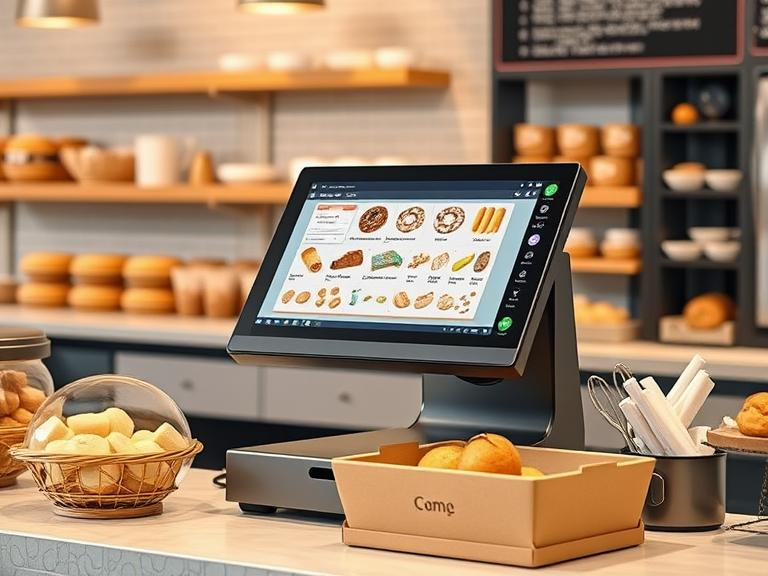
How to Integrate Your POS System with eCommerce Platforms
Running a business means juggling sales, inventory, and customer expectations. When your online store and in-store purchases don’t sync, mistakes happen. Orders get messed up, stock levels go haywire, and customers leave frustrated. The good news? Connecting your point-of-sale (POS) system with your eCommerce platform fixes these issues.
This guide explains how to get it done.
Why Connecting POS and eCommerce Matters
Real-Time Inventory Updates
Selling a product online when it’s already gone from your store shelves leads to canceled orders and unhappy customers. Linking your systems makes stock updates automatic. The moment an item sells, counts adjust everywhere.
Consistent Pricing and Promotions
Nothing confuses shoppers more than seeing different prices online and in-store. A connected POS keeps discounts, coupons, and deals the same across all sales channels.
Less Manual Work, Fewer Errors
Manually entering sales, stock numbers, and customer data takes time. Mistakes slip in, leading to mismatched reports and misplaced inventory. Automation cuts down on human error and frees up time for more important tasks.
Better Customer Experience
Imagine a customer buys online and wants to return in-store. If your systems don’t talk to each other, things get complicated. A linked setup makes refunds and exchanges simple, improving customer satisfaction.
Ways to Connect Your POS and eCommerce Store
1. Using APIs
An API (Application Programming Interface) acts as a bridge between your eCommerce store and POS system. It lets both systems share data, such as inventory levels, sales records, and customer details. If you have a developer or tech support, they can set up an API connection based on your business needs.
2. Third-Party Software
Many companies offer software that connects different POS systems with online stores. These tools come with built-in features, making setup easier. Look for software that works with your specific POS and eCommerce platform.
3. Custom-Built Integrations
If your business has unique needs, a custom integration might be the best choice. This option usually requires a developer to build a connection custom-built to your operations. Though it takes more time and money upfront, it gives full control over the integration.
Steps to Connect Your POS with Your Online Store
Step 1: Check Compatibility
Before starting, confirm that your POS system and eCommerce platform can connect. Some POS systems already have built-in integrations for popular online stores. If they don’t, see if third-party apps or APIs can bridge the gap.
Step 2: Choose the Right Integration Method
Decide whether you’ll use an API, third-party software, or a custom-built solution. Factor in cost, time, and the technical support available.
Step 3: Sync Product Data
Make sure product names, SKUs, and descriptions match between both systems. If these details differ, it could lead to confusion and mismanaged inventory.
Step 4: Test the Connection
Before going live, run test transactions. Try making purchases, processing refunds, and updating stock levels. Look for any mismatches or delays and fix them before launching the integration fully.
Step 5: Train Your Staff
Your employees should know how the connected system works. Teach them how to handle online orders, update inventory, and assist customers who shop both online and in-store.
Common Issues and How to Fix Them
Data Sync Delays
Some integrations don’t update instantly, causing inventory mismatches. If delays occur, check your software settings or talk to the service provider about improving sync times.
Incorrect Inventory Levels
If stock numbers are wrong, verify that product SKUs match on both systems. If a mismatch exists, the integration may not function properly.
Payment Processing Issues
When payments don’t process correctly, double-check that your POS and eCommerce platform support the same payment methods. If needed, adjust settings or update software.
Real-World Success Stories
Case Study 1: A Small Boutique
A clothing boutique struggled with frequent stockouts due to separate tracking systems. After integrating their POS with their online store, they reduced overselling and gained clearer stock visibility.
Case Study 2: A Multi-Location Retailer
A chain of electronics stores needed a way to track stock across multiple locations. After linking their systems, they could transfer stock between locations based on demand, avoiding overstocking or understocking in specific stores.
Future Trends in POS and eCommerce Integration
AI-Powered Inventory Predictions
Machine learning is improving how businesses predict demand. Soon, systems will recommend stock adjustments based on sales trends.
Omnichannel Shopping Experiences
More businesses are blending online and in-store shopping. Features like “buy online, pick up in-store” (BOPIS) are becoming standard, requiring stronger integrations between POS and eCommerce.
Final Thoughts
Connecting your POS with your online store simplifies operations, reduces errors, and improves customer satisfaction. Whether you use APIs, third-party tools, or custom-built solutions, the right integration keeps your business running smoothly. Take the time to set up the connection properly, test it thoroughly, and train your team. In the long run, a well-integrated system leads to fewer headaches and happier customers.
FAQs
- Why should I integrate my POS system with my eCommerce platform?
Connecting both systems helps keep inventory accurate, reduces manual work, and improves customer experience by syncing sales data in real time. - What’s the easiest way to integrate my POS with an online store?
Many POS systems offer built-in integrations, but third-party software or APIs can also help if a direct connection isn’t available. - Will my pricing and promotions stay the same across online and offline stores?
Yes! Once integrated, your POS and eCommerce platform will automatically update pricing, discounts, and offers across both sales channels. - How can I prevent inventory mismatches after integration?
Make sure product SKUs and details match in both systems before syncing. Also, test transactions before going live to catch any issues. - What if my POS and eCommerce platform aren’t compatible?
If they don’t connect directly, try third-party integration tools or consult a developer to create a custom-built solution.
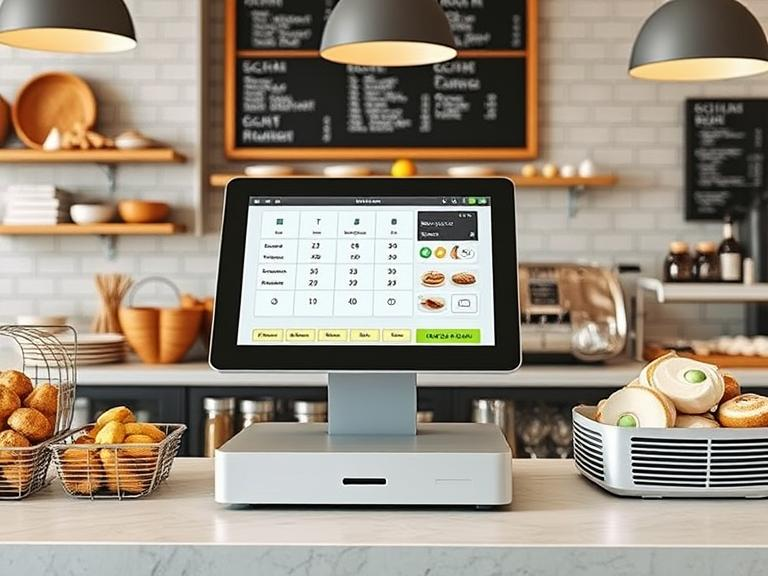
How Much Does It Cost to Set Up a POS System for a Bakery?
Running a bakery involves many steps, from choosing the right ingredients to managing a growing customer base. However, one of the most essential investments a bakery owner can make is a POS (Point of Sale) system. A reliable POS system can help manage sales, inventory, employees, and customer interactions, all in one place. But how much does it cost to set up a POS system for a bakery?
In this article, we’ll break down the costs of getting a POS system for your bakery, from initial setup fees to recurring charges, and explore various factors that influence the price. We’ll also look at the best POS systems available for bakeries, so you can choose the right one for your business.
What is a POS System, and Why Do Bakeries Need One?
A POS system is a combination of hardware and software that allows businesses to complete transactions with customers. For bakeries, a POS system helps you take orders, track inventory, manage sales, and handle customer data. It is also critical in streamlining your day-to-day operations, such as managing your menu, pricing, and customer loyalty programs.
Do you need a POS system for a small bakery? Absolutely. Even a small bakery benefits from having a POS system in place. It helps with accurate inventory management, tracking sales data, and ensuring you have enough supplies for your baked goods. Without a POS system, managing all these aspects manually can be time-consuming and prone to errors.
How Much Does it Cost to Set Up a POS System for a Bakery?
The cost of setting up a POS system for your bakery can vary significantly depending on several factors, such as the type of system you choose, the size of your business, and the features you need. Let’s take a closer look at the cost breakdown.
1. Initial Hardware Costs
When it comes to a POS system, the initial hardware setup is one of the first expenses you’ll encounter. The basic POS hardware includes terminals (touchscreen devices), receipt printers, barcode scanners, cash drawers, and possibly additional equipment like a kitchen display system.
- Terminals: A typical terminal can cost between $1,000 to $3,000, depending on the brand and functionality. High-end systems with better features or more durable screens may cost more.
- Receipt Printers and Cash Drawers: Receipt printers can cost anywhere between $100 to $300, and cash drawers are usually priced between $100 to $200.
- Additional Hardware: Depending on your bakery’s needs, you may also need hardware like barcode scanners or kitchen display systems. A barcode scanner can cost $50 to $200, while a kitchen display system can range from $500 to $2,000.
2. Software and Subscription Fees
After purchasing the necessary hardware, the next step is selecting a POS software solution. Most POS systems are subscription-based, with monthly or yearly fees that cover software updates, customer support, and cloud-based data storage. The pricing for bakery POS systems can range from $50 to $300 per month, depending on the system’s features.
Some POS systems offer tiered pricing based on the number of locations or users. For example, Shopify POS costs about $29 per month for the basic plan, but if you need advanced features or a larger customer base, the monthly fee can increase to $79 or more. Square POS, on the other hand, offers free basic software but charges a transaction fee of 2.6% + 10¢ per transaction. Additional features like employee management or customer loyalty programs are available for a fee.
3. Ongoing Transaction Fees
Every time a customer makes a purchase, your POS system will charge a small fee for processing the payment. The POS transaction cost typically ranges from 2% to 3% per transaction, but this can vary depending on the POS provider. For instance, Square POS charges 2.6% + 10¢ per swiped transaction, while other providers like Toast POS may have slightly different rates.
While these fees are common for any POS system, they can add up over time. As a bakery owner, it’s essential to keep track of these costs when calculating the overall price of your POS system.
4. Additional Costs for Specialized Bakery Features
For bakeries, specialized POS features may be necessary, such as the ability to manage custom orders, handle inventory specific to bakery goods, or integrate with delivery services. These additional features may come with extra costs or higher-tier subscription plans. Some systems even offer bakery-specific templates for easier menu and pricing setup.
If you plan to offer online ordering or home delivery, you’ll need to consider the costs of integrating with e-commerce platforms. For instance, integrating a POS system with your website or third-party delivery service can increase your monthly fees.
Factors That Influence POS System Costs
The cost of a POS system for your bakery depends on several factors, including:
- Business Size: Larger bakeries with multiple locations or higher transaction volumes may require more advanced POS systems, which can be more expensive to set up and maintain.
- Features and Customization: Advanced features, such as multi-location management, advanced reporting, or third-party integrations (e.g., for inventory management or online ordering), will increase costs.
- Software vs. Hardware: The cost of the hardware is often a one-time expense, while the software is a recurring cost. Choose a system that balances both.
- Maintenance and Support Fees: Some providers charge extra for customer support or ongoing software updates, so be sure to factor these costs into your budget.
How Much Will It Cost to Set Up a Bakery?
The overall cost to set up a bakery POS system depends on the size of your business and the complexity of your operations. For a small bakery with only one or two locations, you can expect to spend anywhere from $1,500 to $5,000 for the entire setup, including hardware and software.
For larger bakeries or those with more advanced needs, the total cost can exceed $10,000. This includes both the initial setup costs and monthly software subscriptions. The best approach is to compare different POS systems and decide based on your bakery’s specific needs, budget, and growth plans.
Is a POS System Expensive?
Is a POS system expensive? It depends on your bakery’s needs. While initial costs for hardware and software can be high, they are typically an investment that pays off in the long run. The efficiency gained from automating inventory, sales tracking, and customer management can help your bakery run more smoothly and boost your profits.
Moreover, using a POS system helps you save time and reduce the chances of making mistakes, especially when managing orders, inventory, and employee schedules. When weighing the cost of a POS system against its benefits, many bakery owners find the investment worthwhile.
What Is the Minimum Amount to Start a POS System?
If you’re asking, what is the minimum amount to start POS for a small bakery, you can typically expect to pay around $1,000 to $2,000 for basic hardware and software. Basic systems, like Square POS, can get you started with low upfront costs. However, keep in mind that additional fees for transaction processing and advanced features will add to your expenses.
Best POS Systems for Small Business Bakeries
When it comes to choosing the best POS system for small businesses, there are several factors to consider. Below are a few popular POS systems that are great for bakeries:
1. Square POS
Square is a popular choice for small businesses and bakeries due to its user-friendly interface, no monthly fee for the basic plan, and low upfront costs. Square POS works well for bakeries with a smaller operation. While the basic plan is free, you will need to pay transaction fees for each sale. Additional features, such as payroll and customer loyalty programs, are available for an extra cost.
2. Toast POS
Toast POS is excellent for bakeries with multiple locations or higher-volume sales. It includes everything from order management and reporting to employee scheduling. Pricing for Toast starts at about $69 per month, with additional fees for advanced features and customizations.
3. Lightspeed POS
Lightspeed POS is another great option for bakeries looking for inventory management and detailed reporting. It offers a range of features tailored to small businesses, including mobile POS and multi-location support. Pricing starts around $69 per month, with more advanced plans available for a higher price.
How Much Does Shopify POS Cost per Month?
Shopify POS is another excellent choice for bakeries that want to sell both in-store and online. Shopify POS costs around $29 per month for the basic plan. If you need more advanced features, such as customer profiles and detailed reports, the cost can go up to $79 or more per month.
What Is the Cost of a Self-Service POS System?
Some bakeries may want to offer self-service POS systems where customers can place orders or pay without interacting with a cashier. Self-service POS systems typically cost more due to the hardware needed, such as kiosks or touchscreen devices. On average, these systems can range from $2,000 to $5,000, depending on the level of customization and features included.
Conclusion
In conclusion, setting up a POS system for your bakery involves both upfront and ongoing costs, but the investment is usually well worth it. With prices ranging from $1,500 to $5,000 or more, depending on your business size and needs, choosing the right system will depend on your bakery’s specific requirements.
FAQs
- How much does a POS system cost for a bakery?
The cost of setting up a POS system for a bakery can range from $1,000 to $5,000, depending on the software and hardware chosen. - What is the minimum amount to start a POS system for a bakery?
The minimum cost to set up a basic POS system for a bakery starts around $1,000 for hardware and software. - How much does Shopify POS cost per month for a bakery?
Shopify POS costs around $29/month for the basic plan, with additional fees for advanced features and hardware. - Are POS systems expensive for small bakeries?
While initial costs can seem high, POS systems for small bakeries offer significant time savings and operational efficiency, making them a valuable investment. - What is the cost of a self-service POS system for a bakery?
A self-service POS system for a bakery can cost between $2,000 and $4,000, depending on the setup and features.
Why Event Planners Need a POS System for Ticket Sales
Event planning is a high-stakes industry where efficiency and customer experience are paramount. A Point of Sale (POS) system tailored for ticket sales is no longer just an option—it’s a necessity. It streamlines operations, boosts revenue, and enhances the overall attendee experience.
In this guide, we’ll explore why event planners need a POS system for ticket sales, covering benefits, key features, implementation strategies, and expert insights to help you choose the right system.
Learn More: Best Event Management Tools
The Role of a POS System in Event Ticketing
A POS system serves as a centralized hub for ticket sales, payment processing, and attendee management, ensuring seamless operations before, during, and after events.
How a POS System Enhances Ticketing:
- Omnichannel Ticket Sales: Sell tickets online, in-person, via mobile apps, and even through social media.
- Fast & Secure Transactions: Accept credit cards, mobile payments, and contactless payments.
- Real-Time Data & Analytics: Track sales, monitor attendance, and optimize pricing strategies.
- Fraud Prevention & Security: Implement encrypted transactions and counterfeit ticket detection.
- Seamless Check-Ins: Use QR code and barcode scanning for quick entry.
Related: How to Secure Your Event Transactions
Key Benefits of Using a POS System for Event Ticketing
Faster Transactions & Reduced Wait Times
A slow check-in process frustrates attendees. A POS system accelerates ticket processing, reducing long queues and enhancing guest experience.
Multi-Channel Sales for Maximum Reach
Sell tickets through various platforms: ✅ Event Website & Mobile App – 24/7 ticket purchases. ✅ Social Media Sales – Direct integration with Facebook & Instagram. ✅ On-Site Kiosks & Box Office – Quick, secure in-person purchases.
Fraud Prevention & Data Security
With real-time ticket validation and encryption, POS systems reduce ticket fraud and unauthorized entry.
Revenue Optimization Through Upselling
POS systems allow event planners to upsell merchandise, VIP packages, parking passes, and food & drinks during ticket purchases.
Streamlined Event Operations
Monitor sales trends, manage inventory, and predict peak crowd times through real-time insights provided by the POS system.
Discover More: The Future of Event Ticketing
Must-Have Features in a POS System for Event Ticketing
Cloud-Based vs. On-Premise POS
- Cloud-Based: Ideal for large-scale, multi-location events.
- On-Premise: Best for venues with unreliable internet access.
Mobile & Contactless Payments
Modern POS systems support NFC, QR code payments, and mobile wallets, catering to today’s digital-first audience.
CRM & Marketing Automation Integration
A robust POS system should integrate with CRM software to track customer behavior and automate marketing campaigns for future events.
Multi-Venue & Multi-Event Support
For planners managing multiple events or locations, the POS system must support cross-venue ticketing and centralized reporting.
Offline Mode for Uninterrupted Sales
An offline-capable POS system ensures transactions continue seamlessly, even when internet connectivity drops.
Learn More: How to Choose the Right POS System
Choosing the Right POS System for Your Event
Define Your Event Needs
- Event Scale: Small, medium, or large?
- Sales Channels: Online, in-person, mobile, or all?
- Payment Methods: Credit cards, mobile wallets, cash?
Compare Pricing & Features
Evaluate pricing models (flat fees, commission-based, or subscription) to find the best value for your event type and budget.
Ensure 24/7 Customer Support
Technical issues can arise anytime. Choose a provider that offers round-the-clock support and comprehensive onboarding assistance.
Seamless Integrations
A strong POS system should integrate with: ✅ Event Management Software (Eventbrite, Cvent, Ticketmaster) ✅ Payment Gateways (Stripe, PayPal, Square) ✅ Marketing Tools (MailChimp, HubSpot, Google Analytics)
Implementation Strategy: Setting Up Your POS System
Step 1: Select the Right POS Provider
Compare features, pricing, and scalability to align with your event goals.
Step 2: Train Your Team
Ensure event staff is well-trained on the system for efficient ticket sales and check-in processes.
Step 3: Test Before the Event
Run a mock ticketing scenario to ensure the system functions smoothly under live conditions.
Step 4: Monitor and Optimize
Analyze sales trends and attendee behavior in real time to make on-the-fly improvements.
Future Trends in Event Ticketing POS Systems
🚀 AI & Predictive Analytics – AI-driven insights will help optimize pricing and predict ticket demand. 📱 Mobile-First Ticketing – 80%+ of ticket buyers use mobile; POS systems must prioritize mobile usability. 🔗 Blockchain & NFT Tickets – Event planners are leveraging NFTs for unique digital tickets with added perks. 🤖 Automation & Chatbots – AI-powered chatbots will streamline customer service and ticket inquiries.
Explore More: How AI is Changing Event Management
Why Event Planners Should Invest in a POS System
A POS system for event ticket sales is a game-changer for event organizers. It enhances security, optimizes revenue, and ensures a frictionless attendee experience.
Key Takeaways:
✅ Boost sales & reduce wait times with omnichannel ticketing. ✅ Improve security with fraud prevention & encrypted transactions. ✅ Maximize revenue through upselling & real-time analytics. ✅ Enhance attendee experience with contactless check-ins & mobile ticketing.
Next Steps: Get the Right POS System Today!
🚀 Whether you’re planning conferences, concerts, or festivals, upgrading to a modern event POS system will set you up for success.
🔎 Need help choosing the right POS system? Contact us today for expert guidance!
FAQ
Q: What is the best POS system for event ticketing?
A: The best POS system depends on your event size, budget, and required features. Popular options include Square, Eventbrite, and Ticketmaster.
Q: Can a POS system work offline?
A: Yes! Many modern POS systems offer offline capabilities to ensure uninterrupted sales.
Q: How does a POS system prevent ticket fraud?
A: Advanced barcode scanning, real-time validation, and encryption help prevent fraud and unauthorized entries.
📢 Have more questions? Contact Us Now!
Top POS Systems for Fitness Centers in 2025: A Complete Guide
Why a Fitness-Specific POS System is Essential
Running a fitness center isn’t just about workouts and memberships. You have to handle payments, class scheduling, retail sales, customer engagement, and even access control. A generic POS won’t be enough. A system designed for fitness businesses makes daily operations smoother and improves the overall member experience.
In this guide, we’ll cover:
- Key features every fitness POS should have
- The top POS systems in 2025
- How to choose the best POS for your gym, studio, or training facility
- Future trends shaping fitness POS systems
- Cost considerations and potential hidden fees
Let’s get started!
Must-Have Features in a Fitness POS System
A great POS system does more than just process payments. It helps manage memberships, track sales, and optimize daily operations. Here’s what to look for:
1. Membership & Recurring Billing
Fitness centers thrive on memberships, so your POS should:
- Handle recurring payments automatically
- Offer flexible pricing (monthly, quarterly, or annual)
- Send reminders for upcoming renewals
- Manage discounts for long-term commitments
2. Class & Appointment Scheduling
Managing group classes and personal training sessions is crucial. A strong POS should:
- Let members book, reschedule, or cancel easily
- Send automated reminders to reduce no-shows
- Offer waitlist management to maximize occupancy
- Sync with trainer availability for real-time scheduling
3. Secure & Flexible Payment Options
Your POS should support:
- Credit/debit cards, digital wallets, and contactless payments
- Financing options for higher-priced memberships
- Mobile payment compatibility for ease of use
- Split payments for group training sessions
4. Customer Relationship Management (CRM)
An integrated CRM helps you:
- Track customer history, preferences, and engagement
- Send personalized promotions and loyalty rewards
- Manage communication through SMS and email campaigns
- Automate referral programs and member retention efforts
5. Inventory & Retail Management
If you sell supplements, apparel, or fitness gear, your POS should:
- Track stock levels and send restock alerts
- Manage supplier details
- Offer barcode scanning for faster checkouts
- Integrate with an e-commerce store for online sales
6. Check-in & Access Control
A gym POS should include:
- Barcode, key fob, or biometric entry
- Automated check-ins to monitor attendance
- Restricted access for expired memberships
- Integration with 24/7 access control systems
7. Reporting & Analytics
A data-driven approach helps fitness businesses grow. Your POS should provide:
- Revenue and membership trends
- Peak hours and busiest classes
- Customizable financial reports
- Insights into customer retention and churn rates
8. Integration with Fitness Software
Your POS should work seamlessly with platforms like:
- Mindbody, Trainerize, and ClassPass for bookings
- Marketing tools for customer retention
- Accounting software for financial tracking
Top POS Systems for Fitness Centers in 2025
Here’s a breakdown of the best fitness POS options available this year:
| POS System | Best For | Key Features | Pricing |
|---|---|---|---|
| ABC POS | Large fitness centers | Advanced reporting, multi-location access, automated renewals | $$$ |
| FitPOS Pro | Boutique studios | User-friendly dashboard, flexible billing, SMS reminders | $$ |
| GymEase POS | Budget-friendly option | Affordable plans, multi-payment support, easy setup | $ |
| FlexPay POS | Mobile & online payments | Cloud-based, e-commerce integration, mobile POS | $$ |
| EliteGym POS | All-in-one solution | AI insights, inventory tracking, CRM integration | $$$ |
How to Choose the Best POS for Your Fitness Business
Here’s what to consider before making a decision:
- Business Size Matters: A large gym chain needs a more advanced system than a small training studio.
- Scalability is Key: Choose a POS that grows with your business.
- Budget Considerations: Compare subscription fees, transaction costs, and feature pricing.
- Hidden Costs: Look for extra fees on software updates, transaction processing, and integrations.
- Customer Support Availability: A responsive support team is crucial.
- User Reviews Matter: Check real user feedback on usability and reliability.
What’s Next for Fitness POS Systems?
Technology is shaping the future of gym POS systems. Here are the key trends to watch:
1. AI-Powered Decision Making
AI-driven analytics will help gyms predict membership cancellations, optimize pricing, and improve retention.
2. Enhanced Data Security
With increased cyber threats, fitness POS systems will offer stronger encryption and fraud protection.
3. Integration with Wearables
More POS systems will sync with fitness trackers and smartwatches for automated check-ins and workout tracking.
4. Cryptocurrency & Alternative Payments
Expect more gyms to accept cryptocurrencies and digital payment methods beyond credit cards.
5. Customization & White-Label Solutions
Fitness businesses will increasingly opt for customizable POS systems to match their branding.
FAQs
What’s the best POS for a small gym or personal trainer?
GymEase POS is a great option for those on a budget. It offers essential features at an affordable price.
Can I integrate my POS with my existing fitness software?
Many POS systems integrate with platforms like Mindbody and Trainerize to streamline operations.
How much does a fitness POS system cost?
Pricing varies from $50 per month for basic systems to $300+ for premium options with advanced features.
What’s the difference between a regular POS and a fitness POS?
A fitness POS includes features like membership billing, class scheduling, and CRM tools specifically designed for gyms and studios.
Are there any hidden fees in fitness POS systems?
Some providers charge additional fees for transactions, integrations, software updates, and customer support tiers. Always check the full pricing breakdown before committing.
Final Thoughts
The right POS system can make running a fitness center easier, whether you own a small studio or a multi-location gym. With so many options available, your choice depends on your business size, budget, and needs.
If you’re ready to take your fitness business to the next level, start by testing a free demo from one of the top POS providers mentioned above. The right system will cut down administrative work, improve customer experience, and keep your business running smoothly.
Get the Best POS System: 5 Features You Can’t Miss!
Running a business today looks very different from just a few years ago. Customers expect quick service, multiple ways to pay, and a smooth shopping experience whether they’re online or in a store. A strong POS system isn’t just about ringing up sales anymore. It needs to be smart, flexible, and packed with tools that help businesses grow.
If you’re looking for a POS system in 2025, these five features should be at the top of your list.
1. Cloud-Based and Omnichannel Capabilities
Businesses no longer rely on clunky, outdated machines stuck behind the counter. Cloud-based POS systems let you track sales, manage inventory, and check reports from anywhere. Whether you run a café, a clothing store, or an online shop, this feature keeps you in control, no matter where you are.
Why Cloud-Based POS Is a Game Changer
- Access data in real time from any device
- Get automatic updates without extra costs
- Keep business running even if one location’s internet goes down
Omnichannel Integration: Selling Everywhere, Effortlessly
Customers switch between online and in-store shopping all the time. A good POS system syncs everything, so a sale made online updates your in-store stock instantly. This prevents overselling and keeps customers happy.
2. AI-Powered Analytics and Automation
POS systems are now smarter than ever. They can predict what products will sell best, alert you when stock is low, and even help personalize marketing efforts.
How AI Helps Businesses Sell More
- Spots buying trends before you do
- Suggests discounts or bundles based on past purchases
- Flags unusual transactions to prevent fraud
Automation That Saves Time
- Orders stock automatically when supplies run low
- Assigns shifts based on sales trends and busy hours
- Speeds up checkout with self-service options
3. Advanced Payment Processing and Security
Customers want to pay their way, and businesses need to keep transactions safe. A POS system in 2025 should accept everything from tap-and-go cards to digital wallets and even cryptocurrency.
Popular Payment Methods Your POS Should Support
- Contactless payments (Apple Pay, Google Pay, etc.)
- Buy Now, Pay Later (BNPL) options like Afterpay
- QR code payments for faster checkouts
Keeping Transactions Secure
- End-to-end encryption protects customer data
- Multi-factor authentication prevents unauthorized access
- Automatic fraud detection flags suspicious transactions
4. Integrated Customer Relationship Management (CRM)
A good POS system does more than just handle sales. It helps businesses understand customers better and keep them coming back.
Why CRM Matters in a POS System
- Stores purchase history for personalized service
- Tracks loyalty points and rewards automatically
- Sends special offers based on customer preferences
Handling Customer Data Responsibly
- Follows privacy laws like GDPR
- Gives customers control over their data
- Uses insights to improve service, not just to sell
5. IoT and Smart Hardware Integration
Technology keeps changing, and POS systems must keep up. Smart hardware connects different parts of the business for better efficiency.
Examples of Smart POS Hardware
- Self-checkout kiosks for faster lines
- RFID scanners for quick and accurate inventory tracking
- Digital receipt printers that send receipts to phones
How IoT Helps Businesses Operate Smoother
- Alerts when a shelf needs restocking
- Tracks perishable goods to reduce waste
- Monitors equipment to prevent breakdowns
What’s Next? Future Trends in POS Systems
Technology doesn’t stand still, and neither should your business. The future of POS systems includes voice-activated checkouts, augmented reality shopping experiences, and even eco-friendly hardware designed to cut down on energy use.
What’s Coming Soon?
- Voice commands for hands-free transactions
- Augmented reality (AR) for virtual try-ons
- Smart POS terminals that reduce energy waste
Final Thoughts
The right POS system can make or break a business. In 2025, the best systems will go beyond just handling payments. They will help businesses sell smarter, serve customers better, and grow faster. Whether you’re upgrading your system or getting one for the first time, look for these five must-have features.
Ready to upgrade your POS system? Choose one that keeps up with the future, so your business never falls behind.
FAQs
- Why does a POS system need cloud-based features?
Cloud-based systems let you access sales data from anywhere and keep everything updated in real time. - What payment methods should a POS system support in 2025?
It should accept contactless payments, digital wallets, Buy Now, Pay Later (BNPL), and even cryptocurrency. - How can AI improve a POS system?
AI can predict sales trends, automate stock ordering, and personalize customer recommendations. - What security features should a modern POS system have?
End-to-end encryption, multi-factor authentication, and fraud detection are must-haves. - How does IoT benefit businesses using a POS system?
IoT-connected hardware can track inventory, reduce waste, and prevent equipment failures before they happen.
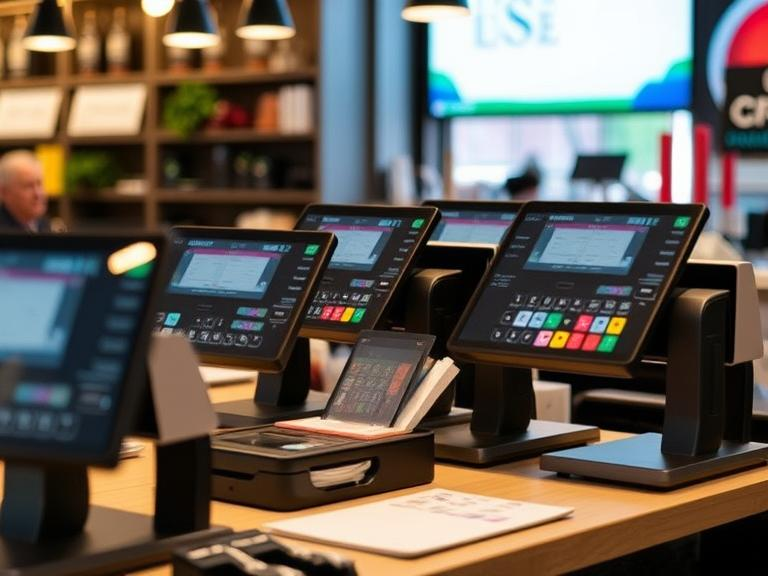
The Future of POS Systems in Healthcare: What’s Next for Payment Technology?
The healthcare sector is seeing continuous advancements in how services are delivered and payments are processed. Point of Sale (POS) systems are at the heart of this evolution, as they adapt to meet the specific needs of healthcare providers and their patients. With improvements in speed, security, and integration, these systems are changing the way healthcare transactions are managed. Let’s examine the future of POS systems in healthcare and what innovations are expected to shape the future of payment processing.
What Are POS Systems in Healthcare?
A POS system is where payments are made. In a healthcare setting, it can mean paying for a medical service, medications, or any other healthcare-related expenses. These systems are more than just a way to accept payments—they help healthcare providers track transactions, manage data, and make sure everything is processed correctly.
Years ago, healthcare payments were done with checks or cash, and paper billing was common. Now, POS systems help healthcare providers handle payments digitally, making the process faster and less prone to mistakes.
How POS Systems Have Changed Over Time
POS systems aren’t new, but the technology behind them has come a long way. Early systems were simple cash registers. Over the years, these systems have gotten smarter and more versatile. Today, modern POS systems handle credit and debit card payments, insurance claims, and even mobile payments like Apple Pay or Google Wallet.
The future will see even more advanced features. Hospitals, clinics, and pharmacies will have systems that integrate with other technologies, such as Electronic Health Records (EHR). This will give healthcare workers a complete view of a patient’s payment history and medical data in one place.
What the Future Holds for POS Systems in Healthcare
So, what can we expect from POS systems in healthcare? Here are some key changes that will shape their future:
- Mobile POS Technology
In the future, patients may be able to pay their bills directly through mobile devices. This will make it easier for healthcare providers to process payments at the point of care—whether it’s at the hospital, clinic, or even at home. - Cloud-Based Systems
Cloud-based POS systems are becoming increasingly popular. These systems allow healthcare providers to access payment data from any location, at any time. Whether a provider is at the office, a hospital, or even working remotely, they can manage payments with ease. - AI and Machine Learning
Artificial intelligence will play a bigger role in POS systems. AI can help detect fraud and predict issues before they occur. Over time, POS systems will become even more accurate at identifying patterns and solving problems without human intervention. - Contactless Payments
As technology progresses, contactless payments will become the norm. With mobile wallets, patients will be able to pay with a tap of their phone, card, or even smartwatches. This method speeds up transactions and removes the need for physical payment methods.
Benefits of Advanced POS Systems for Healthcare Providers
When healthcare providers use advanced POS systems, they can enjoy a range of benefits:
- Simplified Billing
Billing in healthcare can be complicated. With POS systems, everything is processed digitally, which makes it easier to track payments and reduce billing errors. - Reduced Human Errors
Mistakes happen, especially when dealing with paper records. Digital POS systems automatically record transactions, making it less likely for errors to occur. - Improved Data Management
With the data from POS systems stored electronically, healthcare providers can access patient information quickly and accurately. This helps to track payments, outstanding balances, and patient histories. - Faster Transactions
Patients don’t want to wait in long lines or deal with slow payment systems. POS systems help speed up the process by allowing patients to pay on the spot, saving both time and frustration.
How POS Systems Benefit Patients
It’s not just healthcare providers who benefit from these systems—patients do, too. Here’s how:
- Faster Payments
Patients won’t need to wait around to pay. With advanced POS systems, payments are processed quickly, reducing the wait time. - Multiple Payment Options
Some people prefer paying with credit cards, others with mobile wallets, and some with insurance. Future POS systems will allow patients to choose how they want to pay, making it more convenient for everyone. - Transparency
With digital POS systems, patients will always know exactly what they’re being charged for. This transparency helps reduce confusion and creates a more trusting relationship between the patient and provider. - Less Paperwork
Many healthcare providers are moving away from paper records, and POS systems are part of that change. Patients won’t need to fill out forms or keep track of paper receipts. Everything will be stored digitally for easy access.
The Role of Artificial Intelligence and Automation
AI and automation are helping businesses across the world become more efficient—and healthcare is no exception. AI can help identify payment fraud or billing errors before they happen. Over time, these systems will get smarter and more accurate, helping providers solve problems before they arise.
Automation also helps save time. For example, billing that used to take hours or even days can be completed almost instantly. Staff can focus on other important tasks instead of getting bogged down in paperwork.
Blockchain and Healthcare POS Systems
Blockchain, which is known for securely storing data, will play a big role in the future of healthcare payments. This technology helps protect sensitive patient data and prevents fraud. Blockchain makes it easier for healthcare providers to process payments quickly and securely, especially when dealing with insurance claims.
Challenges with Future POS Systems
There are a few challenges that healthcare providers may face when adopting new POS systems:
- Cost
New technology often comes with a significant cost. Healthcare providers will need to consider the expense of upgrading their POS systems and whether it’s a good investment. - Training Staff
New systems require proper training. Healthcare workers will need to learn how to use the updated POS technology, which may take time. - Integration with Other Systems
Many healthcare organizations already use systems like Electronic Health Records (EHR). Getting new POS systems to work with older systems can be difficult and time-consuming. - Privacy Concerns
Digital payment systems collect a lot of sensitive data. Healthcare providers will need to make sure that patient information is secure and complies with laws like HIPAA (Health Insurance Portability and Accountability Act).
What Does the Future Hold?
As technology continues to evolve, healthcare POS systems will become faster, more secure, and easier for both providers and patients. We can expect more mobile payments, better fraud protection, and smarter systems that reduce the risk of errors. These advancements will help healthcare providers improve efficiency and offer a better experience for their patients.
Act Now to Prepare for the Future
If you’re a healthcare provider, now is the time to start thinking about how you’ll upgrade your payment systems. The future is coming quickly, and adopting the latest POS technology will put you ahead of the competition. Get ready for smarter payments, easier transactions, and a better overall experience for your patients.
FAQs
- What are POS systems in healthcare?
- POS systems in healthcare are digital platforms used to process payments for medical services, medications, and other healthcare-related expenses.
- How have POS systems improved healthcare payment processing?
- Modern POS systems make healthcare payments faster, more accurate, and secure by eliminating paper billing and automating transaction tracking.
- What is the role of AI in the future of POS systems in healthcare?
- AI will help detect fraud, predict billing issues, and automate payment processes, making healthcare transactions more efficient and accurate.
- How will mobile POS technology impact healthcare payments?
- Mobile POS technology will allow patients to pay directly from their smartphones, streamlining payments at the point of care.
- What challenges do healthcare providers face with future POS systems?
- Providers may face challenges such as system costs, integration with existing technologies, staff training, and ensuring data privacy.
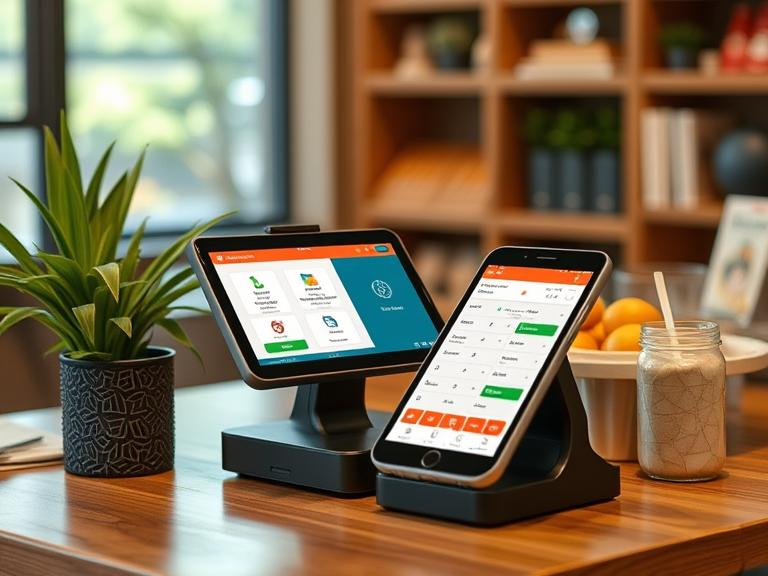
Top Benefits of Cloud-Based POS Systems for Salons & Spas
Running a salon or spa comes with many tasks that need careful attention. From managing customer appointments to keeping track of inventory and handling payments, there’s a lot to keep organized. One essential tool that can help with this is a Point of Sale (POS) system. However, many salons and spas are shifting away from traditional POS systems that rely on in-store servers and moving towards cloud-based solutions. Cloud-based POS systems are growing in popularity because they allow businesses to manage their operations from anywhere, offering many advantages that improve overall business efficiency and customer service.
In this article, we’ll explain the benefits of cloud-based POS systems for salons and spas. Whether you’re considering upgrading your current system or are just starting, this guide will walk you through the many reasons why cloud-based POS systems are ideal for your business.
What Is a Cloud-Based POS System?
A cloud-based POS system is a point-of-sale system that stores data online instead of on a physical server. This means that business owners and managers can access sales records, customer information, and other important data from any device with an internet connection.
What Is the Difference Between Cloud-Based POS and Traditional POS?
The key difference between a cloud-based POS system and a traditional POS system is where the data is stored. Traditional POS systems rely on in-store servers that are limited to your physical location. On the other hand, cloud-based POS systems store data in the cloud, allowing users to access it remotely from anywhere. Cloud systems also tend to be more flexible and easier to manage compared to traditional systems.
What Are the Advantages of a Cloud or MPOS System?
MPOS (Mobile POS) systems are essentially cloud-based systems that can be used on mobile devices such as smartphones and tablets. The advantages of both cloud and MPOS systems include:
- Flexibility: You can check your sales, customer data, and inventory from anywhere, even if you’re on the go.
- Low Initial Costs: Cloud systems don’t require costly hardware or servers to operate.
- Cost-Effective: Most cloud systems charge a monthly subscription, which is often more affordable than purchasing traditional POS hardware.
Why Efficient Management Is Required for Salons?
Salons and spas face unique challenges in managing day-to-day operations. They must handle scheduling appointments, managing inventory, keeping track of client preferences, and ensuring smooth transactions. With all these moving parts, efficient management becomes key to keeping things running smoothly.
Efficient management tools help salon and spa owners save time and money, improve customer experiences, and run the business more effectively. A well-managed salon or spa can create a better environment for both staff and customers, leading to increased satisfaction and higher profits.
Key Features of Cloud-Based Salon Software
Cloud-based POS systems come with many useful features tailored for salons and spas. Here are a few that can make a big difference in the way you manage your business:
- Appointment Scheduling: A cloud-based POS can integrate directly with scheduling tools, allowing your clients to book appointments online and staff to manage bookings.
- Inventory Tracking: Real-time inventory management helps you keep track of products and supplies without the risk of running out.
- Sales and Customer Data: Cloud systems collect customer purchase history, making it easier to track preferences and provide personalized experiences.
- Payment Processing: Accept payments quickly and securely through mobile payments, credit cards, and other payment methods.
How to Choose the Right Cloud-Based Salon Software?
When looking for the right cloud-based POS system, it’s important to think about your specific needs. Here are some factors to consider:
- Cost: Cloud-based systems can range from free options to those with monthly fees. Be sure to pick a system that fits your budget while offering the features you need.
- Scalability: If you plan on growing your salon or spa, ensure the system can expand with you, whether you add more locations or staff.
- Support and Training: Look for a system with a solid customer support team and training materials to help you make the most of the software.
How Is Cloud-Based Salon POS Software Key to Salon Success?
A cloud-based POS system is an essential tool that supports the success of your salon or spa. It allows you to access data anytime and from anywhere, giving you more control over your business operations. By moving to a cloud-based system, salon owners gain flexibility, access to real-time data, and the ability to track key metrics such as sales, customer preferences, and employee performance.
What is the Best POS System for a Salon?
When looking for the best POS system for a salon, choose one designed with salon features in mind. The best systems for salons include simple-to-use interfaces, booking integrations, and customer management tools. Popular choices are Square, Booker, and Vagaro.
What POS Software Does Starbucks Use?
While Starbucks uses a traditional POS system, many salons and spas are making the switch to cloud-based POS systems for greater flexibility and access to real-time data. The best system for your salon depends on your size, needs, and budget, but cloud-based options are becoming more popular in the beauty industry.
What is the Most Cost-Effective POS System?
The most cost-effective POS system for your business depends on the size and scope of your operations. For smaller businesses or salons just getting started, Square offers a great free POS solution with optional paid features. Larger salons may prefer systems like Vagaro or Booker, which come with more advanced features and monthly fees.
How Much Does a POS System Cost per Month?
The cost of a POS system for salons can vary widely depending on the features and scale of your business. Smaller salons can often get started with systems that cost as little as $0 to $60 per month. Larger salons or multi-location spas might pay between $100 and $300 per month for more advanced systems.
What Is the Best Salon Booking System?
The best salon booking system integrates with your POS software and provides customers with easy access to book appointments. Popular booking systems include Vagaro, Acuity, and Booksy, all of which provide features that help salons manage appointments, reminders, and customer preferences.
What is a POS System in a Salon?
A POS system in a salon is the software and hardware used to process payments, manage appointments, keep track of inventory, and maintain customer data. Cloud-based POS systems store all this data online, making it easy for salon owners to access it from any location.
Why is a POS System a Must for Salons?
A POS system is essential for salons because it simplifies several key tasks:
- Payment Processing: Handles payments quickly and securely.
- Client Information: Tracks customer preferences and purchasing habits, which can improve customer service.
- Inventory Management: Keeps you updated on stock levels and helps with reordering.
What Are the Objectives of Salon POS Software?
The objectives of salon POS software include:
- Transaction Processing: Speeding up payment processing.
- Client Management: Storing customer preferences and purchase history for personalized experiences.
- Inventory Control: Managing product stock to reduce waste and optimize purchasing.
Why Should a Salon Go Digital And Use Cloud-Based Salon POS?
Going digital with a cloud-based POS system offers several benefits:
- Remote Access: Check sales, appointments, and customer data from anywhere.
- Cost Savings: Cloud systems often have lower upfront costs compared to traditional systems.
- Improved Customer Experience: Digital systems allow for faster service, more personalized offerings, and easier booking.
What Makes a Good POS System?
A good POS system should be:
- Easy to Use: It should be simple enough for staff to learn quickly.
- Reliable: It should work without glitches, especially during busy hours.
- Flexible: The system should grow with your business and offer the tools you need as your salon expands.
What Is the Difference Between a POS System and a POS Terminal?
A POS system refers to the entire setup, which includes the software and hardware used to process transactions. A POS terminal is the specific device (like a card reader or cash register) that processes payments.
What POS System to Use for Small Business?
Small salons should look for a POS system that is affordable, easy to use, and scalable. Square and Clover are excellent options for small businesses due to their low upfront costs and flexibility.
Is Square Good for Spa Business?
Yes, Square is an excellent choice for spa businesses due to its low cost, ease of use, and features that work well for service-based businesses. It integrates with booking software and offers options for mobile payments.
Key Takeaways
Cloud-based POS systems are transforming how salons and spas operate, making them more efficient and cost-effective. These systems provide real-time data, improve customer satisfaction, and simplify appointment booking and payment processing. Whether you have one location or several, switching to a cloud-based POS system can help your salon grow and thrive in a competitive market.
If you’re ready to take your salon or spa to the next level, explore the various cloud-based POS systems available. Choose one that meets your business needs and budget, and enjoy the benefits of more organized, flexible, and profitable operations.

