
How to Set Up POS System for Car Rental Business: A Simple Guide
Running a car rental business involves a lot of moving parts. You need to manage vehicles, keep track of payments, and make sure customers have a smooth experience. One of the best tools to help with these tasks is a Point of Sale (POS) system. A POS system does more than just handle payments; it helps you organize your work and stay on top of everything.
In this guide, you’ll learn how to set up a POS system for your car rental business. We’ll go through the key steps, things to look for in a POS system, and how to make the most of it. Whether you’re just starting out or upgrading your existing setup, you’ll have the information you need to make a smart decision.
What is a POS System for a Car Rental Business?
A POS system combines hardware and software that helps businesses process sales, manage payments, and keep track of inventory. For a car rental business, a POS system does more than just record customer payments. It helps manage vehicle availability, handle billing, and store customer information.
Using a POS system makes everyday tasks easier. It reduces the chances of mistakes and keeps your business organized. For example, you don’t have to manually record every payment or worry about errors in billing. A good POS system takes care of that for you.
Why is a POS System Important for Your Car Rental Business?
Running a car rental business means dealing with a lot of tasks, like renting out cars, handling payments, and keeping customers happy. Without a good POS system, these things can get confusing. Here’s why using one is important:
- Easy Payment Handling: A POS system can manage different types of payments, such as cash, credit/debit cards, and mobile payments. It also records everything correctly, so you don’t have to worry about mistakes.
- Better Inventory Management: With a POS system, you can easily track which cars are available, which are booked, and which need maintenance.
- Accurate Reports: A POS system helps you create reports that show how your business is doing, such as how much you’ve earned, which cars are the most popular, and when your business makes the most money.
- Customer Information: Many POS systems can store customer data, such as their rental history and preferences. This makes it easier to offer personalized service and even set up loyalty programs.
Key Features to Look for in a POS System for Car Rentals
Not all POS systems are the same. Some may be better for small businesses, while others are more suited for large companies. When choosing the right POS system for your car rental business, look for these key features:
- Rental Management: The POS system should let you track car availability, manage bookings, and send reminders for returns.
- Payment Processing: It should support various payment options, like credit cards, debit cards, and digital wallets, and provide secure transactions.
- Reports and Analytics: A POS system that can generate daily, weekly, or monthly reports on sales, rentals, and customer preferences is valuable. This will help you make informed decisions about your business.
- Customer Management: The system should store customer information, so you don’t have to dig through paperwork every time someone rents a car. This is also useful for offering loyalty programs.
- Integration with Other Software: A good POS system can work well with other tools, like accounting software or online booking systems, to keep everything connected.
How to Set Up a POS System for Your Car Rental Business
Setting up a POS system may sound difficult, but it’s a simple process if you break it down into steps. Here’s a basic guide to help you:
Step 1: Understand Your Business Needs
Before you start searching for a POS system, think about your car rental business. Ask yourself questions like:
- How many cars do you rent out?
- Do you have multiple locations?
- What payment types do you accept (credit cards, cash, etc.)?
- Do you want to track customer preferences or offer loyalty programs?
Knowing the answers to these questions will help you choose the best POS system for your needs.
Step 2: Choose the Right POS Software
There are many POS systems to choose from, and some are designed specifically for car rental businesses. Some popular systems include RentSyst and Booqable. When picking a system, compare the features, prices, and customer reviews to make sure it fits your business.
Step 3: Set Up Your Hardware
A POS system requires hardware to function, such as a computer or tablet, a barcode scanner, a receipt printer, and a card reader for payments. Depending on your business size, you may need more than one POS station. After you’ve purchased the necessary hardware, install the software and connect the devices.
Step 4: Connect to Payment Systems
To accept payments, make sure your POS system connects to payment processors like Stripe or PayPal. This makes accepting payments easier and more secure. You’ll need to enter your business information and link your bank account for deposits.
Step 5: Customize Your POS System
Your POS system should be customized for your business. Add vehicle details, rental rates, booking policies, and payment terms. This way, when customers rent a car, everything gets updated automatically in the system.
Step 6: Train Your Staff
Once the system is set up, train your staff on how to use it. Make sure they understand how to manage bookings, process payments, and handle customer information. Proper training will help your business run smoothly.
Tips for Getting the Most Out of Your POS System
Once your POS system is up and running, here are a few tips to get the most out of it:
- Use Automated Features: Many POS systems offer automated tools, like invoicing, payment reminders, and tracking car maintenance. These features save time and reduce the chance of errors.
- Analyze Your Reports: Regularly check your sales and rental reports. This will help you see patterns in your business, like which cars are the most popular or when your business is busiest.
- Improve Customer Experience: A POS system allows you to track customer data, like their favorite cars or how often they rent. Use this information to offer personalized discounts or rewards.
Common Challenges in Setting Up a POS System for Car Rentals
Even though a POS system can make things easier, you may face some challenges during the setup. Here are some common problems and how to solve them:
- Integration Problems: Sometimes, a POS system may not connect well with other tools, such as your accounting software or online booking system. Make sure to choose a POS system that works well with your existing tools, or ask for help from the provider.
- Staff Resistance: Some employees might not feel comfortable with new technology. Offer clear training and support to help them feel confident using the system.
- Security Concerns: When dealing with customer payment information, security is a top priority. Choose a POS system that follows industry data protection standards, like PCI DSS.
Frequently Asked Questions (FAQs)
- How much does a POS system for a car rental business cost?
The cost varies based on the features you need. Typically, POS systems cost between $50 and $150 per month. Many systems offer free trials so you can try them out before committing. - Can I use a POS system without an internet connection?
Some POS systems work offline, but it’s always best to have an internet connection for smoother operations, especially when handling payments and updates. - Do I need special hardware for my POS system?
Depending on the system, you may need hardware like a tablet, card reader, and receipt printer. Some systems work with just a tablet and card reader, while others require more equipment. - Can a POS system help with marketing my car rental business?
Yes! Many POS systems offer tools for tracking customer loyalty, running promotions, and sending special offers to repeat customers.
Conclusion
Setting up a POS system for your car rental business helps you manage payments, track inventory, and keep customers happy. By following these steps, you can get your system running smoothly and start using it to make your business more efficient. Whether you’re just starting or upgrading your current setup, having the right POS system will help you run your car rental business without unnecessary stress.
POS System Setup Tips for Pet Retailers: A Complete Guide
As a pet retailer, managing your store efficiently is crucial for offering excellent customer service, keeping track of inventory, and processing sales quickly. A good POS (Point of Sale) system plays a major role in making all of this possible. If you’re looking for POS System Setup Tips for Pet Retailers, this guide is for you. We’ll walk you through everything you need to know, from choosing the right POS system to setting it up and getting the most out of its features.
What is a POS System for Pet Retailers?
A POS system for pet retailers is a technology tool that helps manage and process transactions in your pet store. It allows you to track sales, manage inventory, process payments, and even collect customer data. A good POS system can make your store run more smoothly and allow you to focus more on serving your customers and managing your business.
How to Choose the Right POS System for Your Pet Store
Choosing the right POS system for your pet retail store can be tricky, but the right choice can make your operations much easier. There are a few important things to think about before making your decision:
1. Look for Inventory Management Features
Inventory management is a big part of any pet retail business. You’ll want a POS system that tracks stock levels in real time. This feature can help you avoid running out of popular products like pet food, toys, or accessories. Some POS systems also offer barcode scanning, which speeds up the checkout process and helps you manage stock levels more easily.
2. Consider Customer Management Features
A good POS system can track customer information, which can be useful for offering loyalty programs or personalized recommendations. Some systems also allow you to track purchase history and offer discounts or rewards to repeat customers. If customer service is a top priority for your pet store, this feature is something to look for.
3. Ease of Setup and Use
When choosing a POS system, you’ll want one that is easy to set up and simple to use. Look for a system that requires little training for your staff. Some systems offer cloud-based setups, which means you won’t have to deal with complicated hardware or software installation.
4. Security and Payment Options
It’s important to choose a POS system that keeps your customer data safe. Most POS systems offer secure payment processing options like credit card transactions, mobile wallets, and even cash payments. Make sure your system offers encryption and other security features to protect your customers’ information.
5. Scalability for Growth
As your pet store grows, your POS system should be able to grow with you. Choose a system that can handle multiple locations or larger inventories if you plan to expand. Some systems offer customizable options, so you can adjust the features based on your business needs.
Top POS Systems for Pet Retailers
Several POS systems are popular among pet retailers because of their features and reliability. Let’s take a look at some of the best options available:
1. Square for Retail
Square offers a simple and easy-to-use POS system that is great for small pet retailers. It comes with built-in inventory management tools, and you can track sales in real time. Square also integrates with various payment methods, including credit cards, Apple Pay, and Google Pay. It’s free to use with a small fee for each transaction.
2. Lightspeed Retail
Lightspeed is another popular POS system for pet retailers. It includes detailed reporting tools, inventory tracking, and customer management features. Lightspeed also offers customizable pricing plans based on your store’s size and needs, making it a great choice for small and large pet stores alike.
3. Vend POS
Vend offers a cloud-based POS system that works well for pet stores of all sizes. It includes features like inventory management, sales reporting, and customer tracking. Vend also integrates with other business tools like accounting software, so you can manage all parts of your business from one system.
4. Clover
Clover is known for its customizable features and ease of use. It offers POS hardware, as well as a user-friendly app to manage transactions, track sales, and monitor inventory. Clover is ideal for pet retailers who want a fully integrated system that works on both mobile devices and computers.
How to Set Up Your POS System
Setting up a POS system for your pet store might seem like a big task, but breaking it down into steps can make it easier. Here’s how to go about it:
1. Install the Hardware and Software
The first step in setting up your POS system is installing the hardware (like card readers or receipt printers) and the software (the POS app or system). If you’re using a cloud-based POS, the software installation might be as simple as signing up for an account and downloading an app.
2. Set Up Inventory Tracking
Once your system is up and running, the next step is to enter your inventory into the system. This can take some time, especially if you have a large selection of products in your pet store. Use barcode scanners to make this process faster and more accurate. Many POS systems allow you to import inventory lists, which can save time.
3. Set Up Payment Options
Next, connect your POS system to your payment processor. Most modern POS systems accept credit and debit cards, mobile wallets like Apple Pay, and sometimes even contactless payments. Make sure your payment setup is secure and works smoothly for your customers.
4. Train Your Staff
Once the system is set up, it’s time to train your staff on how to use it. Make sure they understand how to process sales, manage inventory, and access customer information. If your POS system includes advanced features like loyalty programs, ensure everyone is trained to use them properly.
5. Test the System
Before you open for business, test your POS system to make sure everything is working correctly. Process a few sample transactions, check the inventory, and make sure reports are generated accurately. You don’t want to run into problems on a busy sales day.
Common Issues When Setting Up POS Systems and How to Avoid Them
While setting up your POS system, you may encounter some challenges. Here are a few common issues and how to handle them:
1. Inventory Errors
When entering inventory into the POS system, it’s easy to make mistakes. Double-check your inventory levels and make sure your POS system is updated regularly to avoid stock errors. Many POS systems allow you to set automatic stock alerts to help with this.
2. Payment Processing Issues
Sometimes, payment processing can go wrong. If a payment isn’t processed correctly, it could lead to lost sales. Ensure your POS system supports multiple payment methods and that your internet connection is stable.
3. Staff Training Problems
Some employees might struggle to use the new POS system. To avoid this, offer proper training and keep the system simple. Many POS providers offer video tutorials and customer support to assist you and your staff.
4. System Downtime
Cloud-based POS systems can be vulnerable to internet connection issues. Make sure you have a backup plan in place for times when your internet goes down. Some POS systems have offline modes that let you process transactions without an internet connection.
Benefits of Using a POS System in Pet Retail
Using a POS system in your pet retail store brings several advantages:
1. Better Inventory Management
A good POS system keeps track of your products in real time, so you always know what’s in stock and what needs to be reordered. This reduces the chances of running out of popular items or overstocking on less popular products.
2. Faster Checkout Process
With a POS system, your staff can process payments quickly, helping to reduce wait times and keep customers happy. Barcode scanning and integrated payment options make transactions smoother.
3. Improved Customer Experience
POS systems that track customer information can help personalize their shopping experience. For example, you can offer loyalty programs or provide special discounts based on purchase history. This helps build customer loyalty and encourages repeat business.
4. Detailed Sales Reports
POS systems generate detailed sales reports that can help you understand which products are selling well and which ones are not. This information can guide your purchasing decisions and help you focus on products that drive revenue.
Conclusion
Setting up a POS system for your pet retail store can greatly improve how you run your business. It helps manage inventory, process payments quickly, and provide better customer service. Whether you choose a system like Square for Retail, Lightspeed, Vend, or Clover, make sure it suits your business needs and is easy for your staff to use. Follow the setup tips in this guide to get your POS system up and running, and take full advantage of its features to make your pet store more efficient and customer-friendly.
With the right POS system in place, your pet retail business will be well on its way to smoother operations and greater success.
FAQs
1. What is a POS system for pet stores?
A POS system for pet stores is a tool that helps manage sales, track inventory, and process payments. It simplifies the checkout process and keeps your store organized.
2. How do I choose the right POS system for my pet store?
Look for a system with inventory tracking, customer management features, and easy payment options. Make sure it suits your store’s size and future growth.
3. Which POS system is best for pet retailers?
Popular options include Square for Retail, Lightspeed, Vend, and Clover. These systems offer features that suit the needs of pet stores, such as inventory management and sales reporting.
4. How do I set up a POS system in my pet store?
Install the hardware, input your inventory, set up payment options, train your staff, and test the system before opening. Follow a step-by-step guide to make the process easier.
5. What are the benefits of using a POS system in a pet store?
A POS system helps with faster transactions, better inventory management, and improved customer service. It also provides detailed reports to track your store’s performance.
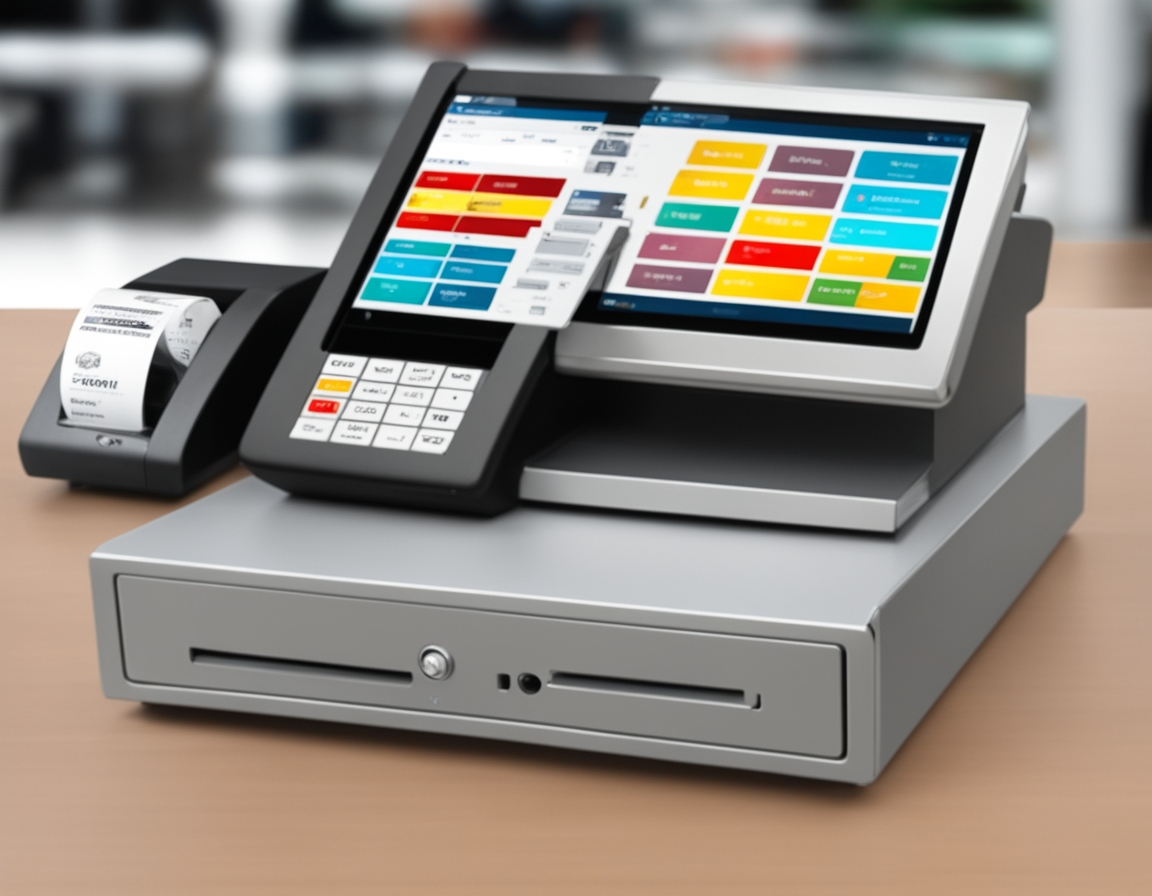
Essential Steps to Ensure Your POS System is Ready After Installation
What is a Point of Sale (POS) System?
A Point of Sale (POS) system is an essential tool for businesses that enables them to process transactions. This system includes both hardware (like cash registers, scanners, and card readers) and software (for sales processing, inventory management, and payment handling). A properly functioning POS system is vital for maintaining daily operations in industries such as retail, food services, and hospitality.
Why Testing Your POS System After Installation is Vital
Once your POS system has been installed, it’s important to test every feature to make sure the system works properly. Failing to do so could result in transaction errors, issues with inventory updates, or payment discrepancies. Thorough testing can help detect problems early on, preventing potential disruptions that could affect your business.
Overview of POS System Testing
What Does POS Testing Entail?
POS testing refers to evaluating all critical functions of the system to ensure they operate correctly. This includes confirming that the system handles transactions, inventory management, and integrations with other software systems without issues. Testing ensures that everything is working as it should before the system is used in a live environment.
Why POS Testing Matters After Installation
Without thorough testing, you might find that your system isn’t fully functional, which could lead to operational delays. Whether it’s malfunctioning card readers, slow transaction processing, or syncing errors with inventory software, catching issues before you go live will save time, reduce frustration, and ensure smoother operations.
Types of Testing for Your POS System
Functional Testing
The first step is to test the basic functions of the POS system. This involves checking the system’s ability to complete basic transactions such as processing sales, scanning items, and accepting different types of payments (e.g., cash, credit cards, and mobile payments). A simple question to ask yourself during testing is: “Is the POS able to process sales without any glitches?”
Integration Testing
Many businesses rely on their POS to sync with other software, such as inventory management systems or accounting tools. Testing the integration ensures that when a sale occurs, the inventory is updated automatically and accurately. Make sure that all integrations work as intended and there are no issues when data is shared between systems.
Performance and Stress Testing
Your POS system should be able to handle high traffic, especially during peak hours or busy sales events. Testing how the system performs under heavy load is crucial. Try running several transactions at once to assess its ability to process multiple sales without slowing down or crashing.
Security Testing
POS systems handle sensitive payment information, so testing security is a must. Ensure that the system complies with data protection standards such as PCI-DSS and that it encrypts customer data to prevent breaches. Run security scans to check for vulnerabilities and confirm that data protection is in place.
Usability Testing
How user-friendly is your POS system for your staff? Test how easy it is for employees to learn and use the system. Ask if new employees can process a sale or refund without difficulty, or if the system has a steep learning curve. A user-friendly interface is key to minimizing errors and speeding up transactions.
Offline Testing
Businesses in areas with unstable internet connections need to verify that their POS system works offline. Testing should check if the POS can process transactions when the internet goes down, and whether it will sync data once the connection is restored.
Regression Testing
After installing software updates or adding new hardware, test the system again to ensure that these changes haven’t caused issues with existing functionality. For example, check that all barcode scanners, receipt printers, and card readers still work properly after the update.
Step-by-Step Testing Process for Your POS System
Preparation Before Testing
Ensure that all hardware components such as cash drawers, barcode scanners, receipt printers, and card readers are properly set up. Confirm that the POS software is installed and operational. Review user manuals to familiarize yourself with the system’s settings.
Testing the Basic Functions
Start by running a sale transaction: scan items, process a payment, and print a receipt. Test both credit card and cash payments to ensure the system handles all types of transactions. Pay attention to any delays or issues during these steps.
Testing Integration with Other Systems
If your POS integrates with an inventory or customer management system, make sure that data is syncing correctly. Test if inventory updates automatically when items are sold and verify that no data discrepancies occur.
Stress Testing the System
Simulate peak business hours by running multiple transactions at the same time. This will test the system’s ability to process sales quickly and without failure. Monitor how well the system performs under pressure and if there’s any delay or slowdown in processing.
Security and Compliance Checks
Perform a security check to verify that all sensitive customer data is protected. Ensure that the POS system complies with industry security standards and performs encryption on transactions.
User Testing
Have your employees test the system to identify any usability issues. Ask them to process different types of transactions, apply discounts, and handle refunds to ensure they can use the system without problems.
Document and Report Test Results
After completing the tests, create a detailed report outlining what was tested, any issues that were found, and how they were addressed. This will help track progress and ensure everything is in working order.
Tools for POS System Testing
Manual Testing
For small businesses, manual testing methods such as checklists and spreadsheets can be effective. These tools allow you to keep track of testing progress and record any issues encountered during testing.
Automated Testing
Larger businesses might opt for automated testing tools like Selenium or POS-specific testing software to run multiple tests at once. These tools make it easier to perform consistent and thorough testing across all POS functions.
Third-Party Testing Services
If you lack the resources to handle testing in-house, consider hiring a professional testing service. These companies specialize in performing in-depth audits of POS systems and can identify potential problems that you may not have noticed.
Troubleshooting Common POS System Issues
Hardware Troubles
If a printer isn’t printing receipts or a card reader isn’t accepting payments, check the cables and connections. Ensure all components are plugged in correctly and check the devices for any signs of damage.
Software Issues
Software glitches such as slow processing or unresponsive applications can be caused by outdated software or configuration problems. Update your software and check for errors in the system logs.
Performance Issues
If the system slows down during peak hours, consider upgrading your hardware or improving your network connection. Performance testing during high-traffic periods will help identify these issues early.
Security Issues
Run regular security checks to detect vulnerabilities and prevent data breaches. If your POS system is not up to date with the latest security patches, it’s essential to address this immediately.
Ongoing POS System Testing and Maintenance
Routine Maintenance
Even after your POS system is up and running, regular maintenance is necessary. Monitor system updates, check hardware functionality, and perform software patches to ensure the system continues to run smoothly.
Security Audits
Regular security audits are essential to detect and fix potential vulnerabilities. With the rise of cyberattacks, staying on top of security is crucial for protecting customer data and maintaining trust.
Periodic Stress Tests
Run periodic stress tests, especially during peak seasons or promotions, to assess the system’s ability to handle increased sales volume.
Conclusion
Testing your POS system after installation is a critical step that can save your business from serious issues down the line. By running a series of tests, you ensure the system works as expected, maintains security, and supports smooth operations. Regular maintenance and testing will help keep everything running smoothly in the long term.
Are you ready to test your POS system? Start by following the steps outlined above and ensure everything is set for success.
How POS Systems are Evolving to Meet the Demands of Remote Work
The world of business has seen a significant shift in recent years, with more companies adopting remote work policies to provide employees with flexibility and better work-life balance. As this trend grows, businesses must rethink their operations and adopt tools that support remote work. One area where businesses have seen significant transformation is in their Point of Sale (POS) systems. What was once a tool confined to brick-and-mortar stores is now evolving to meet the needs of digital businesses and remote teams.
This article will examine how POS systems are changing to support remote work, the benefits of cloud-based POS systems, the role of mobile POS devices, and why these changes are crucial for businesses in 2023 and beyond.
Understanding POS Systems and Their Traditional Use
Before diving into the evolution of POS systems, it’s essential to understand their role in businesses. A POS system traditionally refers to the tools and hardware used by businesses to process customer transactions. This could include a cash register, receipt printer, barcode scanner, and a credit card processor. These tools were designed to support businesses in physical locations like retail stores or restaurants, helping to manage inventory, track sales, and complete transactions.
Over time, POS systems have evolved beyond just processing sales. Now, they include software that tracks sales, customer data, and inventory. Many modern systems also generate detailed reports and provide analytical insights to improve business decision-making. As businesses increasingly adopt remote work policies, their reliance on traditional POS systems is being challenged, pushing the industry towards new, more flexible solutions.
The Role of Remote Work in Changing POS Systems
The shift to remote work has had a direct impact on how businesses approach their POS systems. Remote work has forced companies to rethink their operations, making traditional POS systems less suitable for modern work environments. Remote teams need to access business data from anywhere, and traditional systems simply don’t offer this level of flexibility. As a result, cloud-based and mobile POS systems have emerged as critical solutions to support remote businesses.
The Shift Toward Cloud-Based POS Systems
Cloud-based POS systems are becoming increasingly popular for businesses that operate with remote teams or have a large online presence. Unlike traditional POS systems, which are tied to a physical location, cloud POS solutions store all business data in the cloud. This means that business owners and remote workers can access critical information—sales data, inventory levels, and customer information—anywhere and at any time with an internet connection.
Why Cloud-Based POS Systems are Ideal for Remote Work
Cloud-based POS systems are designed with flexibility in mind. Here are some of the key advantages that make them a great fit for remote work:
- Accessibility: Cloud POS systems can be accessed by authorized users from any device connected to the internet, meaning business owners and remote workers can access the system from laptops, tablets, or smartphones. This makes it easy for teams to work from any location.
- Real-Time Data: With cloud POS systems, businesses receive instant updates on transactions, inventory, and customer data. This ensures all employees, regardless of location, are working with the same up-to-date information. Remote teams can make quick, informed decisions based on real-time data.
- Scalability: Cloud-based systems are highly scalable, allowing businesses to grow without the need for expensive hardware upgrades. As a business adds new employees, locations, or features, cloud-based POS solutions can be quickly adjusted to meet new demands.
- Integration with Other Tools: Cloud POS systems can be easily integrated with other business tools, such as accounting software, customer relationship management (CRM) platforms, and inventory management systems. This integration streamlines operations, which is especially beneficial for businesses with remote teams.
The Impact of Mobile POS Systems on Remote Work
As remote work grows, so does the need for flexibility. This is where mobile POS systems come into play. Mobile POS systems allow businesses to process transactions using smartphones, tablets, and other portable devices, making it easier for employees to conduct business from anywhere. These devices can be used by sales teams working remotely, at pop-up shops, or during on-the-go sales events.
How Mobile POS Systems are Supporting Remote Sales
Mobile POS devices offer businesses the ability to process transactions no matter where they are. For example, remote sales representatives can complete transactions during in-home consultations, while vendors at pop-up events can handle payments without needing a traditional counter setup. The ability to process payments on the go is crucial for businesses that don’t have a physical storefront.
Additionally, mobile POS systems provide remote teams with access to important business data, such as inventory levels, sales numbers, and customer records. This ensures employees can work efficiently and make informed decisions, even when they are not physically present at the office or store.
Real-Time Data Synchronization for Remote Work
Real-time data synchronization is one of the most significant advantages of cloud-based POS systems. In a remote work setup, multiple team members may be accessing the system at the same time, from different locations. With real-time synchronization, any changes made to the system, such as a new sale or inventory update, are automatically reflected across all devices. This ensures everyone is on the same page and working with the most current data.
Benefits of Real-Time Synchronization
- Improved Coordination: With real-time data synchronization, remote teams can easily coordinate their work, ensuring that all team members have access to the same information, no matter where they are.
- Data Accuracy: Real-time synchronization reduces the risk of errors and discrepancies that may arise when data is updated in one location but not reflected across the system. This leads to more accurate records and fewer mistakes.
- Faster Decision-Making: With up-to-date information, businesses can make quicker decisions, whether it’s adjusting inventory levels or making changes to a marketing campaign.
The Importance of Security in Remote POS Systems
As more businesses adopt remote work, security has become a top concern, especially when it comes to handling sensitive customer data. A secure POS system is essential to protect customer information and ensure compliance with industry regulations.
Security Measures for Remote POS Systems
Modern POS systems use encryption technology to secure sensitive data such as credit card information and personal customer details. Additionally, many systems now include multi-factor authentication (MFA) to prevent unauthorized access. These measures help protect businesses and customers from cyber threats, even when employees are working remotely.
Compliance with Industry Standards
Remote POS systems must also comply with industry standards such as the Payment Card Industry Data Security Standard (PCI DSS). These standards provide guidelines for securely handling payment data. Businesses using POS systems for remote work must ensure their systems meet these standards to maintain security and protect customer information.
POS Systems for Different Industries and Remote Work
Not all industries have the same needs when it comes to POS systems, and remote work has led to the creation of specialized solutions for various sectors. For example:
- E-Commerce: E-commerce businesses benefit from cloud-based POS systems that integrate with their online sales platforms. These systems allow businesses to manage both in-store and online orders from one central location, which is especially important for businesses with remote teams managing online stores.
- Retail: Retail businesses use remote POS systems to track inventory, manage sales, and process customer payments, all while supporting a remote workforce. Retail employees can access the system remotely to check stock levels, update pricing, and monitor sales performance.
- Hospitality: The hospitality industry, including restaurants and hotels, has also adopted remote POS systems to handle reservations, process payments, and track inventory. With cloud-based systems, managers can oversee operations from any location and make real-time adjustments to improve customer service.
Conclusion
As remote work continues to grow, the role of POS systems has evolved to support businesses in this new environment. Cloud-based POS systems and mobile devices provide businesses with the flexibility, scalability, and security needed to operate efficiently from anywhere. Real-time data synchronization and integrated reporting features make it easier for remote teams to stay connected and collaborate effectively.
As businesses move forward into 2023 and beyond, investing in a remote-friendly POS system is no longer optional—it is essential for staying competitive. By choosing a flexible, secure POS solution, businesses can maintain smooth operations, safeguard customer data, and scale effectively, no matter where their employees are located.
If you’re looking to upgrade your POS system to better support remote work, consider choosing a solution that offers cloud-based capabilities, mobile access, and strong security features to help your business succeed in the remote work environment.
Can You Run a POS System Without Internet? A Complete Guide to Offline POS Solutions
Running a Point of Sale (POS) system is essential for businesses. Most rely on a steady internet connection for processing transactions, syncing data, and managing inventory. But what happens when the internet goes down? Can a POS system still function? Let’s explore how offline POS systems work, the benefits they offer, and how you can run a POS system without the internet.
What is a POS System?
A POS system is a combination of hardware and software used to complete sales transactions. At its core, a POS system processes payments, tracks sales, and manages inventory. Many modern cloud POS systems depend on the internet to store and manage data in real-time, providing businesses with updates right away.
However, some businesses need a backup plan. What if the internet isn’t available? Can you run a POS system without an internet connection? The short answer is yes, but let’s go deeper into how it works.
Can You Run a POS System Without Internet?
Yes, you can run a POS system without internet! While internet-based cloud POS systems offer real-time data syncing and cloud storage, some POS systems have offline capabilities that let them continue working even without an internet connection.
Here’s how it works: Offline POS systems are built to store data locally. This means they don’t need an internet connection to function. When the system goes offline, it can still process payments, track sales, and update inventory. Once the internet connection is back, the data is synced with the cloud.
How Do Offline POS Systems Work?
So, how exactly do offline POS systems work? The answer lies in their ability to store transaction data locally. Here’s a breakdown:
- Local Data Storage: When your POS system is offline, it saves all the transaction details on the device itself. This way, you won’t lose any sales or inventory information.
- Transaction Processing: Even without an internet connection, offline POS systems can process card payments. These systems store payment information locally and will try to process the payment when the connection is restored.
- Sales and Inventory Tracking: You can still add sales, track inventory, and manage customers during an internet outage. The POS system will store this information locally until it can sync with the cloud once the internet is back.
The best part? You can keep working as usual and avoid downtime during unexpected internet issues.
Benefits of Offline POS Systems for Retail
For many small businesses, especially those in remote areas or regions with unreliable internet, an offline POS system offers several benefits:
- Continuous Operations: Whether you’re in a rural area with poor internet or dealing with an internet outage, your POS system will keep processing sales, managing inventory, and updating customer data.
- Cost-Effective: Without relying on constant internet access, you can save money on data plans and avoid expensive cloud subscriptions. An offline POS system doesn’t need a steady internet connection, making it a more affordable option.
- Faster Transactions: In areas with slow or unstable internet, offline payment systems can process transactions faster because they don’t need to wait for data to upload to the cloud.
- Less Downtime: With POS systems that work offline and online, businesses avoid the frustration of waiting for an internet connection to resume. Even if the internet goes down temporarily, your business can keep running smoothly.
Can a Cloud-Based POS System Function Offline?
Most cloud POS systems are built to rely on an internet connection. However, many of these systems have offline POS system options that allow businesses to continue using them even when the internet is unavailable.
While cloud-based POS systems won’t work in full capacity without the internet, most of them offer an offline mode. During this time, transactions and sales are recorded locally. Once the internet connection is restored, the system will sync the data with the cloud, making sure your records are up to date.
Can You Process Payments Without Internet on a POS System?
Yes, you can process payments without the internet. Offline credit card processing POS systems work by storing payment information temporarily. When the system is back online, it will process the payment and update your financial records.
For offline transactions, credit card companies may have a slight delay in confirming the transaction, but the payment will be authorized once the system reconnects. Always make sure your POS system without internet is set up for secure offline payment processing.
POS System Offline Mode Features
An offline POS system typically includes a few key features to make sure everything works smoothly during internet outages:
- Transaction Queuing: Payments are processed offline and queued until the internet is restored. Once the connection is back, transactions are processed in real-time.
- Local Data Storage: All sales, inventory updates, and customer information are saved on the POS device. Once the internet is reestablished, the system uploads the data to the cloud.
- Payment Processing: As mentioned earlier, payments can be processed offline, and credit card information is stored securely until it can be verified online.
- Real-Time Syncing Once Back Online: After the internet connection is restored, all data is synced with the cloud, making sure your records are up to date.
Is It Safe to Use a POS System Offline?
Yes, using a POS system offline can be safe as long as proper security measures are in place. Offline POS systems use encryption and secure data storage to protect sensitive customer and transaction data.
However, it’s important to make sure that your POS system without internet has offline security features in place, such as:
- Encrypted Data Storage: This keeps unauthorized people from accessing sensitive information.
- Secure Payment Processing: When processing payments offline, make sure the system uses secure methods for storing and sending payment data once the internet is available.
What Happens If Your POS System Loses Internet Connection?
When your POS system loses the internet connection, most modern systems won’t just shut down. If you have an offline POS system or a system with offline capabilities, it will continue to work with limited functionality. Here’s what happens:
- Transactions Are Stored Locally: Sales and customer information are saved in the system’s memory. These transactions will stay in the system until the connection is restored.
- Payment Processing Delays: Payments might be delayed. While the system will authorize the payment offline, it may take a little while for the payment to go through once the internet is back.
- Inventory Tracking Continues: You can keep managing stock and tracking inventory, but the information will only sync with the cloud once the system is online again.
Having a plan in place for dealing with these interruptions means your business won’t face a complete shutdown when the internet goes down.
Top POS Systems That Work Without the Internet
Here are some of the best offline POS systems for small businesses that can operate without the internet:
- Square POS: Square’s offline POS system lets you process payments and track sales even when you’re not connected to the internet. When you reconnect, it syncs the data quickly.
- Lightspeed POS: This system works both online and offline, offering features such as offline payment processing and inventory management during outages.
- Vend POS: Vend’s offline mode allows businesses to keep working during internet issues. You can continue processing payments and updating your inventory, and everything will sync once you’re back online.
- Shopify POS: Shopify’s POS system with offline capabilities offers offline sales tracking and payment processing. It syncs with the cloud once you’re back online.
How to Run POS Without Internet
Running a POS system without internet requires having the right system in place. Here’s how you can set it up:
- Choose an Offline-Compatible POS System: Look for a POS system that specifically offers offline mode features.
- Enable Offline Features: Make sure the offline POS system is set up to store transaction data locally when the internet isn’t available.
- Test the System Regularly: Make sure to test your system’s offline capabilities from time to time to ensure it works smoothly in case of an outage.
- Backup Your Data: Regularly back up your offline transaction data to make sure you don’t lose anything during long periods of being offline.
Conclusion
In a world where internet outages can cause problems for businesses, having an offline POS system can be a lifesaver. Whether you’re running a retail store or a small business in an area with unreliable internet, you can still process sales, manage inventory, and handle customer information without worrying about losing data.
Choosing the best POS system for limited internet access is an important step in making sure your business runs smoothly, no matter what happens with your internet connection. Don’t let connectivity issues hold you back—invest in a system that can handle both offline and online transactions.
If you’re ready to upgrade to a POS system with offline capabilities, explore some of the top POS systems that work without the internet and get your business set up for success. Keep your operations running smoothly, even when the internet goes down!
FAQs
- Can a POS system work without internet?
- Yes, a POS system can work without the internet. Many offline POS systems store transaction data locally and continue functioning even when the internet is down.
- What happens if a POS system loses internet connection?
- If a POS system loses its internet connection, it may switch to offline mode and continue processing transactions locally until the connection is restored.
- Are there POS systems designed to work offline?
- Yes, there are many offline POS systems that allow businesses to process payments, track sales, and manage inventory without needing an internet connection.
- Can you process payments without the internet on a POS system?
- Yes, some POS systems with offline capabilities allow businesses to process payments without internet, though the transaction will be processed later once the connection is restored.
- Is it safe to use a POS system without internet?
- Yes, it is safe to use an offline POS system as long as it has the proper security features to protect transaction data and personal information while offline.
Which POS System Does Not Charge Fees? The Ultimate Guide
Running a business means dealing with a lot of expenses, and one of those is the cost of a Point of Sale (POS) system. However, some small businesses and startups may wonder if there are any POS systems without fees. The good news is that there are POS systems with no fees or minimal charges, which could be a great fit for those looking to cut costs. In this article, we will go over the different options available, what to look for, and the best free POS systems for your business.
What Are POS System Fees?
Before we dive into which POS systems do not charge fees, let’s first understand what types of fees these systems typically come with. Most POS systems charge businesses in one way or another, but the fees can vary:
- Monthly Fees: Many POS systems require you to pay a monthly subscription to use the service, regardless of how much you use it.
- Transaction Fees: Some systems charge a fee for each sale made, which could be a percentage of the sale amount.
- Setup Fees: Some providers charge an upfront fee to set up your POS system or to buy hardware like card readers.
These fees can add up over time, which is why many small business owners look for POS systems without transaction fees or no-fee POS systems.
Which POS System Doesn’t Charge Fees?
The good news is that you don’t have to pay monthly fees or per-transaction charges to get a quality POS system. Here are a few POS systems without fees or those that charge minimal fees:
1. Square POS
Square is one of the most popular free POS systems for small businesses. It’s easy to use and includes features like inventory management, sales tracking, and customer management. The best part is that Square doesn’t charge a monthly fee. You only pay a small transaction fee when you process payments (typically around 2.6% + 10 cents per swipe, dip, or tap). It’s a great choice for retail businesses, food trucks, or anyone just getting started.
Pros:
- Free POS app
- No monthly charges
- Simple fee structure
Cons:
- Charges per transaction
2. PayPal Here
PayPal Here is another option that works well for small businesses. With PayPal Here, you can accept payments via a smartphone or tablet using the PayPal app. There are no monthly fees, and you only pay a small transaction fee (2.7% per swipe for card payments). PayPal Here works well for businesses that want to accept credit card payments without paying extra fees upfront.
Pros:
- No monthly charges
- Easy to use
- No hidden fees
Cons:
- Transaction fees apply for card payments
3. SumUp POS
SumUp offers a free point of sale software with no monthly charges. It’s easy to use and perfect for small businesses that need to accept card payments. There’s no upfront cost for the software or hardware, but you’ll pay a transaction fee (2.65% per card transaction). It’s a great option for businesses on a budget or anyone who doesn’t want to worry about POS systems with no transaction fees for retailers.
Pros:
- No monthly or setup fees
- Free POS app
- Simple pricing
Cons:
- Charges per transaction
4. Vendus POS
Vendus offers a free POS app for businesses that want to accept payments with no setup or monthly charges. It works on both smartphones and tablets, making it a good option for mobile businesses. You can manage your inventory, track sales, and even issue receipts with this POS system.
Pros:
- No setup or monthly fees
- Free to use for small businesses
- Cloud-based POS software
Cons:
- Limited features for advanced users
5. Shopify POS (Free Plan)
While Shopify is typically known for its eCommerce platform, it also offers a free POS system that you can use for in-person sales. Shopify’s free POS plan doesn’t have monthly charges, but the premium plans come with additional features for a fee. The transaction fees are competitive, and you can integrate Shopify’s POS with your online store if you need an all-in-one solution.
Pros:
- Free for basic POS use
- No monthly charges
- Great for businesses with online and offline sales
Cons:
- Transaction fees apply (2.9% + 30 cents per transaction for online payments)
Best Free POS System for Small Businesses
Choosing the best POS system with no fees for startups or POS systems without credit card fees depends on your specific business needs. If you are a small retailer or a food truck owner, Square and PayPal Here are great choices. They offer simple pricing structures and ease of use, which is important when you’re starting a business on a budget.
For businesses that need more than just a basic POS system, Shopify POS might be a better option. Even though it has a free plan, it provides the flexibility to expand your features as your business grows.
How to Get a POS System That Doesn’t Charge Extra Fees
If you’re looking for a POS system without hidden fees or charges, there are a few things to keep in mind:
- Look for Free POS Systems: Some POS systems are completely free for small businesses, like Square, SumUp, or PayPal Here. These systems only charge you when you process a transaction.
- Consider the Transaction Fees: Many POS systems without transaction fees still charge a small percentage per transaction. Compare the transaction fees to find a system that fits your budget.
- Check the Features: Ensure the POS software with no fees meets all your business needs. Some free systems may have limited features, so make sure the software can handle everything from inventory management to customer tracking.
- Look for Scalable Options: As your business grows, you may need to upgrade your POS system. Many POS systems with no monthly charges offer premium features that you can pay for as needed.
No-Fee POS Systems for Retail Businesses
Retail businesses often need to handle a high volume of transactions. No-fee POS systems for retail businesses like Square and PayPal Here allow retailers to accept payments without the burden of a monthly fee. These systems are perfect for small shops or pop-up stores because they are easy to set up and don’t require expensive hardware.
Square POS is ideal for retail businesses because it also includes features like inventory tracking, sales reports, and customer management. Since Square’s app is free to use, you can focus on your business without worrying about hidden fees.
Are There POS Systems That Don’t Charge Per Transaction?
If you’re wondering, “Is there a POS system that doesn’t charge per transaction?”, the answer is yes! Some POS systems charge a flat fee instead of a per-transaction fee, making them a great choice for businesses with a high volume of small transactions. For instance, Shopify POS charges a flat rate for all transactions once you upgrade to their paid plans.
However, for those looking for POS systems with no transaction fees for retailers, Square and PayPal Here will be your best bet, as they offer transparent fee structures.
Conclusion
When it comes to running a business, finding the right POS system is essential. If you’re looking for a no-fee POS system, there are several options out there, from Square to PayPal Here. These systems don’t charge monthly fees and offer simple, transparent pricing.
To choose the best free POS system for your business, consider the type of business you run, the features you need, and the transaction volume you expect. Free point of sale software is perfect for small businesses looking to reduce costs without sacrificing quality.
If you’re ready to find a POS system without hidden fees or charges, check out the systems mentioned in this article and decide which one works best for you. No matter the size of your business, there is a zero-fee POS system that can meet your needs
Ready to save on POS fees? Try one of the best free POS systems today! Whether you run a retail shop, food truck, or eCommerce business, there’s a POS system without fees waiting for you. Start processing payments with no monthly charges and minimal transaction fees—check out Square, PayPal Here, or Shopify POS now!
FAQs
1. Which POS system has no monthly fees?
Square and PayPal Here offer POS systems without monthly charges, making them great options for small businesses.
2. Can I use a POS system without paying transaction fees?
While most free POS systems charge small transaction fees, Square and PayPal Here are transparent about their fees, with simple per-transaction rates.
3. What is the best free POS system for small businesses?
Square, PayPal Here, and SumUp are excellent free POS systems for small businesses, offering features like payment processing and sales tracking without monthly fees.
4. Are there any hidden fees with free POS systems?
Most free POS systems, like Square and PayPal Here, do not have hidden fees, but they may charge a small transaction fee per sale.
5. Can a POS system with no fees handle retail transactions?
Yes, systems like Square and PayPal Here are perfect for retail businesses, offering no monthly fees and easy ways to process payments.
Choose The Best POS Systems for Coffee Shop: Complete Guide
If you run a coffee shop, you know that managing everything from customer orders to inventory can be overwhelming. That’s where a good POS (Point of Sale) system comes in. A POS system for coffee shops can make a huge difference in how efficiently your shop runs and how well you serve your customers. In this guide, we’ll walk you through everything you need to know about POS systems, including how to choose the best one for your business.
What Is a POS System for Coffee Shop?
A coffee shop POS is more than just a register. It’s a complete system that helps manage sales, track inventory, and improve customer service. With a good point of sale for coffee shop systems, you can process payments, manage stock, track customer preferences, and even handle employee schedules. A POS system for coffee shops can save you time and money by making these tasks easier and more accurate.
Key Features of a Good Coffee Shop POS System
When choosing a POS system for coffee shops, you want to look for specific features that will improve your daily operations. Here are some of the most important features to consider:
- Inventory Management: A good coffee POS system will help you track your inventory. This means you can see what you’re running low on and need to order more of, reducing waste and saving money.
- Payment Processing: The ability to accept all types of payments, including credit cards, mobile payments, and cash, is essential. Some POS systems for coffee shops also let you set up tipping options, which is important for customer satisfaction.
- Customer Loyalty Programs: Many POS systems for coffee shops come with features that allow you to create loyalty programs. This helps keep your customers coming back, and it’s a great way to build repeat business.
- Employee Management: Track employee hours, tips, and schedules directly through the POS system. This can save you time when calculating paychecks and help prevent scheduling issues.
- Reporting: A POS system for coffee shop business can generate reports that show you how well your shop is doing. You can see sales trends, which items are most popular, and which times of day are busiest.
- Cloud-Based Solutions: Cloud-based POS systems for coffee shops let you access your system from anywhere. You can monitor sales and inventory even when you’re not at the shop.
How to Choose the Best POS System for Your Coffee Shop
Choosing the right POS system for coffee shops can be tricky with so many options out there. Here’s what to think about when selecting the best POS system for small coffee shops:
- Cost: Some coffee shop software options have a one-time fee, while others work on a monthly subscription. Consider what fits your budget and whether you’ll get the most value out of the system.
- Ease of Use: Your POS system should be easy for both you and your employees to use. Look for one with a simple interface and good customer support.
- Scalability: Make sure your POS system can grow with your business. If you plan to expand or add new features, you want a system that can handle those changes.
- Integration with Other Tools: Your coffee shop point of sale software should easily integrate with other tools you use, like accounting software, email marketing systems, or delivery services.
- Customer Support: Reliable customer service is essential. If something goes wrong with your POS, you need a team ready to help you fix it quickly.
Top POS Systems for Coffee Shops
There are several great options for coffee shop POS systems. Here are some of the best:
- Square for Coffee Shops: Square is a popular choice for coffee shop owners. It’s known for its ease of use and affordable pricing. It includes features like mobile payment options, employee management, and inventory control. Plus, it has POS systems with customer loyalty features for cafes.
- Toast POS: This system is designed for quick-service restaurants and coffee shops. It comes with tools for managing orders, inventory, and payments. Toast also offers POS solutions for coffee shops with advanced reporting features, which is great for business owners who like to keep a close eye on their numbers.
- Lightspeed: Lightspeed offers cloud-based POS solutions that are perfect for coffee shops. You can track sales, manage inventory, and even set up online ordering. Cloud-based POS systems for coffee shops like Lightspeed allow you to access your data from anywhere.
- ShopKeep: ShopKeep is another cloud-based option that works well for coffee shops. It’s simple to use and offers essential features like inventory management, employee tracking, and sales reporting. It’s also one of the more affordable POS systems for coffee shops.
POS System Features to Look for in a Coffee Shop
When selecting a POS system for coffee shop, it’s helpful to know which features are most beneficial for your business. Here are some features to prioritize:
- Inventory Control: Keep track of your ingredients and supplies to make sure you never run out of essential items. This is a must-have for coffee shop POS for inventory control.
- Employee Management: A POS system for coffee shops with employee management features can save you time when scheduling shifts, tracking hours, and calculating payroll.
- Loyalty Programs: Customer loyalty is important for any coffee shop. Many POS systems for coffee shops with loyalty programs let you set up rewards for repeat customers.
- Mobile Payments: If you want to accept mobile payments, make sure your POS system includes POS with mobile payment options for coffee shops.
- Integration with Delivery Services: As more people order coffee for delivery, it’s important to have a system that integrates with delivery apps. Choose a POS system for coffee shops that integrate with delivery services to keep your sales flowing smoothly.
How to Improve Coffee Shop Efficiency with a POS System
A good coffee POS system can help you improve your shop’s efficiency. Here’s how:
- Speed Up Service: With faster checkout times and accurate orders, you’ll serve more customers in less time. This is especially important for best coffee shop POS for quick service.
- Accurate Inventory: When you know exactly what you have in stock, you can avoid over-ordering or running out of ingredients.
- Manage Employee Hours: Track your team’s hours and tips easily with coffee shop management POS systems.
The Role of POS Systems in Managing Your Coffee Shop’s Business
A POS system for cafe can handle a variety of tasks that would otherwise take up a lot of your time. From processing payments to tracking sales and inventory, it keeps everything organized. Here’s how a POS system can help manage your business:
- Track Sales: See how much you’re selling each day and identify which products are the most popular.
- Handle Orders: Take orders more efficiently and reduce mistakes with a user-friendly interface.
- Generate Reports: Get detailed reports about your sales, inventory, and employees. This can help you make better business decisions.
Affordable POS Solutions for Coffee Shops
If you’re looking for affordable POS solutions for coffee shops, there are several budget-friendly options. While some systems can be expensive, there are affordable choices like Square and ShopKeep that still offer the essential features your coffee shop needs.
How to Implement a POS System in Your Coffee Shop
Implementing a POS system for coffee shop isn’t as hard as it seems. Here’s a simple process to get started:
- Choose the Right System: Use the guidelines above to select a POS system that meets your needs.
- Train Your Staff: Make sure everyone is comfortable using the system. Most POS systems offer training or support to help.
- Set Up Your System: Input your menu items, pricing, and inventory into the system.
- Start Using the System: Begin processing orders, managing inventory, and tracking sales.
Conclusion
In conclusion, a POS system for coffee shop can help you save time, improve accuracy, and manage your business more effectively. Whether you’re running a small coffee shop or a larger café, the right POS system will make a big difference. Choose one with the features that matter most to you, such as inventory management, customer loyalty programs, and employee tracking.
Ready to improve your coffee shop operations? Start exploring the best POS systems today and take your business to the next level.
Want to find the perfect POS system for your coffee shop? Contact us today for a free consultation or demo to see how the right coffee shop point of sale software can help you run your business more smoothly!
FAQs
1. What is a POS system for a coffee shop?
A POS system for a coffee shop is a tool that helps manage sales, track inventory, process payments, and handle customer orders all in one system.
2. How do I choose the best POS system for my coffee shop?
Consider factors like cost, ease of use, inventory management, employee tracking, and integration with other tools before choosing a POS system for your coffee shop.
3. Can a POS system help with managing coffee shop inventory?
Yes, many coffee POS systems have inventory management features that help you track supplies and avoid overstocking or running out of key items.
4. Are POS systems for coffee shops expensive?
POS systems can vary in price, but there are affordable POS solutions for coffee shops that offer essential features without breaking the budget.
5. What features should I look for in a POS system for a coffee shop?
Look for features like payment processing, inventory control, employee management, loyalty programs, and the ability to integrate with delivery services.
Best POS Features for Pet Stores: A Complete Guide to Choosing the Right POS System
If you own or run a pet store, you know that managing inventory, sales, and customer relationships can be a lot of work. Fortunately, the right Point of Sale (POS) system can help make your daily operations smoother. In this article, we’ll walk you through the best POS features for pet stores, explain how to choose the best POS system for pet stores, and break down the top POS solutions for pet stores. We’ll also help you understand why a POS system is so important for pet store management.
What Is a POS System for Pet Stores?
A POS system for pet stores is software that helps pet shop owners manage their sales, inventory, and customers. It acts as a cash register but does a lot more than just process payments. It keeps track of stock, helps with reordering items, and can even manage loyalty programs and gift cards.
For pet stores, choosing the right POS system is important because it helps you stay organized, saves you time, and can improve customer satisfaction. Let’s break down the best POS features for pet stores.
Key POS Features Every Pet Store Should Have
When you’re choosing the right POS system for your pet shop, look for these important features:
- Inventory Management
One of the most important tasks for pet store owners is managing inventory. A POS system with inventory management helps you track the stock levels of pet food, toys, grooming products, and other pet supplies. This feature helps you know when to reorder items, avoid overstocking, and keep your shelves filled with the right products. - Customer Management
A great POS for pet stores with customer management features helps you keep track of customer information. This might include names, purchase histories, and contact details. You can use this information to offer personalized recommendations, run promotions, or build loyalty programs. A pet store POS system with customer management can improve your relationship with repeat customers and even help grow your business. - Sales Tracking
Sales tracking is essential for keeping your business on the right path. A POS system for pet store sales and tracking shows you which products are selling well and which ones need to be promoted. It can also help you spot trends in customer purchases. This feature is essential for understanding your store’s performance and making informed decisions. - Payment Processing
Most POS systems for pet stores come with integrated payment solutions, which means they can accept credit cards, debit cards, and even mobile payments. If you want to offer customers more ways to pay, a POS system with integrated payment solutions for pet stores is a must. You don’t want to miss out on sales because your POS doesn’t support the latest payment methods. - Cloud-Based Access
A cloud POS system for pet stores is an excellent option if you want to manage your store remotely. With cloud-based POS, you can access your system from any device, anywhere. Whether you’re on the go or managing multiple store locations, cloud POS gives you the flexibility to stay on top of your business. - POS with Barcode Scanning
Barcode scanning is another essential feature for any pet shop POS system. It makes inventory management quicker and more accurate. When you scan a barcode, the system instantly updates your stock levels and adds the item to the customer’s bill. - Loyalty Programs
Offering a loyalty program is a great way to keep customers coming back. Many POS systems for pet stores with loyalty programs allow you to track points or rewards for each customer. This encourages repeat business and helps you build a strong, loyal customer base. - Multi-Store Features
If you own more than one location, you’ll need a POS system for multi-location pet stores. A POS system with multi-store capabilities allows you to manage inventory, track sales, and view reports from all of your locations in one place. - E-Commerce Integration
Many pet stores now offer online shopping alongside their physical stores. A POS for pet stores with e-commerce integration lets you sync online sales with your in-store inventory. This means you won’t have to worry about selling the same product twice, and your customers will always know what’s available. - Customizable Options
Every pet store is different, so you need a customizable POS system that fits your specific needs. Whether you need extra features for managing grooming appointments, special orders, or pet-related services, the right POS system can be adjusted to fit your store’s needs.
How to Choose a POS System for Your Pet Store
Choosing the right POS system for your pet store can seem like a big decision, but by focusing on what your store needs, you can make the process easier. Here’s how to make the right choice:
- Assess Your Needs
Start by thinking about the size of your store, your budget, and any specific features you need. Are you running a single-location store, or do you have multiple locations? Do you sell a lot of pet food, or do you focus on pet supplies and accessories? - Look for User-Friendly Options
You want a POS system for pet shops that’s easy to use. Look for a system that’s simple to set up and navigate. You don’t want to spend too much time training yourself or your staff to use the system. - Check for Customer Support
Customer support is important when choosing any software. Make sure the POS provider offers good support, especially when you run into issues. It’s also helpful if the provider offers training or guides to help you get the most out of the system. - Consider the Cost
The price of a POS system for pet stores can vary widely. Look for an affordable POS system for small pet stores that still offers the features you need. Keep in mind that some systems have monthly fees, while others charge a one-time cost. - Try Before You Buy
Most POS providers offer free trials or demos. Take advantage of these to test out the system before making a commitment. This will give you a better sense of how it works and whether it fits your store’s needs.
Best POS Software for Pet Store Inventory Management
One of the most important features of a POS system is its ability to manage inventory. When you have a lot of products in stock, keeping track of everything manually can be a nightmare. That’s why the best POS software for pet store inventory management is so valuable. These systems automatically update stock levels, track what’s selling, and help you reorder products when stock is low.
With a good POS, you can manage your inventory with ease, reduce errors, and focus on running your business. A system with barcode scanning makes the process even faster and more accurate.
Best POS for Small Pet Stores
If you run a small pet store, you might be worried about the cost of a POS system for small pet stores. The good news is that there are many affordable options out there. Look for systems that offer the essential features you need, such as inventory tracking, payment processing, and customer management. Many of these systems are easy to set up and use, even for store owners who are not tech-savvy.
Cloud-Based POS Systems for Pet Stores
A cloud-based POS system for pet stores is a great choice if you want flexibility and remote access. With cloud-based systems, you can access your sales, inventory, and customer data from any device with an internet connection. This is especially useful for pet store owners who have multiple locations or want to check on their business while they’re on the go.
Point of Sale Systems for Pet Stores with Loyalty Programs
Many pet store POS systems with loyalty programs offer a way to reward customers for repeat business. By using points, discounts, or special offers, you can encourage customers to come back. Loyalty programs can help increase customer retention and boost sales, making them a valuable feature for any pet store.
POS System for Multi-Location Pet Stores
If your pet store has more than one location, you’ll need a POS system for multi-location pet stores. These systems let you manage inventory and sales across multiple stores in real time. You’ll be able to see how each store is performing, track stock levels, and make adjustments quickly. This feature is essential for larger pet store chains.
Conclusion
Choosing the right POS system for your pet store is crucial for smooth operations, better customer service, and overall business success. By focusing on features like inventory management, customer loyalty programs, and payment processing, you can select the best POS system for your pet store’s needs.
No matter the size of your pet store, there is a POS system that will work for you. Take the time to assess your needs, compare features, and try out a few options to find the one that fits your business.
Ready to upgrade your POS system? Start by looking into some of the top-rated POS systems for pet stores and see which one offers the features you need at a price you can afford.
FAQs
1. What is a POS system for pet stores?
A POS system for pet stores is software that helps manage sales, inventory, and customer data. It can also process payments and track stock levels.
2. What are the key features of the best POS for pet stores?
The best POS systems for pet stores offer features like inventory management, customer tracking, sales analytics, loyalty programs, and payment processing.
3. How does a POS system help manage inventory in a pet store?
A POS system automatically tracks inventory levels, updates stock when items are sold, and helps with reordering products when stock is low.
4. Can a POS system handle multiple pet store locations?
Yes, many POS systems have multi-location features that allow you to manage inventory, sales, and reporting for several stores from one platform.
5. What is the benefit of a POS system with a loyalty program?
A POS system with a loyalty program helps retain customers by offering rewards, discounts, or points for repeat business, encouraging customer loyalty.
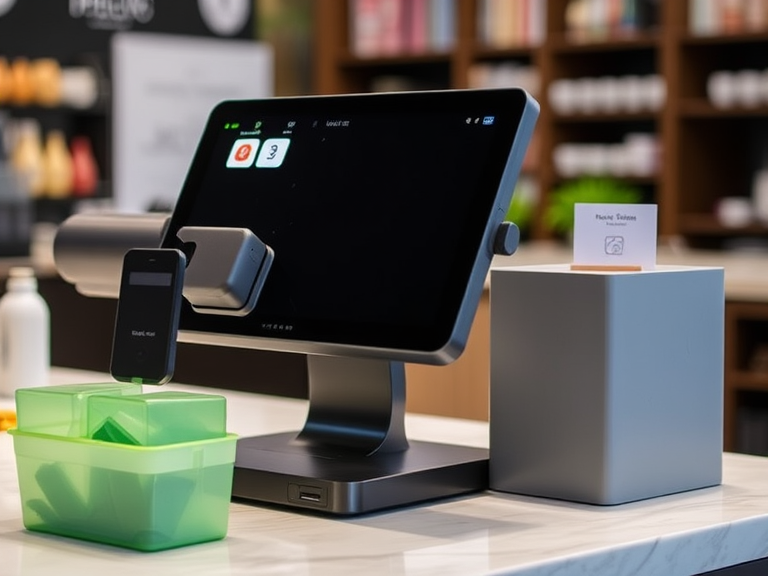
How to Choose the Top POS for a Small Business: Full Guide
Running a small business involves managing several tasks, and one of the most crucial is handling transactions. This is where a Point of Sale (POS) system comes in. Choosing the right POS for your small business is important to keep things organized, speed up the checkout process, and track your sales and inventory.
If you’re asking “How to Choose the Top POS for a Small Business?”, you’ve come to the right place. In this guide, we’ll help you understand the basics of POS systems, the factors to consider when choosing one, and how to pick the best system for your business needs.
What is a POS System for Small Businesses?
A POS system for small businesses is a combination of hardware and software used to make transactions and track information. It’s more than just a cash register. A good POS system can help you process payments, manage inventory, track sales, and even handle customer information.
The POS system for business is an essential tool for any small business because it helps you keep everything running smoothly. Whether you’re selling products in a store or providing services at a salon, the right POS system makes managing your business easier.
Types of POS Systems for Small Businesses
When you start looking for a POS system for small business, you’ll notice that there are different types available. The system you choose will depend on the needs of your business. Here are the main types:
1. Traditional POS Systems
Traditional POS systems are the older, more common setup. They usually consist of a register, receipt printer, barcode scanner, and cash drawer. They store data on-site, and while they are reliable, they can be more difficult to manage if you have multiple locations or need to access data remotely.
2. Cloud-Based POS Systems
Cloud-based POS systems store all data online instead of on a local computer. This means you can access your sales, inventory, and customer information from anywhere with an internet connection. Cloud-based systems are great for small businesses that need flexibility or plan to expand in the future.
3. Mobile POS Systems
A mobile POS system works on smartphones or tablets. These systems are perfect for small businesses with limited space, like food trucks, pop-up shops, or businesses that need to move around frequently. They are simple to set up and can be carried anywhere, so they’re very convenient for business owners on the go.
Key Features to Look for in a POS System for Small Business
Choosing a POS system isn’t just about picking a random option. You need to consider several factors to make sure it fits your business needs. Here are some of the most important features to look for when choosing a POS for small business:
1. Ease of Use
You’ll want a POS system that’s simple to use. Training your staff should be quick and easy. If the system is too complicated, it will slow down the checkout process and lead to more mistakes. Look for systems that are user-friendly with intuitive interfaces.
2. Inventory Management
Inventory tracking is crucial for small businesses, especially those that sell physical products. A good POS system helps you manage inventory by automatically updating stock levels after each sale. This helps prevent overstocking or running out of popular products. You should choose a POS system that provides real-time inventory updates.
3. Customer Management
If your small business has repeat customers, a POS system with customer management features is a great choice. This allows you to keep track of customer information, preferences, and purchase history. You can use this data to create loyalty programs, send promotional emails, and personalize customer experiences.
4. Reporting and Analytics
POS systems should help you track your sales, profits, and other business metrics. Look for POS software for small business owners that can generate reports on sales trends, best-selling products, and more. This information can help you make better business decisions and spot any issues before they become bigger problems.
5. Payment Processing
Your POS system should make it easy for customers to pay. It should support all types of payments, including credit and debit cards, mobile wallets, and even cash. The best POS systems for small businesses make payment processing fast and secure. If your business takes online orders, look for a POS that can process payments both in-store and online.
6. Security Features
You must protect your customers’ data, especially credit card information. A secure POS system will use encryption and other measures to keep this information safe. Make sure the POS system you choose complies with payment card industry (PCI) standards to prevent data breaches and fraud.
7. Integration with Other Tools
A good POS system should work well with your other business software. For example, if you use accounting software, choose a POS system with accounting integration to make your financial tracking easier. Some POS systems also integrate with marketing tools, which can help you grow your customer base.
How to Choose the Right POS for Your Small Business
Now that you know what to look for in a POS system, let’s break down how to actually make your decision. Here are some steps to help you pick the right system:
1. Determine Your Business Needs
The first step in choosing a POS system is understanding what your business needs. Are you running a small retail business, a restaurant, or an online store? Each business type has different needs, and there are POS systems designed for each.
- For retail businesses, you need a POS system with strong inventory tracking and reporting features.
- For a small business restaurant, look for a POS system that can manage tables, orders, and bills efficiently.
- For small online businesses, you’ll want a POS system that can handle online sales as well as in-person transactions.
2. Consider Your Budget
POS systems can range from very affordable to quite expensive. The price usually depends on the features and hardware included. If you’re just starting out, you may want to opt for an affordable POS system for small businesses that still offers the basic features you need. As your business grows, you can always upgrade to a more advanced system.
3. Research Your Options
Once you’ve determined your needs and budget, research the best POS systems for small businesses in 2025. Read customer reviews, check ratings, and compare different systems. This will give you a sense of which POS systems work best for small business owners like you.
4. Test Out the System
Most POS providers offer a free trial period, so take advantage of this. Testing out a POS system will help you see how it works in real-life situations. Try to get your employees involved in the testing process to make sure they are comfortable with the system.
Best POS Systems for Small Business Owners
Here are some of the top POS systems for small businesses you can consider:
1. Square POS
Square is one of the most popular and affordable POS systems for small businesses. It’s known for its ease of use and flexible payment options. It also offers inventory management, customer profiles, and reporting tools. Square is a great option for small retail shops, pop-up stores, and service-based businesses.
2. Shopify POS
Shopify POS is perfect for small online businesses that also have physical stores. It integrates directly with your online store, making it easy to manage both online and in-person sales. It also has great features for inventory tracking and reporting.
3. Toast POS (for Restaurants)
Toast is a POS system for small business restaurants. It’s designed specifically for the food industry, helping manage tables, orders, and bills. It also supports online ordering and delivery, making it a good choice for growing restaurants.
4. Lightspeed POS
Lightspeed offers POS software for small business owners who need strong inventory management and reporting features. It’s a great choice for retail businesses that need to keep track of a large number of products.
5. Vend POS
Vend is a cloud-based POS system for small businesses that makes managing inventory, sales, and customer information simple. It’s known for its integration with other business tools, making it ideal for small business owners looking for a system that works with their existing software.
Conclusion
Choosing the right POS for small business is an important decision that can greatly impact your daily operations. Start by identifying your business needs, considering your budget, and looking for a system with the features that matter most to you—such as inventory tracking, customer management, and security.
By doing your research and testing out different options, you can find the best POS system for your business. Whether you’re running a small retail shop, restaurant, or online store, the right POS system will help you manage transactions efficiently, keep track of inventory, and ultimately grow your business.
Remember, a POS system for small business is not just about processing payments—it’s an all-in-one solution that helps you manage your operations, improve customer service, and make smarter business decisions. Take your time to choose the best fit for your needs, and you’ll see the difference it makes.

How to Make Your Pet Store Successful: Expert Tips For 2025
Starting a pet store is an exciting business opportunity, but ensuring it thrives in a competitive market requires careful planning, strategy, and execution. In this guide, we’ll share expert tips and growth strategies to help you create a successful pet store, whether you’re just starting out or looking to scale your existing business.
From creating a solid business plan to mastering marketing strategies and ensuring customer loyalty, we cover everything you need to know to build a pet store that stands out and flourishes in today’s marketplace.
Step 1: Craft a Detailed Business Plan for Your Pet Store
A strong business plan is the foundation of any successful venture. For your pet store, it will guide your decisions, attract investors, and ensure you’re focused on long-term success.
Define Your Niche and Target Market
The pet industry is vast, so determining your niche is key. Whether it’s offering organic pet foods, specialty pet products, or focusing on pet grooming and services, a defined niche helps you stand out from larger pet chains. Analyze the market to understand which products and services have demand and focus on what sets you apart.
Location and Online Presence: Choosing the Right Strategy
Whether you’re opening a physical pet store or venturing into e-commerce, choosing the right location is crucial. If you’re going the brick-and-mortar route, ensure it’s in an area with ample foot traffic and a target audience. At the same time, create an online presence with an optimized website to capture digital traffic and expand your reach beyond your local area.
Financial Planning and Pricing Strategy
Establish clear financial goals, including startup costs, projected revenues, and operational expenses. Develop a pricing strategy that balances competitive pricing with profitability. Ensure that your pricing aligns with your target market while covering all costs associated with running your business.
Step 2: Choose the Right Products for Your Pet Store
The products you offer play a significant role in the success of your pet store. Your goal is to provide high-quality, in-demand items that resonate with your target audience.
Stock High-Demand, Essential Pet Products
Focus on products that customers need on a regular basis, such as dog food, cat food, grooming tools, and pet accessories. These are staple items that pet owners will frequently purchase and are essential to your inventory.
Niche Products for a Unique Offer
While essential items are necessary, offering unique products—like eco-friendly pet toys, organic pet food, or boutique pet clothing—can help distinguish your store from larger pet retailers. Research emerging trends and cater to specific customer needs to capitalize on untapped markets.
Seasonal Items for Increased Sales
Selling seasonal products (e.g., dog coats in the winter, pet Halloween costumes) can help boost sales throughout the year. Be strategic about the products you stock for different seasons to maximize revenue and meet changing consumer demands.
Step 3: Implement Effective Marketing Strategies for Your Pet Store
Marketing is the key to attracting and retaining customers. A combination of online and offline strategies will help grow your pet store’s visibility and drive sales.
Optimize Your Pet Store Website for SEO
An optimized website is essential for ranking on Google. Ensure your site has clear, keyword-rich product descriptions and a blog that covers relevant topics such as pet care tips, pet product reviews, and industry trends. Target keywords like “best pet store in [city]” and “pet supplies near me” to rank for local searches and increase your visibility.
- Actionable SEO Tips: Use local SEO strategies such as creating a Google My Business listing and obtaining customer reviews to further improve your ranking for local searches.
Leverage Social Media for Marketing
Social media platforms like Instagram, Facebook, and TikTok are great for engaging with pet owners. Share adorable pet photos, promotions, and behind-the-scenes content to build a following. Use relevant hashtags like #PetStore or #DogLovers to increase the visibility of your posts.
- Content Strategy: Focus on content that resonates with pet owners, such as pet care tips, product demos, and customer stories.
Utilize Email Marketing for Customer Retention
Email marketing is an effective tool for nurturing relationships with your customers. Offer discounts or promotions to new subscribers and create a newsletter that highlights new products, upcoming sales, and exclusive deals for loyal customers.
Step 4: Create an Outstanding Customer Experience
Customer service is a vital aspect of any successful pet store. Providing a memorable experience will help you build a loyal customer base and keep people coming back.
Personalized Customer Service
When customers feel valued, they’re more likely to return. Offer personalized advice, product recommendations, and even birthday discounts for pets. Ensure your staff is knowledgeable about the products you sell and can guide customers toward the best items for their pets.
Responsive Communication and Follow-Up
Be quick to respond to inquiries via email, phone, or social media. If a customer has a complaint, resolve it promptly and professionally. Engaging with your customers and addressing their concerns builds trust and customer loyalty.
Step 5: Develop a Data-Driven Approach for Pet Store Growth
To take your pet store to the next level, using data to drive your decisions is essential. Analyzing sales trends, customer preferences, and marketing performance allows you to make informed choices that foster growth.
Track Sales Trends and Customer Behavior
Use analytics tools to monitor which products are performing well and which aren’t. Understanding sales patterns helps you manage inventory and avoid overstocking or understocking certain items. Additionally, tracking customer behavior (such as repeat purchases) allows you to offer tailored discounts or promotions.
Measure Marketing ROI
Evaluate the effectiveness of your marketing efforts by analyzing traffic, conversion rates, and engagement across your website and social media channels. Adjust your campaigns accordingly to improve results and reach more customers.
Step 6: Build Customer Loyalty with a Reward Program
A strong loyalty program can significantly enhance customer retention and boost your revenue.
Create a Rewarding Loyalty Program
Offer customers rewards for purchases, referrals, or social media interactions. Points-based systems are effective, where customers earn points with each purchase that can be redeemed for discounts or exclusive offers.
Offer Exclusive Deals and Early Access
Encourage repeat business by offering loyalty members early access to sales or new products. This creates a sense of exclusivity and builds a connection between your store and your most loyal customers.
Step 7: Expand Your Pet Store’s Reach with E-Commerce
An online store can significantly expand your customer base and increase sales. If you haven’t already, consider starting an e-commerce platform or optimizing your existing one.
Optimize Your Pet Store Website for Conversions
Ensure that your online store is easy to navigate and mobile-friendly. Include high-quality images, detailed product descriptions, and secure checkout options to provide a smooth shopping experience. Use effective e-commerce SEO strategies to drive organic traffic and increase conversion rates.
Offer Free Shipping and Special Discounts
Offering free shipping on orders over a certain amount or exclusive online discounts will encourage customers to purchase from your website rather than a competitor. Make sure these promotions are clearly communicated on your homepage and throughout the checkout process.
Conclusion
Making your pet store successful involves more than just stocking quality products. It requires strategic planning, a strong online presence, effective marketing, and excellent customer service. By implementing these expert tips and strategies, you can set your pet store on the path to success.
Whether you’re running a physical store, an e-commerce site, or both, focusing on providing value to your customers and continuously optimizing your operations will ensure that your pet store thrives in today’s competitive market.
FAQs
1. How can I make my pet store more successful?
To make your pet store successful, focus on creating a detailed business plan, offering high-demand and niche products, implementing effective marketing strategies (including SEO and social media), providing excellent customer service, and building strong customer loyalty through rewards and personalized experiences.
2. What are the best products to sell in a pet store?
The best products to sell in a pet store include pet food, grooming supplies, toys, accessories, and health products. Offering niche items such as organic pet food or eco-friendly toys can also set your store apart from larger chains.
3. How do I market my pet store online?
To market your pet store online, optimize your website for SEO, engage on social media platforms like Instagram and Facebook, run targeted ads, and build an email marketing list. Content marketing, such as blog posts about pet care tips, also helps drive traffic.
4. How can I attract more customers to my pet store?
Attract more customers by providing high-quality products, hosting events or promotions, using local SEO to target nearby pet owners, and offering exceptional customer service. Creating a loyalty program and encouraging referrals can also help boost customer acquisition.
5. Why is customer service important for my pet store’s success?
Customer service is crucial for retaining customers and building trust. By providing personalized recommendations, handling complaints professionally, and offering a friendly shopping experience, customers are more likely to return and recommend your store to others.

