
In today’s competitive business environment, implementing a Point of Sale (POS) system is essential for streamlining operations, improving customer experiences, and managing various business functions. However, one of the most common questions businesses ask when considering a POS system is: “How much does it cost to get a POS machine?”
The truth is, POS system costs can vary significantly depending on several factors, including the type of business, system features, and payment models. In this comprehensive guide, we’ll take you through the different types of POS systems, how pricing works, additional costs you should consider, and even ways to finance your POS system to ensure you make an informed and cost-effective decision.
By the end of this article, you will have a thorough understanding of the true cost of getting a POS machine for your business and how to choose the best solution that fits your needs and budget.
What Is a POS Machine and Why Do You Need One?
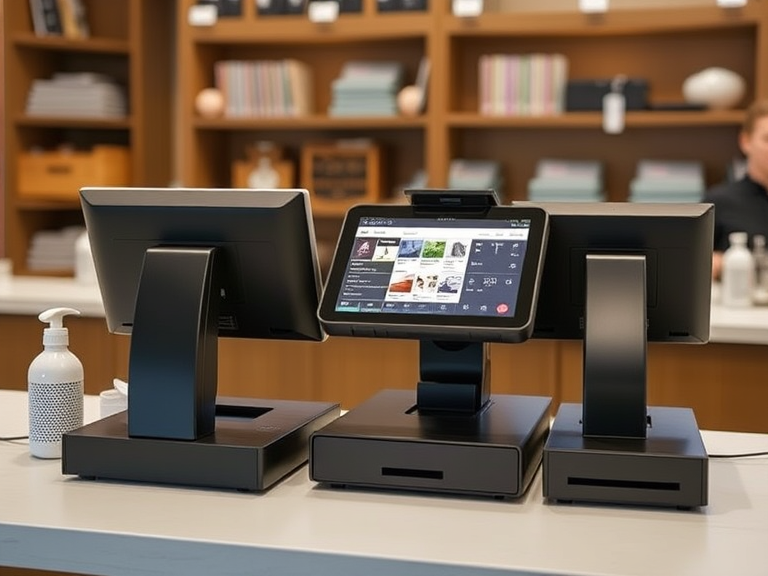
A POS machine (Point of Sale) is an essential tool that allows businesses to complete transactions by processing payments. It involves both hardware (like POS terminals, card readers, receipt printers, and barcode scanners) and software (the system that handles transactions, inventory management, sales reporting, and customer relationship management).
Whether you run a retail shop, a restaurant, a café, or even a mobile business, POS systems make transactions fast, accurate, and secure. For modern businesses, a reliable POS system can manage multiple functions in one place, from processing payments to tracking inventory, managing employees, and generating financial reports.
In simple terms, the POS machine is a cornerstone of your business operations, enabling you to run smoother and more profitable operations. But just how much does it cost to get one?
Factors That Influence the Cost of a POS Machine
The cost of a POS machine depends on multiple factors. To help you get an accurate estimate, we’ll break down each of these elements:
1. Type of POS System
The first thing to consider is the type of POS system that suits your business. The following are the three main categories:
- Cloud-Based POS Systems:
- Pricing Range: Typically, these systems are subscription-based and cost between $30 and $150 per month per terminal. While the initial investment is lower than on-premise systems, the monthly fees can add up over time.
- Best for: Small to medium-sized businesses or those that require remote access to data (e.g., mobile businesses, cafes, or retail).
- Advantages: Automatic updates, remote access, and lower upfront costs.
- Example Providers: Square, Lightspeed, and Shopify.
- On-Premise POS Systems:
- Pricing Range: On-premise systems tend to have a higher upfront cost, typically between $1,000 to $10,000 or more, depending on hardware and features. There may also be additional fees for software upgrades and system maintenance.
- Best for: Larger businesses with complex needs, multiple locations, or high transaction volumes.
- Advantages: Complete control over your data and system customization.
- Example Providers: POS Nation, Heartland Retail.
- Mobile POS Systems:
- Pricing Range: Mobile POS systems tend to be the most affordable, ranging from $200 to $1,500 depending on hardware and features.
- Best for: Small businesses, mobile vendors, food trucks, or businesses that need flexibility.
- Advantages: Low cost, easy portability, and quick setup.
- Example Providers: Square, PayPal Here, Clover Go.
2. Hardware and Equipment
The hardware you choose for your POS system directly affects the total cost. Here’s a breakdown of what you might need:
- POS Terminal: This is the core of your system. Basic terminals cost $200–$500, but advanced terminals with larger screens, better processors, and custom features can go up to $1,500 or more.
- Receipt Printer: Depending on the type, receipt printers generally cost between $100–$300. High-end or thermal printers can go higher.
- Card Readers: For accepting card payments, card readers range from $50 to $300, with EMV chip card readers typically being more expensive.
- Barcode Scanners: These cost between $50 and $250, depending on the type (manual vs. automatic).
- Cash Drawer: Basic cash drawers typically cost between $100 and $300.
Remember that you can sometimes lease these devices, which will reduce your initial investment but come with an additional monthly fee.
3. Software Features
The software that runs your POS system is where the real cost variations come in. Features such as inventory management, CRM (Customer Relationship Management), sales reporting, and employee scheduling can make a POS system much more valuable to your business—but they can also increase the price.
Here’s what to expect in terms of software costs:
- Basic POS Software: If you’re just looking for a simple POS system to process payments and track sales, you may only need the basic plan. These plans often start around $0 to $50 per month.
- Advanced POS Software: Systems with inventory management, employee scheduling, and detailed reporting can cost anywhere from $100 to $500 per month.
- Custom POS Software: Some businesses require highly tailored POS software, which can increase the costs significantly, with prices ranging from $1,000 to $5,000 or more.
4. Business Size and Location
The size of your business, as well as its location, can also affect the cost of your POS system. Larger businesses with multiple locations will need more terminals, possibly customized features, and scalable software, which can increase the overall cost.
For a single-location small business, you may spend between $500 to $3,000 for basic hardware and software. However, for multi-location businesses or large-scale operations, you could be looking at $5,000 to $20,000 or more, depending on customization, hardware, and the complexity of your needs.
Breaking Down the Costs of a POS System
Let’s now break down the costs of getting a POS machine with a detailed look at the initial setup costs, ongoing fees, and additional costs:
1. Initial Setup Costs
This includes the purchase of the POS hardware and the software setup.
- Basic Systems: If you opt for an entry-level cloud-based POS system, the initial setup costs can range from $200 to $1,000, including basic terminals and card readers.
- Mid-Range Systems: With added features like inventory management, customer relationship tools, and employee management, mid-range systems generally cost between $1,000 to $5,000.
- High-End Systems: For businesses with complex needs or multi-location setups, prices for high-end POS systems can range from $5,000 to $20,000 or more.
2. Ongoing Costs
After purchasing your POS system, you’ll have ongoing fees to manage, which include:
- Monthly Software Subscription: Typically, cloud-based POS systems come with monthly fees that range from $30 to $150 per terminal. High-end systems may cost more for features like analytics, reporting, and employee scheduling.
- Payment Processing Fees: Every transaction processed through your POS will likely incur a fee. This can be anywhere from 2% to 3.5% per transaction, depending on your payment processor.
- Maintenance and Support: On-premise systems may require periodic updates, repairs, and maintenance, which could cost between $100 to $500 per year.
3. Additional Costs
Some additional costs to consider:
- Training: Many POS vendors offer training services for an extra cost, typically ranging from $200 to $1,000, depending on how comprehensive the training is.
- Add-Ons and Integrations: If you need specific integrations with other tools, such as accounting software or customer loyalty programs, those can add an extra $20 to $200 per month.
Financing Your POS System
If the upfront cost of a POS system seems daunting, there are several financing options you can explore:
- Leasing: Leasing a POS system allows you to avoid paying for the entire system upfront. Instead, you pay a fixed monthly fee over a set period, typically ranging from 24 to 48 months.
- Subscription Models: Many providers, especially cloud-based ones, offer subscription-based models where you pay a monthly fee for the use of their software and hardware.
- Payment Plans: Some POS vendors offer installment payment plans for hardware and software, allowing you to spread out the cost over several months.
Best POS Systems and Their Pricing
Here’s a quick overview of some of the most popular POS systems, along with their pricing:
- Square: Known for its ease of use, Square offers a free POS system, but charges 2.6% + 10¢ per transaction.
- Toast: A great choice for restaurants, Toast starts at $69/month per terminal.
- Lightspeed: Perfect for retailers, Lightspeed charges from $69/month for basic systems.
- Clover: Flexible and customizable, Clover’s hardware can range from $500 to $1,500, and software starts at $14/month.
Conclusion
The cost of a POS machine depends largely on your business size, industry, and specific needs. From $200 for basic mobile POS solutions to $20,000 for a full-featured multi-location system, the price range is wide, but investing in a POS system is crucial for growing and managing your business efficiently.
To determine the best option for you, consider factors such as business size, transaction volume, hardware and software needs, and budget constraints. Additionally, look at financing options like leasing or subscriptions to make the costs more manageable.
By carefully evaluating your needs and available POS options, you can ensure you get a system that not only fits your budget but also supports your long-term business success.

