
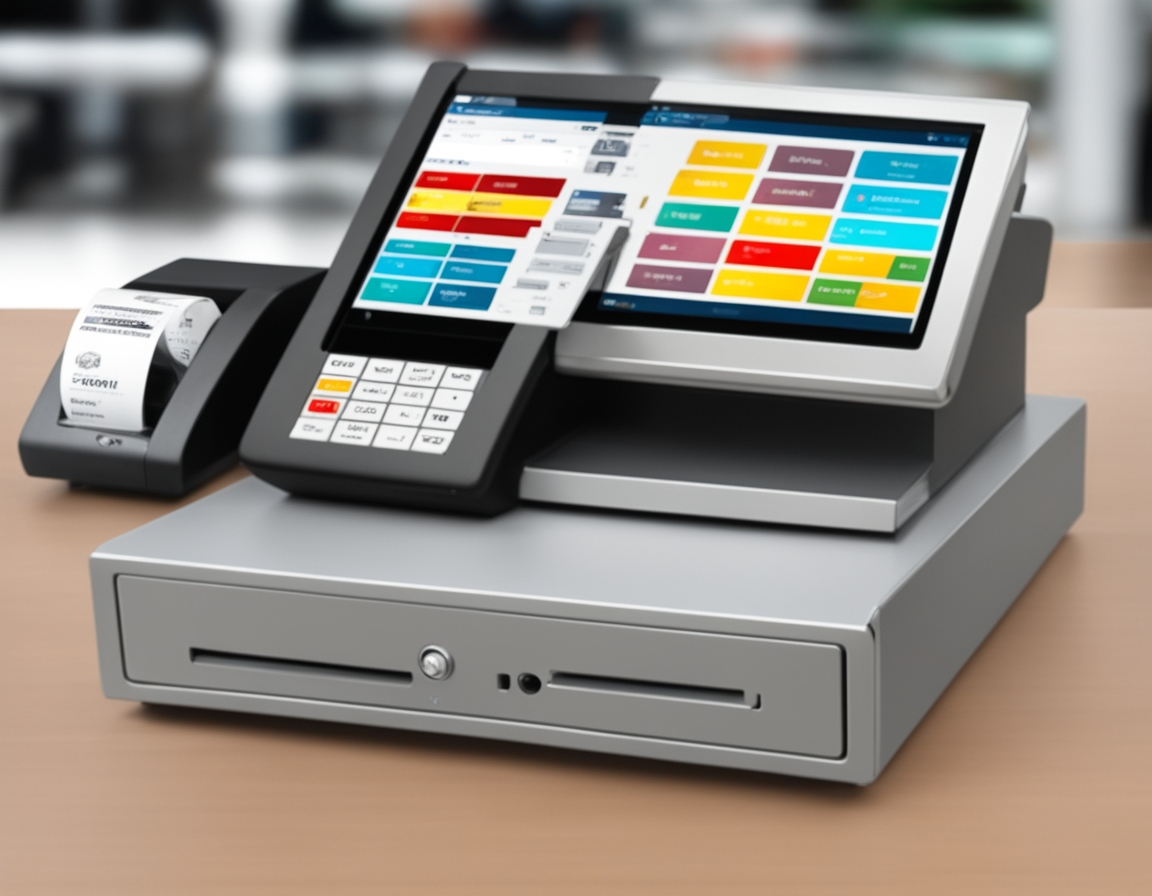
What is a Point of Sale (POS) System?
A Point of Sale (POS) system is an essential tool for businesses that enables them to process transactions. This system includes both hardware (like cash registers, scanners, and card readers) and software (for sales processing, inventory management, and payment handling). A properly functioning POS system is vital for maintaining daily operations in industries such as retail, food services, and hospitality.
Why Testing Your POS System After Installation is Vital
Once your POS system has been installed, it’s important to test every feature to make sure the system works properly. Failing to do so could result in transaction errors, issues with inventory updates, or payment discrepancies. Thorough testing can help detect problems early on, preventing potential disruptions that could affect your business.
Overview of POS System Testing
What Does POS Testing Entail?
POS testing refers to evaluating all critical functions of the system to ensure they operate correctly. This includes confirming that the system handles transactions, inventory management, and integrations with other software systems without issues. Testing ensures that everything is working as it should before the system is used in a live environment.
Why POS Testing Matters After Installation
Without thorough testing, you might find that your system isn’t fully functional, which could lead to operational delays. Whether it’s malfunctioning card readers, slow transaction processing, or syncing errors with inventory software, catching issues before you go live will save time, reduce frustration, and ensure smoother operations.
Types of Testing for Your POS System
Functional Testing
The first step is to test the basic functions of the POS system. This involves checking the system’s ability to complete basic transactions such as processing sales, scanning items, and accepting different types of payments (e.g., cash, credit cards, and mobile payments). A simple question to ask yourself during testing is: “Is the POS able to process sales without any glitches?”
Integration Testing
Many businesses rely on their POS to sync with other software, such as inventory management systems or accounting tools. Testing the integration ensures that when a sale occurs, the inventory is updated automatically and accurately. Make sure that all integrations work as intended and there are no issues when data is shared between systems.
Performance and Stress Testing
Your POS system should be able to handle high traffic, especially during peak hours or busy sales events. Testing how the system performs under heavy load is crucial. Try running several transactions at once to assess its ability to process multiple sales without slowing down or crashing.
Security Testing
POS systems handle sensitive payment information, so testing security is a must. Ensure that the system complies with data protection standards such as PCI-DSS and that it encrypts customer data to prevent breaches. Run security scans to check for vulnerabilities and confirm that data protection is in place.
Usability Testing
How user-friendly is your POS system for your staff? Test how easy it is for employees to learn and use the system. Ask if new employees can process a sale or refund without difficulty, or if the system has a steep learning curve. A user-friendly interface is key to minimizing errors and speeding up transactions.
Offline Testing
Businesses in areas with unstable internet connections need to verify that their POS system works offline. Testing should check if the POS can process transactions when the internet goes down, and whether it will sync data once the connection is restored.
Regression Testing
After installing software updates or adding new hardware, test the system again to ensure that these changes haven’t caused issues with existing functionality. For example, check that all barcode scanners, receipt printers, and card readers still work properly after the update.
Step-by-Step Testing Process for Your POS System
Preparation Before Testing
Ensure that all hardware components such as cash drawers, barcode scanners, receipt printers, and card readers are properly set up. Confirm that the POS software is installed and operational. Review user manuals to familiarize yourself with the system’s settings.
Testing the Basic Functions
Start by running a sale transaction: scan items, process a payment, and print a receipt. Test both credit card and cash payments to ensure the system handles all types of transactions. Pay attention to any delays or issues during these steps.
Testing Integration with Other Systems
If your POS integrates with an inventory or customer management system, make sure that data is syncing correctly. Test if inventory updates automatically when items are sold and verify that no data discrepancies occur.
Stress Testing the System
Simulate peak business hours by running multiple transactions at the same time. This will test the system’s ability to process sales quickly and without failure. Monitor how well the system performs under pressure and if there’s any delay or slowdown in processing.
Security and Compliance Checks
Perform a security check to verify that all sensitive customer data is protected. Ensure that the POS system complies with industry security standards and performs encryption on transactions.
User Testing
Have your employees test the system to identify any usability issues. Ask them to process different types of transactions, apply discounts, and handle refunds to ensure they can use the system without problems.
Document and Report Test Results
After completing the tests, create a detailed report outlining what was tested, any issues that were found, and how they were addressed. This will help track progress and ensure everything is in working order.
Tools for POS System Testing
Manual Testing
For small businesses, manual testing methods such as checklists and spreadsheets can be effective. These tools allow you to keep track of testing progress and record any issues encountered during testing.
Automated Testing
Larger businesses might opt for automated testing tools like Selenium or POS-specific testing software to run multiple tests at once. These tools make it easier to perform consistent and thorough testing across all POS functions.
Third-Party Testing Services
If you lack the resources to handle testing in-house, consider hiring a professional testing service. These companies specialize in performing in-depth audits of POS systems and can identify potential problems that you may not have noticed.
Troubleshooting Common POS System Issues
Hardware Troubles
If a printer isn’t printing receipts or a card reader isn’t accepting payments, check the cables and connections. Ensure all components are plugged in correctly and check the devices for any signs of damage.
Software Issues
Software glitches such as slow processing or unresponsive applications can be caused by outdated software or configuration problems. Update your software and check for errors in the system logs.
Performance Issues
If the system slows down during peak hours, consider upgrading your hardware or improving your network connection. Performance testing during high-traffic periods will help identify these issues early.
Security Issues
Run regular security checks to detect vulnerabilities and prevent data breaches. If your POS system is not up to date with the latest security patches, it’s essential to address this immediately.
Ongoing POS System Testing and Maintenance
Routine Maintenance
Even after your POS system is up and running, regular maintenance is necessary. Monitor system updates, check hardware functionality, and perform software patches to ensure the system continues to run smoothly.
Security Audits
Regular security audits are essential to detect and fix potential vulnerabilities. With the rise of cyberattacks, staying on top of security is crucial for protecting customer data and maintaining trust.
Periodic Stress Tests
Run periodic stress tests, especially during peak seasons or promotions, to assess the system’s ability to handle increased sales volume.
Conclusion
Testing your POS system after installation is a critical step that can save your business from serious issues down the line. By running a series of tests, you ensure the system works as expected, maintains security, and supports smooth operations. Regular maintenance and testing will help keep everything running smoothly in the long term.
Are you ready to test your POS system? Start by following the steps outlined above and ensure everything is set for success.

