
Running a car rental business involves a lot of moving parts. You need to manage vehicles, keep track of payments, and make sure customers have a smooth experience. One of the best tools to help with these tasks is a Point of Sale (POS) system. A POS system does more than just handle payments; it helps you organize your work and stay on top of everything.
In this guide, you’ll learn how to set up a POS system for your car rental business. We’ll go through the key steps, things to look for in a POS system, and how to make the most of it. Whether you’re just starting out or upgrading your existing setup, you’ll have the information you need to make a smart decision.
What is a POS System for a Car Rental Business?
A POS system combines hardware and software that helps businesses process sales, manage payments, and keep track of inventory. For a car rental business, a POS system does more than just record customer payments. It helps manage vehicle availability, handle billing, and store customer information.
Using a POS system makes everyday tasks easier. It reduces the chances of mistakes and keeps your business organized. For example, you don’t have to manually record every payment or worry about errors in billing. A good POS system takes care of that for you.
Why is a POS System Important for Your Car Rental Business?
Running a car rental business means dealing with a lot of tasks, like renting out cars, handling payments, and keeping customers happy. Without a good POS system, these things can get confusing. Here’s why using one is important:
- Easy Payment Handling: A POS system can manage different types of payments, such as cash, credit/debit cards, and mobile payments. It also records everything correctly, so you don’t have to worry about mistakes.
- Better Inventory Management: With a POS system, you can easily track which cars are available, which are booked, and which need maintenance.
- Accurate Reports: A POS system helps you create reports that show how your business is doing, such as how much you’ve earned, which cars are the most popular, and when your business makes the most money.
- Customer Information: Many POS systems can store customer data, such as their rental history and preferences. This makes it easier to offer personalized service and even set up loyalty programs.
Key Features to Look for in a POS System for Car Rentals
Not all POS systems are the same. Some may be better for small businesses, while others are more suited for large companies. When choosing the right POS system for your car rental business, look for these key features:
- Rental Management: The POS system should let you track car availability, manage bookings, and send reminders for returns.
- Payment Processing: It should support various payment options, like credit cards, debit cards, and digital wallets, and provide secure transactions.
- Reports and Analytics: A POS system that can generate daily, weekly, or monthly reports on sales, rentals, and customer preferences is valuable. This will help you make informed decisions about your business.
- Customer Management: The system should store customer information, so you don’t have to dig through paperwork every time someone rents a car. This is also useful for offering loyalty programs.
- Integration with Other Software: A good POS system can work well with other tools, like accounting software or online booking systems, to keep everything connected.
How to Set Up a POS System for Your Car Rental Business
Setting up a POS system may sound difficult, but it’s a simple process if you break it down into steps. Here’s a basic guide to help you:
Step 1: Understand Your Business Needs
Before you start searching for a POS system, think about your car rental business. Ask yourself questions like:
- How many cars do you rent out?
- Do you have multiple locations?
- What payment types do you accept (credit cards, cash, etc.)?
- Do you want to track customer preferences or offer loyalty programs?
Knowing the answers to these questions will help you choose the best POS system for your needs.
Step 2: Choose the Right POS Software
There are many POS systems to choose from, and some are designed specifically for car rental businesses. Some popular systems include RentSyst and Booqable. When picking a system, compare the features, prices, and customer reviews to make sure it fits your business.
Step 3: Set Up Your Hardware
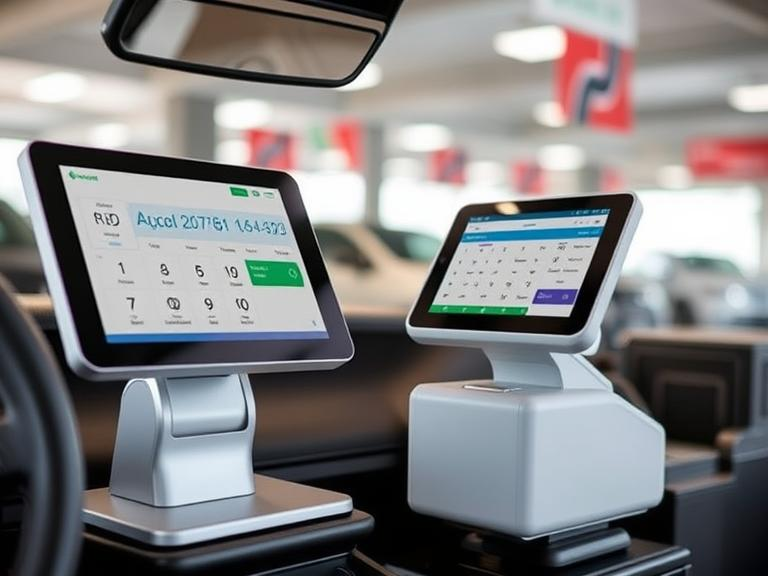
A POS system requires hardware to function, such as a computer or tablet, a barcode scanner, a receipt printer, and a card reader for payments. Depending on your business size, you may need more than one POS station. After you’ve purchased the necessary hardware, install the software and connect the devices.
Step 4: Connect to Payment Systems
To accept payments, make sure your POS system connects to payment processors like Stripe or PayPal. This makes accepting payments easier and more secure. You’ll need to enter your business information and link your bank account for deposits.
Step 5: Customize Your POS System
Your POS system should be customized for your business. Add vehicle details, rental rates, booking policies, and payment terms. This way, when customers rent a car, everything gets updated automatically in the system.
Step 6: Train Your Staff
Once the system is set up, train your staff on how to use it. Make sure they understand how to manage bookings, process payments, and handle customer information. Proper training will help your business run smoothly.
Tips for Getting the Most Out of Your POS System
Once your POS system is up and running, here are a few tips to get the most out of it:
- Use Automated Features: Many POS systems offer automated tools, like invoicing, payment reminders, and tracking car maintenance. These features save time and reduce the chance of errors.
- Analyze Your Reports: Regularly check your sales and rental reports. This will help you see patterns in your business, like which cars are the most popular or when your business is busiest.
- Improve Customer Experience: A POS system allows you to track customer data, like their favorite cars or how often they rent. Use this information to offer personalized discounts or rewards.
Common Challenges in Setting Up a POS System for Car Rentals
Even though a POS system can make things easier, you may face some challenges during the setup. Here are some common problems and how to solve them:
- Integration Problems: Sometimes, a POS system may not connect well with other tools, such as your accounting software or online booking system. Make sure to choose a POS system that works well with your existing tools, or ask for help from the provider.
- Staff Resistance: Some employees might not feel comfortable with new technology. Offer clear training and support to help them feel confident using the system.
- Security Concerns: When dealing with customer payment information, security is a top priority. Choose a POS system that follows industry data protection standards, like PCI DSS.
Frequently Asked Questions (FAQs)
- How much does a POS system for a car rental business cost?
The cost varies based on the features you need. Typically, POS systems cost between $50 and $150 per month. Many systems offer free trials so you can try them out before committing. - Can I use a POS system without an internet connection?
Some POS systems work offline, but it’s always best to have an internet connection for smoother operations, especially when handling payments and updates. - Do I need special hardware for my POS system?
Depending on the system, you may need hardware like a tablet, card reader, and receipt printer. Some systems work with just a tablet and card reader, while others require more equipment. - Can a POS system help with marketing my car rental business?
Yes! Many POS systems offer tools for tracking customer loyalty, running promotions, and sending special offers to repeat customers.
Conclusion
Setting up a POS system for your car rental business helps you manage payments, track inventory, and keep customers happy. By following these steps, you can get your system running smoothly and start using it to make your business more efficient. Whether you’re just starting or upgrading your current setup, having the right POS system will help you run your car rental business without unnecessary stress.

