
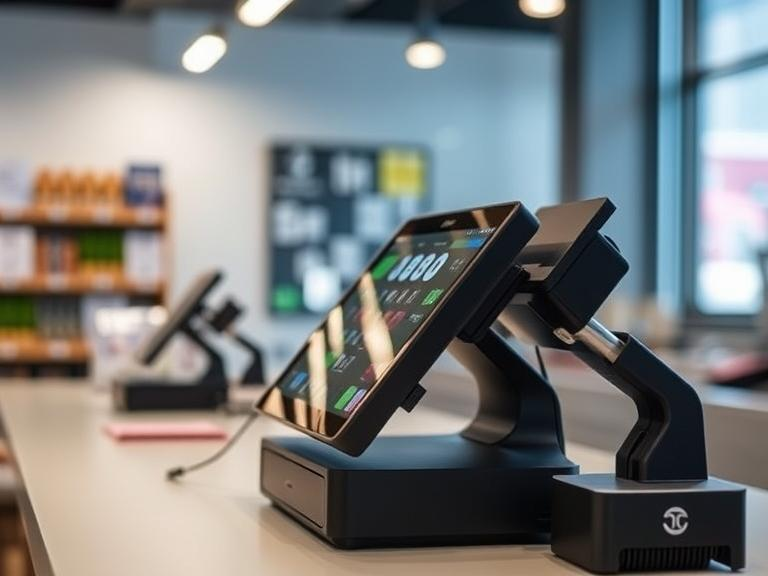
Running a Point of Sale (POS) system is essential for businesses. Most rely on a steady internet connection for processing transactions, syncing data, and managing inventory. But what happens when the internet goes down? Can a POS system still function? Let’s explore how offline POS systems work, the benefits they offer, and how you can run a POS system without the internet.
What is a POS System?
A POS system is a combination of hardware and software used to complete sales transactions. At its core, a POS system processes payments, tracks sales, and manages inventory. Many modern cloud POS systems depend on the internet to store and manage data in real-time, providing businesses with updates right away.
However, some businesses need a backup plan. What if the internet isn’t available? Can you run a POS system without an internet connection? The short answer is yes, but let’s go deeper into how it works.
Can You Run a POS System Without Internet?
Yes, you can run a POS system without internet! While internet-based cloud POS systems offer real-time data syncing and cloud storage, some POS systems have offline capabilities that let them continue working even without an internet connection.
Here’s how it works: Offline POS systems are built to store data locally. This means they don’t need an internet connection to function. When the system goes offline, it can still process payments, track sales, and update inventory. Once the internet connection is back, the data is synced with the cloud.
How Do Offline POS Systems Work?
So, how exactly do offline POS systems work? The answer lies in their ability to store transaction data locally. Here’s a breakdown:
- Local Data Storage: When your POS system is offline, it saves all the transaction details on the device itself. This way, you won’t lose any sales or inventory information.
- Transaction Processing: Even without an internet connection, offline POS systems can process card payments. These systems store payment information locally and will try to process the payment when the connection is restored.
- Sales and Inventory Tracking: You can still add sales, track inventory, and manage customers during an internet outage. The POS system will store this information locally until it can sync with the cloud once the internet is back.
The best part? You can keep working as usual and avoid downtime during unexpected internet issues.
Benefits of Offline POS Systems for Retail
For many small businesses, especially those in remote areas or regions with unreliable internet, an offline POS system offers several benefits:
- Continuous Operations: Whether you’re in a rural area with poor internet or dealing with an internet outage, your POS system will keep processing sales, managing inventory, and updating customer data.
- Cost-Effective: Without relying on constant internet access, you can save money on data plans and avoid expensive cloud subscriptions. An offline POS system doesn’t need a steady internet connection, making it a more affordable option.
- Faster Transactions: In areas with slow or unstable internet, offline payment systems can process transactions faster because they don’t need to wait for data to upload to the cloud.
- Less Downtime: With POS systems that work offline and online, businesses avoid the frustration of waiting for an internet connection to resume. Even if the internet goes down temporarily, your business can keep running smoothly.
Can a Cloud-Based POS System Function Offline?
Most cloud POS systems are built to rely on an internet connection. However, many of these systems have offline POS system options that allow businesses to continue using them even when the internet is unavailable.
While cloud-based POS systems won’t work in full capacity without the internet, most of them offer an offline mode. During this time, transactions and sales are recorded locally. Once the internet connection is restored, the system will sync the data with the cloud, making sure your records are up to date.
Can You Process Payments Without Internet on a POS System?
Yes, you can process payments without the internet. Offline credit card processing POS systems work by storing payment information temporarily. When the system is back online, it will process the payment and update your financial records.
For offline transactions, credit card companies may have a slight delay in confirming the transaction, but the payment will be authorized once the system reconnects. Always make sure your POS system without internet is set up for secure offline payment processing.
POS System Offline Mode Features
An offline POS system typically includes a few key features to make sure everything works smoothly during internet outages:
- Transaction Queuing: Payments are processed offline and queued until the internet is restored. Once the connection is back, transactions are processed in real-time.
- Local Data Storage: All sales, inventory updates, and customer information are saved on the POS device. Once the internet is reestablished, the system uploads the data to the cloud.
- Payment Processing: As mentioned earlier, payments can be processed offline, and credit card information is stored securely until it can be verified online.
- Real-Time Syncing Once Back Online: After the internet connection is restored, all data is synced with the cloud, making sure your records are up to date.
Is It Safe to Use a POS System Offline?
Yes, using a POS system offline can be safe as long as proper security measures are in place. Offline POS systems use encryption and secure data storage to protect sensitive customer and transaction data.
However, it’s important to make sure that your POS system without internet has offline security features in place, such as:
- Encrypted Data Storage: This keeps unauthorized people from accessing sensitive information.
- Secure Payment Processing: When processing payments offline, make sure the system uses secure methods for storing and sending payment data once the internet is available.
What Happens If Your POS System Loses Internet Connection?
When your POS system loses the internet connection, most modern systems won’t just shut down. If you have an offline POS system or a system with offline capabilities, it will continue to work with limited functionality. Here’s what happens:
- Transactions Are Stored Locally: Sales and customer information are saved in the system’s memory. These transactions will stay in the system until the connection is restored.
- Payment Processing Delays: Payments might be delayed. While the system will authorize the payment offline, it may take a little while for the payment to go through once the internet is back.
- Inventory Tracking Continues: You can keep managing stock and tracking inventory, but the information will only sync with the cloud once the system is online again.
Having a plan in place for dealing with these interruptions means your business won’t face a complete shutdown when the internet goes down.
Top POS Systems That Work Without the Internet
Here are some of the best offline POS systems for small businesses that can operate without the internet:
- Square POS: Square’s offline POS system lets you process payments and track sales even when you’re not connected to the internet. When you reconnect, it syncs the data quickly.
- Lightspeed POS: This system works both online and offline, offering features such as offline payment processing and inventory management during outages.
- Vend POS: Vend’s offline mode allows businesses to keep working during internet issues. You can continue processing payments and updating your inventory, and everything will sync once you’re back online.
- Shopify POS: Shopify’s POS system with offline capabilities offers offline sales tracking and payment processing. It syncs with the cloud once you’re back online.
How to Run POS Without Internet
Running a POS system without internet requires having the right system in place. Here’s how you can set it up:
- Choose an Offline-Compatible POS System: Look for a POS system that specifically offers offline mode features.
- Enable Offline Features: Make sure the offline POS system is set up to store transaction data locally when the internet isn’t available.
- Test the System Regularly: Make sure to test your system’s offline capabilities from time to time to ensure it works smoothly in case of an outage.
- Backup Your Data: Regularly back up your offline transaction data to make sure you don’t lose anything during long periods of being offline.
Conclusion
In a world where internet outages can cause problems for businesses, having an offline POS system can be a lifesaver. Whether you’re running a retail store or a small business in an area with unreliable internet, you can still process sales, manage inventory, and handle customer information without worrying about losing data.
Choosing the best POS system for limited internet access is an important step in making sure your business runs smoothly, no matter what happens with your internet connection. Don’t let connectivity issues hold you back—invest in a system that can handle both offline and online transactions.
If you’re ready to upgrade to a POS system with offline capabilities, explore some of the top POS systems that work without the internet and get your business set up for success. Keep your operations running smoothly, even when the internet goes down!
FAQs
- Can a POS system work without internet?
- Yes, a POS system can work without the internet. Many offline POS systems store transaction data locally and continue functioning even when the internet is down.
- What happens if a POS system loses internet connection?
- If a POS system loses its internet connection, it may switch to offline mode and continue processing transactions locally until the connection is restored.
- Are there POS systems designed to work offline?
- Yes, there are many offline POS systems that allow businesses to process payments, track sales, and manage inventory without needing an internet connection.
- Can you process payments without the internet on a POS system?
- Yes, some POS systems with offline capabilities allow businesses to process payments without internet, though the transaction will be processed later once the connection is restored.
- Is it safe to use a POS system without internet?
- Yes, it is safe to use an offline POS system as long as it has the proper security features to protect transaction data and personal information while offline.

