
Running a small business involves managing several tasks, and one of the most crucial is handling transactions. This is where a Point of Sale (POS) system comes in. Choosing the right POS for your small business is important to keep things organized, speed up the checkout process, and track your sales and inventory.
If you’re asking “How to Choose the Top POS for a Small Business?”, you’ve come to the right place. In this guide, we’ll help you understand the basics of POS systems, the factors to consider when choosing one, and how to pick the best system for your business needs.
What is a POS System for Small Businesses?
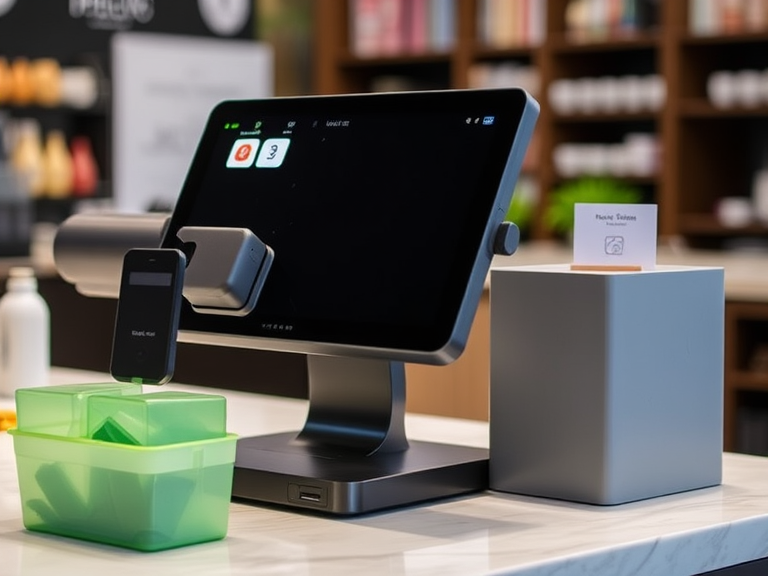
A POS system for small businesses is a combination of hardware and software used to make transactions and track information. It’s more than just a cash register. A good POS system can help you process payments, manage inventory, track sales, and even handle customer information.
The POS system for business is an essential tool for any small business because it helps you keep everything running smoothly. Whether you’re selling products in a store or providing services at a salon, the right POS system makes managing your business easier.
Types of POS Systems for Small Businesses
When you start looking for a POS system for small business, you’ll notice that there are different types available. The system you choose will depend on the needs of your business. Here are the main types:
1. Traditional POS Systems
Traditional POS systems are the older, more common setup. They usually consist of a register, receipt printer, barcode scanner, and cash drawer. They store data on-site, and while they are reliable, they can be more difficult to manage if you have multiple locations or need to access data remotely.
2. Cloud-Based POS Systems
Cloud-based POS systems store all data online instead of on a local computer. This means you can access your sales, inventory, and customer information from anywhere with an internet connection. Cloud-based systems are great for small businesses that need flexibility or plan to expand in the future.
3. Mobile POS Systems
A mobile POS system works on smartphones or tablets. These systems are perfect for small businesses with limited space, like food trucks, pop-up shops, or businesses that need to move around frequently. They are simple to set up and can be carried anywhere, so they’re very convenient for business owners on the go.
Key Features to Look for in a POS System for Small Business
Choosing a POS system isn’t just about picking a random option. You need to consider several factors to make sure it fits your business needs. Here are some of the most important features to look for when choosing a POS for small business:
1. Ease of Use
You’ll want a POS system that’s simple to use. Training your staff should be quick and easy. If the system is too complicated, it will slow down the checkout process and lead to more mistakes. Look for systems that are user-friendly with intuitive interfaces.
2. Inventory Management
Inventory tracking is crucial for small businesses, especially those that sell physical products. A good POS system helps you manage inventory by automatically updating stock levels after each sale. This helps prevent overstocking or running out of popular products. You should choose a POS system that provides real-time inventory updates.
3. Customer Management
If your small business has repeat customers, a POS system with customer management features is a great choice. This allows you to keep track of customer information, preferences, and purchase history. You can use this data to create loyalty programs, send promotional emails, and personalize customer experiences.
4. Reporting and Analytics
POS systems should help you track your sales, profits, and other business metrics. Look for POS software for small business owners that can generate reports on sales trends, best-selling products, and more. This information can help you make better business decisions and spot any issues before they become bigger problems.
5. Payment Processing
Your POS system should make it easy for customers to pay. It should support all types of payments, including credit and debit cards, mobile wallets, and even cash. The best POS systems for small businesses make payment processing fast and secure. If your business takes online orders, look for a POS that can process payments both in-store and online.
6. Security Features
You must protect your customers’ data, especially credit card information. A secure POS system will use encryption and other measures to keep this information safe. Make sure the POS system you choose complies with payment card industry (PCI) standards to prevent data breaches and fraud.
7. Integration with Other Tools
A good POS system should work well with your other business software. For example, if you use accounting software, choose a POS system with accounting integration to make your financial tracking easier. Some POS systems also integrate with marketing tools, which can help you grow your customer base.
How to Choose the Right POS for Your Small Business
Now that you know what to look for in a POS system, let’s break down how to actually make your decision. Here are some steps to help you pick the right system:
1. Determine Your Business Needs
The first step in choosing a POS system is understanding what your business needs. Are you running a small retail business, a restaurant, or an online store? Each business type has different needs, and there are POS systems designed for each.
- For retail businesses, you need a POS system with strong inventory tracking and reporting features.
- For a small business restaurant, look for a POS system that can manage tables, orders, and bills efficiently.
- For small online businesses, you’ll want a POS system that can handle online sales as well as in-person transactions.
2. Consider Your Budget
POS systems can range from very affordable to quite expensive. The price usually depends on the features and hardware included. If you’re just starting out, you may want to opt for an affordable POS system for small businesses that still offers the basic features you need. As your business grows, you can always upgrade to a more advanced system.
3. Research Your Options
Once you’ve determined your needs and budget, research the best POS systems for small businesses in 2025. Read customer reviews, check ratings, and compare different systems. This will give you a sense of which POS systems work best for small business owners like you.
4. Test Out the System
Most POS providers offer a free trial period, so take advantage of this. Testing out a POS system will help you see how it works in real-life situations. Try to get your employees involved in the testing process to make sure they are comfortable with the system.
Best POS Systems for Small Business Owners
Here are some of the top POS systems for small businesses you can consider:
1. Square POS
Square is one of the most popular and affordable POS systems for small businesses. It’s known for its ease of use and flexible payment options. It also offers inventory management, customer profiles, and reporting tools. Square is a great option for small retail shops, pop-up stores, and service-based businesses.
2. Shopify POS
Shopify POS is perfect for small online businesses that also have physical stores. It integrates directly with your online store, making it easy to manage both online and in-person sales. It also has great features for inventory tracking and reporting.
3. Toast POS (for Restaurants)
Toast is a POS system for small business restaurants. It’s designed specifically for the food industry, helping manage tables, orders, and bills. It also supports online ordering and delivery, making it a good choice for growing restaurants.
4. Lightspeed POS
Lightspeed offers POS software for small business owners who need strong inventory management and reporting features. It’s a great choice for retail businesses that need to keep track of a large number of products.
5. Vend POS
Vend is a cloud-based POS system for small businesses that makes managing inventory, sales, and customer information simple. It’s known for its integration with other business tools, making it ideal for small business owners looking for a system that works with their existing software.
Conclusion
Choosing the right POS for small business is an important decision that can greatly impact your daily operations. Start by identifying your business needs, considering your budget, and looking for a system with the features that matter most to you—such as inventory tracking, customer management, and security.
By doing your research and testing out different options, you can find the best POS system for your business. Whether you’re running a small retail shop, restaurant, or online store, the right POS system will help you manage transactions efficiently, keep track of inventory, and ultimately grow your business.
Remember, a POS system for small business is not just about processing payments—it’s an all-in-one solution that helps you manage your operations, improve customer service, and make smarter business decisions. Take your time to choose the best fit for your needs, and you’ll see the difference it makes.

