
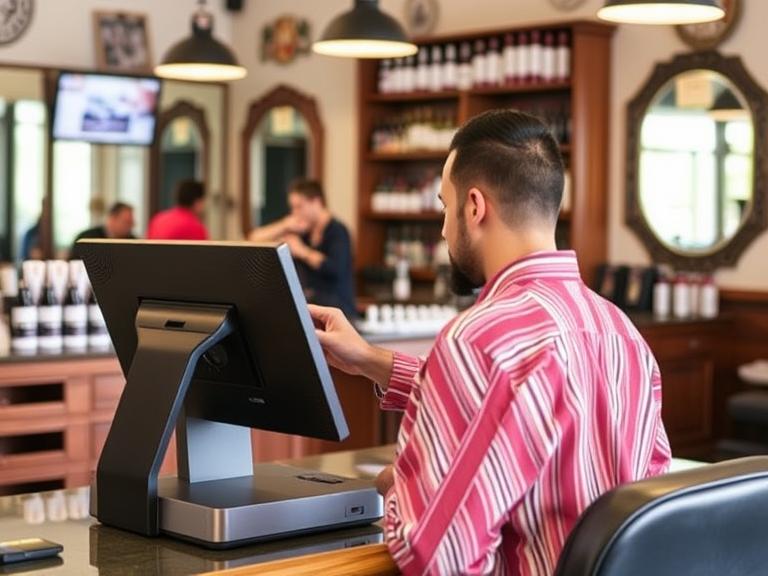
Still Running Your Barbershop Without a POS System? You’re Likely Losing Money
Running a barbershop is more than cutting hair. You’ve got customers to manage, payments to track, products to sell, and schedules to juggle. If you’re still using pen and paper or just your phone to handle it all, things probably feel a bit messy. You might be missing out on sales, double-booking clients, or losing track of products.
POS Systems for Barbershops are built to fix that. They help you stay on top of appointments, speed up payments, track every dollar, and manage your team—all from one place. It’s like having a full-time assistant without the extra payroll.
Want fewer headaches, better service, and more money in your pocket? Keep reading.
What Is a POS System for Barbershops?
A POS (Point of Sale) system is a tool that helps you handle payments, appointments, customer info, and inventory. It’s more than a cash register. It’s like a helper that never forgets.
In a barbershop, a POS system can:
- Book and manage appointments
- Accept cash, cards, and mobile payments
- Keep track of what products you have
- Help you see how much money you make
- Track tips and staff work hours
It’s not just for big salons. Even small one-chair shops can use one.
Why Barbershops Need a POS System
Let’s talk real. You’re busy. You’ve got clients walking in, texts flying in for bookings, and someone just asked if you have that pomade they bought last time. Doing it all without help? That’s tough.
Here’s what a POS system can fix:
A. Say Goodbye to No-Shows
People forget. POS systems send reminders automatically. Your customer gets a text or email saying, “Hey, you’ve got a cut at 3 PM.” That means fewer empty chairs.
B. Faster Payments, Happier Clients
No one likes waiting around. With a POS system, customers can tap their card or phone and go. It’s quick, and you can even accept tips right on the screen.
C. Track Every Dollar Easily
How much did you make today? How about last Tuesday? A good POS tells you right away. No guessing. You can check it anytime—even from your phone.
D. Manage Staff Without the Headache
If you have a team, tracking hours and tips can get messy. A POS system handles it. You’ll know who worked when and how much they made.
E. Know What Products Actually Sell
Ever forget to restock a favorite hair gel? POS systems keep count. When you’re low on stock, it’ll let you know.
Key Features to Look For in a Barbershop POS
Not every POS is built for barbershops. Look for one that fits your shop.
A. Appointment Booking Made Easy
Clients can book online. They see your calendar and pick a time. You get fewer calls and no back-and-forth.
B. Secure and Fast Payments
Look for one that works with tap, chip, and mobile payments. Also, it should handle tips and send receipts fast.
C. Staff Management Tools
The system should track hours, tips, and even commissions if you offer them.
D. Inventory Alerts So You Never Run Out
A solid POS tracks your product levels. When you’re low on something, you’ll know before it runs out.
E. Mobile Access—Manage From Anywhere
Need to check in while you’re away? A cloud-based POS lets you check bookings, sales, and staff from your phone.
How POS Systems Help You Make More Money
You’re not just cutting hair—you’re running a business. A POS system helps you do that smarter.
- Upsell Without Trying: Some systems suggest add-ons right during checkout—like beard oil or shampoo.
- Keep Customers Coming Back: You can set up loyalty rewards. Give points for every visit and offer a free cut after 10.
- Know Your Best Days: Reports show what days are busiest. Use that info to run promos or add staff.
- Faster Checkout = More Clients: The quicker you finish with one person, the sooner you can take the next.
Every minute and every dollar count. A POS helps you squeeze the most out of both.
What Happens If You Don’t Use a POS System?
Skipping a POS might feel like saving money, but here’s what it could really cost:
- Lost Appointments: Forgetting bookings or double-scheduling costs money and makes you look bad.
- Money Slips Through the Cracks: Cash gets lost. Tips don’t always get tracked. You’re not seeing the full picture.
- Inventory Messes: You run out of stuff or buy too much. That hits your wallet.
- More Stress: You’re doing all the work your system could be doing for you.
Top POS System Options for Barbershops
Here are some tools that work well in barbershops:
- Square: Easy to use, good for solo barbers or small shops. Has free features and works on phones or tablets.
- Fresha: Built for beauty and wellness. Offers free bookings, and clients can find you through their app.
- Vagaro: Handles bookings, payments, and marketing. Monthly fee but packed with features.
- Booker: Great for busy shops. Handles staff, inventory, and even has email marketing.
- GlossGenius: Clean interface. Good for both beginners and tech-savvy shop owners.
How to Set Up a POS System in Your Barbershop
It’s easier than you think. Here’s how to get started:
- Pick a POS system: Choose one that fits your shop size and needs.
- Add your services: Haircuts, beard trims, coloring—list them all with prices.
- Add staff and hours: Input your team’s schedule and availability.
- Set up payments: Connect your bank and get your card reader.
- Train your team: Show them how to book appointments, take payments, and use reports.
Once it’s in place, it runs things for you while you focus on clients.
Real Barbershop Success Stories
Let’s say a barber named Tony used to write appointments in a notebook. Sometimes he forgot. Sometimes two clients showed up for the same time. Since switching to a POS, that stopped. He says his revenue went up 20% in three months.
Another shop, run by two brothers, started tracking product sales. They found out a $10 pomade was their top seller. Now they push it more—and it sells out faster.
These aren’t rare stories. They’re common once barbers get organized.
Common Myths About POS Systems
“It’s too expensive.” Not true. Many systems are free or start low. You can always upgrade later.
“It’s hard to learn.” Most are built to be simple. You’ll get the hang of it in a day or two.
“I don’t need it yet.” The sooner you start, the smoother things go as your shop grows.
“My clients don’t care.” They actually do. Fast, easy service means better tips and more return visits.
“It’s only for big salons.” Nope. One-chair shops use them too—and love them.
Future of Barbershop Technology
Things are changing. Clients want to book online, pay with their phones, and leave reviews instantly. A good POS helps you keep up with all of that.
In the future, some systems might even link with tools like Google Reviews or Instagram to help attract more clients. That’s not science fiction—it’s already happening.
If you want to stay modern, having the right tools isn’t optional.
Conclusion
You don’t need to guess how much money you made today. You don’t have to worry about double-booking clients. A POS system helps you run your shop the smart way.
If you want less stress, more clients, and better profits, now’s the time to switch. Test one out this week. You’ll see the difference by next week.
👉 Try a free POS system today and give your barbershop the boost it deserves.
FAQs
1. Can a POS system work for walk-ins?
Yes. Many POS tools let you quickly add walk-ins and assign them to available staff.
2. Do I need the internet for it to work?
Most need a connection, but some have offline modes that save data until you’re back online.
3. Is Google connected to any POS systems?
Some tools link to Google so clients can book directly from search results.
4. What happens if I switch systems later?
You can export your data and move it. Most providers offer help with that.
5. How much does a barbershop POS system cost?
Some are free with basic features. Others charge monthly, starting around $20 to $50.

