
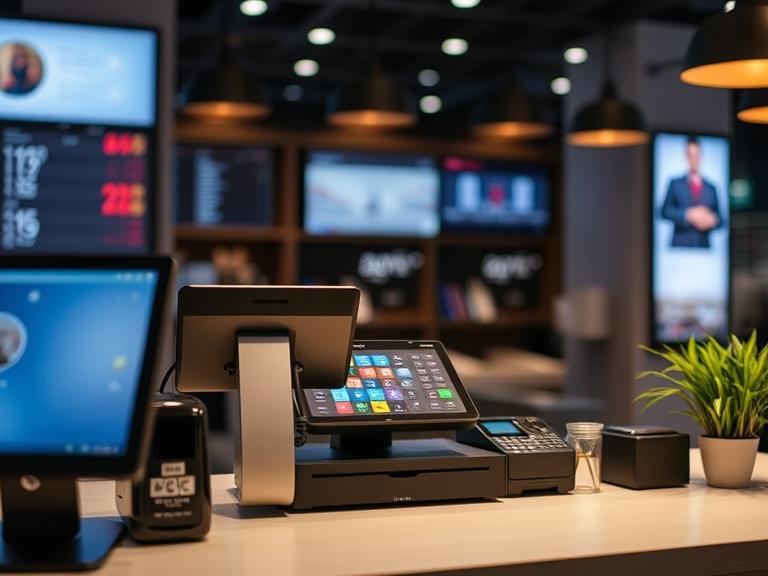
Why GDPR Compliance Matters for Your POS
If you run a shop, café, or any business that takes payments, you probably use a Point of Sale (POS) system. These systems handle more than just money—they also deal with personal customer details. If your POS isn’t following data protection laws like GDPR, you could get into serious trouble. We’re talking big fines, loss of trust, and even losing your right to process data.
That’s why GDPR compliance in POS systems isn’t just a good idea—it’s a must. Customers expect their information to be safe. A single mistake could hurt your business badly. Knowing how GDPR compliance in POS systems works helps you protect your store, your reputation, and your future. Let’s make sense of it all and help you stay on the safe side.
What is GDPR? (Made Super Simple)
GDPR stands for General Data Protection Regulation. It’s a law from the European Union that tells businesses how to handle personal information. It gives people the right to know what data is collected about them, how it’s used, and who gets to see it.
Even if your business isn’t in Europe, GDPR still matters. If you sell to people in the EU or take bookings from European customers, these rules apply to you too. That includes online sales, phone orders, or even tourists visiting your store.
Here’s what GDPR really wants from businesses:
- Be clear about what data you collect.
- Ask for permission (called “consent”) to use it.
- Keep it safe from hackers and leaks.
- Delete it when it’s no longer needed.
That’s it. It’s about treating people’s personal information with care.
How POS Systems Collect Customer Data
POS systems today don’t just ring up sales. They also collect names, phone numbers, emails, payment info, loyalty details, and sometimes even birth dates.
Let’s say you offer digital receipts or sign people up for loyalty programs. Your POS is now holding personal data. If your system links to marketing tools or stores this info in the cloud, the data moves around even more.
Physical stores and online stores both collect customer data. Whether it’s swiping a card in person or typing in payment info on a screen, that information ends up in your system.
Here’s where things can go wrong:
- A staff member saves data on a USB and loses it.
- A weak password lets someone into your system.
- You share info with a third party who doesn’t follow GDPR.
That’s why POS GDPR compliance isn’t optional.
How GDPR Affects POS Systems
Let’s break it down. GDPR wants every system, including your POS, to follow these rules:
1. Ask Before You Collect: If you’re collecting customer data, you need to ask first. That means a customer must agree before their email is stored or used for marketing.
2. Let People See Their Info: If someone asks what data you have about them, you must show them. That’s called a “data subject access” request.
3. Make It Easy to Delete: Customers can also ask you to delete their data. Your POS should make this easy.
4. Report Data Breaches: If customer data leaks or gets stolen, you must tell the right people within 72 hours. That includes local authorities and the customers themselves.
5. Be Careful Who Has Access: Only give staff access to what they need. Your POS should let you control who can see what.
These aren’t just good ideas—they’re legal requirements.
Key Features to Look For in a GDPR-Compliant POS
You don’t need to be a tech genius to check if your POS system is doing its job. Look for these features:
1. Data Encryption: This scrambles customer data so others can’t read it, even if they get access.
2. Consent Collection Tools: Your POS should ask customers for permission to save or use their data.
3. Role-Based Access: Managers and staff should see different things. Your POS must let you control who can view or edit data.
4. Audit Logs: These are records that show who accessed what and when. Helpful in case something goes wrong.
5. Reporting Options: Your POS should give you reports on data use, access, and storage.
If your POS has these tools, you’re in a good spot. If not, it’s time to talk to your provider.
Real-World Examples: GDPR Violations in Retail & Hospitality
Example 1: Café Chain Got Fined A coffee shop in Europe stored loyalty card data without asking customers. When someone complained, the business couldn’t prove they had asked for permission. Result? A big fine.
Example 2: Hotel Leaked Guest Info A hotel’s old POS system got hacked. Names, phone numbers, and card details were taken. The company didn’t report it fast enough. Another fine—and a huge hit to their reputation.
Both of these could have been avoided with better POS settings and a simple privacy process.
Simple GDPR Compliance Checklist for POS Users
If you can check “yes” to all of these, your POS is likely on the right track:
- Does your POS ask for customer permission before saving personal info?
- Can you delete a customer’s data easily if they request it?
- Do only the right staff members have access to sensitive customer data?
- Is all personal data stored with encryption in your POS system?
- Have you reviewed what customer data you’re collecting and why?
- Can your POS give a quick report if a customer asks what data you have on them?
- Do you know what to do if there’s a data breach or if data gets stolen?
🖨️ Print this checklist. Tape it near your register.
🧠 Use it when training new employees.
✅ It’s simple. It’s fast. And it could save your business from serious trouble.
Tips to Keep Your POS GDPR Compliant Long-Term
1. Keep Your Software Updated: Old versions can have bugs or security gaps. Updates fix that.
2. Train Everyone: Even the weekend staff should know what not to share or store.
3. Clean Up Your Data: Don’t keep data longer than needed. Delete what you don’t use.
4. Pick Trusted POS Vendors: Ask how they handle data, backups, and security. If they won’t give straight answers, look elsewhere.
5. Check Third-Party Apps: If your POS links to tools like email platforms or loyalty software, they need to follow GDPR too.
These steps won’t take much time, but they’ll save you a ton of trouble.
FAQs About POS GDPR Compliance
Q: Is my POS GDPR compliant by default? A: No. Many systems give you tools, but you must turn on the right settings and use them correctly.
Q: I run a small shop. Does GDPR apply to me? A: Yes. GDPR doesn’t care how big your business is. If you handle customer data, the law applies.
Q: How can I delete customer data from my POS? A: It depends on your system. Check your manual or ask your vendor where to find the delete option.
Q: What if I use cloud-based POS software? A: That’s fine—as long as the provider follows GDPR rules. Ask them if they store data in the EU or have agreements that follow EU rules.
Q: What happens if there’s a data breach? A: You must report it within 72 hours to your local authority and possibly to your customers. Your POS should help you spot and respond to breaches quickly.
Conclusion
If your POS system isn’t GDPR compliant, now is the time to fix it. You don’t need to spend a lot of money or hire a legal team. Most changes are small, but they make a big difference.
Start by checking your current system for the features we covered. Ask your provider the hard questions. Train your team. Use our checklist.
People care about their privacy. If you take it seriously, they’ll trust you more. And trust leads to repeat business.
Want peace of mind? Check your POS for POS GDPR compliance today and talk to your provider if something’s missing.
Bonus: Glossary (Made Easy)
GDPR – A European law that protects people’s personal information.
Data Subject Access – When someone asks what data you have about them.
Encryption – A way of hiding data so others can’t read it.
Consent – When someone agrees to let you use their data.
Audit Trail – A log that shows who accessed what and when.
Data Breach – When private data gets out without permission.
Data Minimization – Only collecting what you truly need.
Third-Party Integrations – Tools that link to your POS, like email or loyalty apps.
Visit Our Site for more informational articles: POS Cat

