
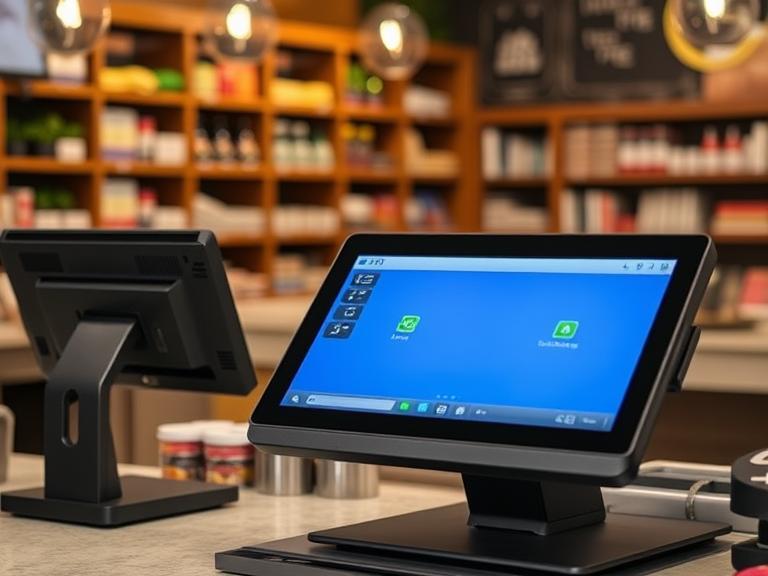
A POS system (point-of-sale system) is basically the computerized cash register that businesses use to take payments, track sales, and manage stock. Think of it like a high-tech cash drawer – it has a card reader, barcode scanner, and screen that rings up sales. The US Small Business Administration explains that POS hardware includes things like the cash drawer, card swipe bar, barcode scanner, and receipt printersba.gov. Together, the hardware and software let a shop or restaurant ring up customers and keep track of each sale. A POS can do more than just record payments. Modern POS systems also connect to inventory, sales reports, and even websites, helping businesses keep everything organized.
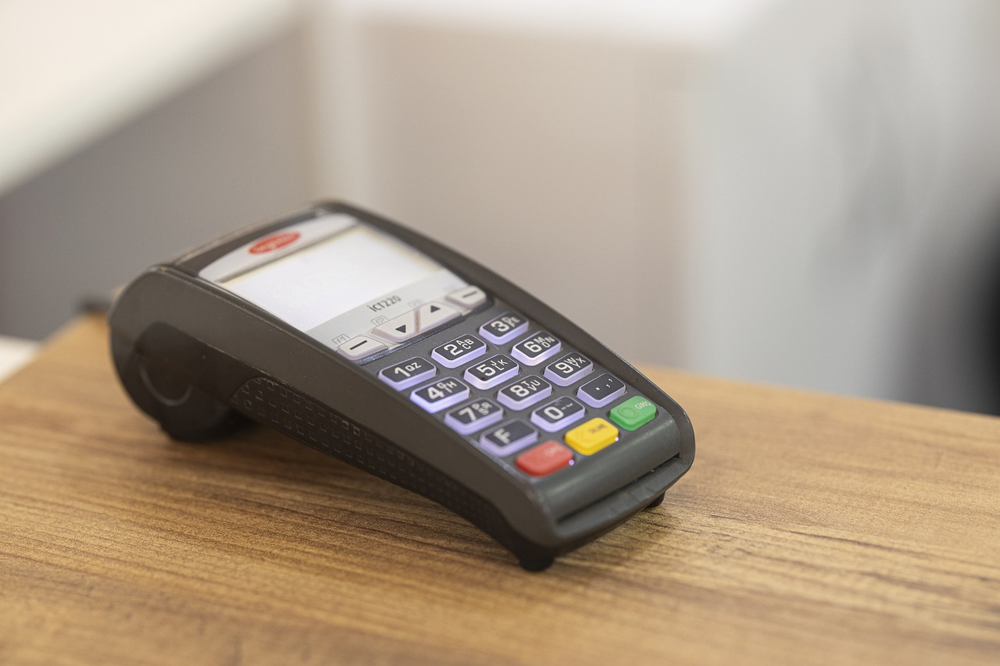
A simple card reader on a counter is an example of a POS terminal. It reads credit cards and is part of a POS setup.
What Is a POS System and What It Does
A POS system is the place where a sale happens – like a digital cash register. It handles scanning items, taking payments, and printing receipts. All businesses that sell products use a POS in one way or anothersba.gov. Even a lemonade stand can use a smartphone app as a mini-POS! More advanced systems include tablets or computers with touchscreens and printers. Whatever the setup, the POS tracks every sale and often connects to other tools. For example, when you scan a product’s barcode, the POS can update the inventory count. When you swipe a credit card, it records the payment. If your printer prints a receipt, the system stores the transaction details. This means the POS is really a hub for sales, cash, and data.
Because of this, businesses of all sizes find POS systems valuable. A store owner can look at sales data to see what’s selling best. A café owner can use it to record daily cash and credit sales. An online shop can connect its e-commerce platform so inventory stays synced with in-store sales. The Small Business Administration notes that a POS is “an important feature for all businesses that sell products”sba.gov. It helps automate tasks that used to be done by hand. For example, a modern POS can automatically keep track of tax rates or loyalty discounts without extra work.
Why Businesses of All Sizes Use POS Systems
Every business needs to sell things and get paid. A POS system makes that process faster and more reliable. Key reasons businesses use POS systems include:
- Speed and Convenience: A POS processes card payments and cash quickly. This means faster checkouts and shorter lines.
- Accurate Records: The POS writes down every sale automatically. This helps business owners know exactly how much they sold each day.
- Inventory Tracking: Many POS systems automatically update stock counts when an item is sold, so you know what’s left on the shelf.
- Reporting and Analysis: POS systems can generate reports. For example, an owner can see which products sold the most, or which day was the busiest.
- Payment Flexibility: They accept credit/debit cards, mobile payments, gift cards, etc., which customers expect these days.
These benefits apply to mom-and-pop shops and big chains alike. In fact, retailers find POS data very valuable. One report found that half of a retailer’s most important data comes from their POS transactions. The data includes things like average sale, best-selling items, and how each cashier is performing. By giving this information, a POS lets small stores compete with larger ones, and helps large chains manage many locations.
In short, a POS system is more than just a fancy register. It is the business’s sales brain. But like any complex system, it needs care and checks. That brings us to audits.
What Can Go Wrong if a POS System Isn’t Regularly Checked
Even a great POS system can cause problems if it isn’t kept in check. Regular audits (simple check-ups of the system) help find mistakes or fraud before they grow. Without audits, businesses often experience issues that hurt sales and trust. Common problems include:
- System Downtime: If the POS breaks or the network goes down, customers can’t check out. One news example is 1800 Target stores that lost about $50 million in sales when their registers stopped working before Father’s Day.
- Missing Sales: Cash might be stolen without anyone knowing. A study shows many retailers have lost money due to unseen problems. For example, one retailer’s manager changed cash sales to $0.01 in the system and pocketed the rest.
- Inventory Errors: The system’s stock count can drift from reality if items aren’t tracked. Over time this causes shelf shortages or surplus.
- Data Entry Mistakes: If prices or taxes are entered wrong, receipts can be wrong. A routine audit in a store once caught a mistake in sales tax calculations that would have led to fines.
- Security Holes: Outdated software can leave the system open to hackers. In fact, security experts say businesses lose about 5% of revenue to fraud each year, and POS terminals are a common attack point.
- Angry Customers: All these issues lead to customer frustration. Long lines, wrong change, or lack of products make shoppers unhappy.
These risks grow if a business “unknowingly falls into common traps” with its POS. One report notes that 60% of retailers have experienced POS downtime, leading to lost sales and unhappy customers. In other words, not checking the POS can mean money flying out the door and customers walking away.
For example, consider a small boutique that never looked at its POS reports. A dishonest employee could quietly issue discounts or refunds to friends. Without an audit trail, the owner would never catch it. Or imagine an ice cream shop that ignores software updates; a data breach could expose customer card details. Both cases show why regular POS check-ups are so important.
Real-World Examples
Concrete examples help show what can go wrong:
- Employee Theft: In one real case, a store manager stole $26,500 by playing the system. She entered cash sales normally, but after customers paid, she went back and changed the sale price to $0.01. Then she would pocket the excess cash. This slipped past day-to-day checks, but an audit of POS reports eventually revealed dozens of altered sales. By the time she was caught, months of theft had occurred. A regular audit report could have spotted the odd $0.01 sales much earlier.
- Register Outages: On June 15, 2019, about 1800 Target stores across the US had a POS system crash for two hours, right before Father’s Day. Registers went offline due to a system error. This hiccup cost the company an estimated $50 million in lost sales, as customers couldn’t pay or had to walk away. It was a clear case of how a POS failure hurt both revenue and customer satisfaction.
- Pricing Errors: A clothing store once discovered through an audit that a sale price had been entered incorrectly. All items on clearance were still ringing up at full price. When the mistake was fixed, customers were happy and the store recovered. If it had stayed undetected, the store could have faced complaints and even lost business.
These stories underline a key point: Audits catch things early. In all these cases, a timely review of POS logs or reports would have flagged the problems. It could be as simple as noticing unusually high voids, or a big drop in average sale price.
For example, a quick look at transaction logs might show one cashier issuing too many refunds, or one product’s price being changed often. That’s where a credit-card terminal (like the one shown above) and its logs become useful. The hand holding the card might be an honest customer – or, if the system is unchecked, it could be a trick. A plain view of sales data tells the truth.
How Often to Audit Your POS and What to Check
How often should a business audit its POS system? The answer depends on size and volume. A busy cafe might look at its sales every day, while a quieter gift shop could check weekly. Here’s a practical guide:
- Daily Checks: At the end of each day or shift, verify that the cash in the drawer matches what the POS reports as cash sales. Check that all credit card sales are recorded. Review any voids, refunds, or discounts for reasonableness. These simple checks catch mistakes (like forgetting to charge for an item) and keep fraud from building up.
- Weekly Reviews: Once a week, reconcile the totals. Compare your POS reports to your bank deposits to make sure all money was turned in. Review any trends (e.g. sudden drop in sales on a day). Check that inventory levels for fast-selling items match up with your stock (see “Inventory Audits” below).
- Monthly Audits: Do a more thorough audit once a month. This can include a cycle count of inventory (see next section), verifying that tax rates in the POS are correct, and checking software updates. Also confirm that the POS software has been updated and that no one has unauthorized access.
- Quarterly or Seasonal Checks: Every few months, do a full system review. Check that all hardware (scanners, printers, terminals) are working properly. Review the user list: make sure former employees’ logins are disabled. Compare this quarter’s sales reports to last year’s; big unexplained changes might need investigation.
- Annual Audit (Tax Time): At year-end, reconcile the entire year’s data. This is when you check if sales taxes collected match what you reported. Make sure inventory records match what you’ll show on your taxes. Some businesses even hire an outside auditor or accountant for this step.
Big chains often do more frequent checks automatically. Some use software that flags unusual transactions in real time. But for most small to mid-size businesses, a disciplined schedule is enough. As one industry blog suggests, “skipping regular report reviews makes it harder to spot trends or catch issues early. Set a consistent schedule – daily, weekly, or by shift – to stay informed and in control.”
Putting this into a quick view, an audit schedule might look like:
| When | What to Do |
|---|---|
| Daily | Count cash, verify end-of-day totals, and check any voids/refunds/discounts for mistakes or fraud. |
| Weekly | Reconcile totals (POS sales vs. bank deposits), spot-check inventory of top sellers, review reports. |
| Monthly | Do cycle inventory counts, ensure software updates are applied, audit user logins and accesses. |
| Quarterly | Inspect hardware, compare sales trends to budget/last year, check tax and price settings. |
| Annually | Full inventory count, end-of-year sales and tax reconciliation, consider an external review. |
Always adapt this to your business. A very small store might skip daily, but it should never skip at least a weekly check. A busy restaurant may need end-of-shift balancing every day. The key is to pick a schedule and stick to it. Remember, a few minutes of checks today can prevent big headaches later.
What Audits Catch: Preventing Loss, Fraud, and Mistakes
Regular POS audits are like insurance for your business profits. They protect against four big troublemakers:
- Unnoticed Cash Loss: By counting drawers and matching to sales reports every day, you make sure no money has gone missing. If a cashier forgot to close out a sale or stole a bit of cash, an audit can catch it before it adds up.
- Employee Fraud: As mentioned, looking at voids and refunds helps spot if one staff member is doing too many of them. A study by ACFE (Association of Certified Fraud Examiners) notes companies lose about 5% of revenue to fraud annually. Since POS is where money enters, it’s often the front line for fraud. Spotting even one unusual pattern (like a bunch of $0.01 sales in the fraud example above) can save thousands.
- Pricing and Tax Errors: Audits ensure prices and taxes are entered correctly. One retail audit found a store had been under-charging sales tax due to a typo. Fixing that quickly saved penalties later. On the sales side, if an item’s price is accidentally set wrong (too high or low), an audit will reveal odd totals.
- Inventory Shrinkage: Many POS audits actually check inventory. By comparing what your shelves show to what the POS says, you fix “shrinkage” (lost or stolen stock). The WashburnPOS guide notes that routine audits often reveal “mismatches between inventory records and actual stock, helping correct shrinkage and overstocking.” In practice, this might mean finding a few missing bottles of wine or extra t-shirts on the shelf.
- Customer Satisfaction: Last but not least, audits protect your reputation. They reduce the chances of ringing up wrong prices or running out of stock. When customers get quick correct service and products they want, they stay happy. In contrast, long lines or errors drive people away. The Target outage shows how technical issues can directly upset customers and cost sales.
How audits help: By regularly reviewing reports and logs, owners catch small issues before they balloon. For example, if a sudden spike in discounts is noticed, the owner can ask why – maybe an expired sale price was accidentally left on. If monthly sales are off, the owner can compare the POS report with credit card statements to find discrepancies. Each of these catches means dollars stay in the business.
Example: A retail guide emphasizes that “fraud is a quiet but costly threat”, and that a POS audit lets retailers “spot irregularities before they balloon into major financial losses.” In one case, a routine check found a cashier who was giving herself unauthorized gift cards. The error could have cost thousands over months, but was stopped early.
In short, a POS audit turns raw data into insight. It safeguards revenue by making sure every penny of sales is accounted for. It also improves accuracy: prices, promotions, and taxes are double-checked so legal and financial records stay correct. Over time, these checks prevent small mistakes from becoming big disasters.
What to Do If Problems Are Found
If an audit uncovers a problem, act quickly and methodically. Here’s a step-by-step guide:
- Identify the Issue: First, be sure you understand what went wrong. Is it a pricing error, a missing item, or a suspicious transaction? Use your POS reports to drill into the details. For example, if the problem is a cash shortfall, see if it occurred at one register or one day.
- Correct Records: Fix the data before it causes more problems. If an item price was wrong, update it in the system. If inventory was off, adjust the count. Make journal entries if needed (with an accountant’s help) to correct your ledgers.
- Address Fraud or Theft: If you suspect theft (like the $0.01 scam above), gather the evidence. Talk to the staff involved. You may need to involve HR, management, or even law enforcement in serious cases. The goal is to stop the fraud and recover losses.
- Update Procedures: Tighten the controls that allowed the error. For example, if discounts were given improperly, restrict who can apply discounts in the POS or require a manager code. If people forgot cash-out procedures, train everyone on the correct steps.
- Communicate: If customers were affected (e.g. wrong price charged), consider apologizing or offering a refund. Transparency builds trust; a simple notice can explain that you discovered an error and are fixing it.
- Monitor After Fix: After correcting the issue, check back soon after to confirm the fix worked. If it was a pricing bug, run a test sale. If it was inventory, count again. Make sure the solution stuck.
Problems found are not the end; they are an opportunity to improve. A good motto is: fix it, then learn from it. Sometimes fix means upgrading your equipment or software version if the old one was bug-prone. Other times it means better record-keeping or cross-checks (like having one person log sales and another verify deposits).
Training Staff to Help with Audits
Your POS system depends on people as well as machines. Well-trained staff are your first line of defense against mistakes and fraud. Make sure your team understands not just how to use the system, but also why audits and controls matter. Here are ways to involve your staff:
- Clear Instructions: Show employees how to properly close a register, count cash, and submit any non-cash payments at the end of a shift. Use simple checklists they can follow. For instance, a cashier’s closing checklist might include “Cash count matches report,” “No unapplied discounts,” and “Drawer is clean.”
- Training on Features: Even a “user-friendly” POS needs training. One POS guide warns that without good training, “employees may struggle with basic functions… leading to more errors“. Teach staff how to handle voids, returns, and discounts correctly. Show them how to read error reports or suspicious alerts, and what to do if something looks wrong.
- Segregate Duties: If possible, separate tasks. For example, the person selling items should not also be the one entering daily totals into your accounting software. This way it’s harder for one person to cover up theft. If one cashier only scans items and another only handles end-of-day reconciliations, errors stand out more easily.
- Ownership and Accountability: Encourage employees to think of the POS as a shared responsibility. Celebrate team wins like a clean audit report or zero discrepancies. Likewise, set a tone that fraud or sloppiness is taken seriously. Sometimes making logs visible (like a weekly report of sales by cashier) reminds everyone their work is being checked.
- Regular Refreshers: Technology and processes change. Have quick periodic training or a short meeting to go over new features or audit findings. For example, if a pricing mistake happened, show the team how to avoid it next time. Regular conversation about the “why” behind audits keeps everyone alert.
Training staff is not a one-time event. Ongoing coaching and communication keeps errors low. When employees feel confident in the system and know that audits protect their jobs as well (by catching real issues early), they become partners in keeping the POS accurate.
How POS Audits Support Inventory, Sales Accuracy, and Tax Records
A well-audited POS does more than catch theft; it keeps the whole business in sync. In particular:
- Inventory Management: Your POS should talk to your stock records. Every sale should reduce inventory count. Audits help ensure these match. For instance, one best practice is cycle counting: checking a portion of inventory regularly instead of doing one big count once a year. A POS with good reporting will highlight fast-selling or often-miscounted items so you know where to look. If audits show certain products always come up short, you can investigate why (theft, scanner error, or wrong receiving).
- Sales Accuracy: Consistent audit reviews mean sales reports reflect real reality. This helps with everything from re-ordering stock to setting sales targets. POS audits will catch a sales entry error (like entering 900 instead of 90) so that daily totals and inventory are correct. When sales are accurate, business decisions are more trustworthy.
- Pricing and Promotions: An audit verifies that discounts and coupons are applied correctly and only when authorized. It also checks that all items are charged at the right price. If a sale price or discount code is expired or entered incorrectly, audit reports can flag it. This prevents revenue leakage (losing money on supposed “deals” that were too big).
- Tax Compliance: POS audits play a key role in tax time. They ensure the POS has used the right tax rates all year. The example of the retailer who nearly undercharged shows how an audit saved them from penalties. When your reports line up, filing sales tax or preparing financial statements is much easier. If the POS logs all transactions correctly, the numbers in your tax forms will be accurate and defensible.
In short, auditing your POS keeps your books and shelves accurate. It closes the loop on sales and stock: every sold item should be recorded and removed from inventory. Every transaction should appear in your profit reports. This way, when it’s time to pay taxes or review profits, the data is solid. As one POS industry analysis says, audits help ensure “price changes, tax rates, and promotions are implemented correctly across every system node. That translates into fewer headaches when reconciling accounts.
Optional Tools and Checklists for Easy Audits
Audits don’t have to be scary or time-consuming. A few tools and a simple checklist can make them quick:
- POS Reports: Most POS software includes reports like end-of-day summary, daily sales by cashier, void/refund report, and inventory movement. Learn to run these with a click. You can often schedule them to email you or export to a spreadsheet automatically.
- Spreadsheets or Software: If your POS is basic, consider using a simple spreadsheet (like Google Sheets or Excel). Create a table to check daily totals against actual deposits. For inventory, you might use a free or paid inventory app that imports data from your POS.
- Mobile Audit Apps: There are audit apps (for phones/tablets) made for retail checks. For example, some apps let you scan products and they instantly compare to the POS count. Others guide you through a step-by-step checklist, taking photos or notes as you go. A quick search on Google for “POS audit app” will show options.
- Checklists: Write down a standard checklist for your business. It might include items like “count cash drawer,” “scan top 10 SKUs,” “review 3 random voids,” “verify last tax rate change date,” etc. Store this checklist near the POS or in a shared document. A printed or digital checklist ensures you don’t forget a step.
- Alerts and Monitoring: If your POS or payment provider allows it, set up alerts. For example, get notified by email if a refund above a certain amount is given, or if the system is offline. These real-time signals act like a mini-audit.
Many POS vendors and consultants offer audit templates or guidance. Even major retailers sometimes share tips online. For a quick start, simply Google “POS audit checklist” and you’ll find forms and examples to adapt. The key is consistency. By using these tools and checklists, an audit becomes routine, not a chore.
Conclusion
In the end, regular POS audits are like routine health check-ups for your business. They cost very little time, but can save you from big problems. By checking that your cash matches your sales, that inventory counts are correct, and that no one is abusing the system, you protect your profits and reputation. Audits help catch errors early – before they turn into missing money, angry customers, or legal trouble.
Every business owner should remember: a watched register never loses money. A simple phrase from one industry expert is: “Regularly evaluating [your] POS system is crucial for identifying areas for improvement. Make POS audits a habit, and your store will be in great shape. Consistent checks mean fewer mistakes, happier customers, and a business that truly adds up at the end of each day.

