
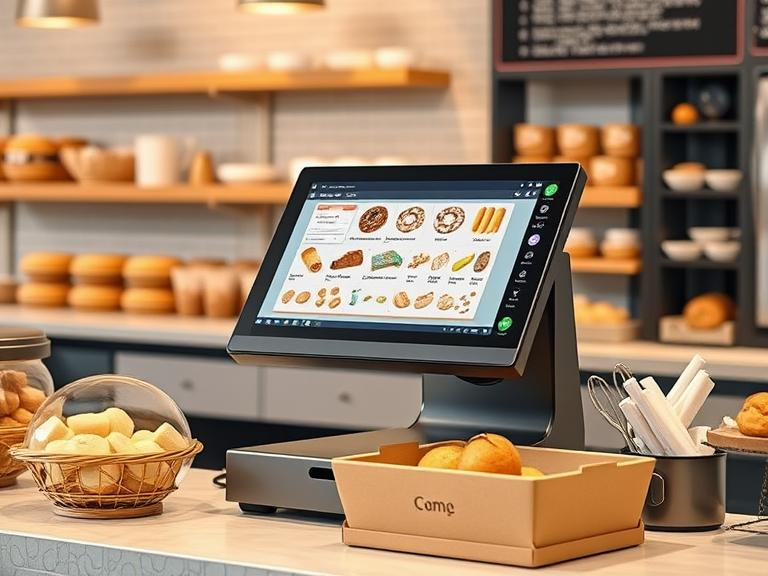
Running a business means juggling sales, inventory, and customer expectations. When your online store and in-store purchases don’t sync, mistakes happen. Orders get messed up, stock levels go haywire, and customers leave frustrated. The good news? Connecting your point-of-sale (POS) system with your eCommerce platform fixes these issues.
This guide explains how to get it done.
Why Connecting POS and eCommerce Matters
Real-Time Inventory Updates
Selling a product online when it’s already gone from your store shelves leads to canceled orders and unhappy customers. Linking your systems makes stock updates automatic. The moment an item sells, counts adjust everywhere.
Consistent Pricing and Promotions
Nothing confuses shoppers more than seeing different prices online and in-store. A connected POS keeps discounts, coupons, and deals the same across all sales channels.
Less Manual Work, Fewer Errors
Manually entering sales, stock numbers, and customer data takes time. Mistakes slip in, leading to mismatched reports and misplaced inventory. Automation cuts down on human error and frees up time for more important tasks.
Better Customer Experience
Imagine a customer buys online and wants to return in-store. If your systems don’t talk to each other, things get complicated. A linked setup makes refunds and exchanges simple, improving customer satisfaction.
Ways to Connect Your POS and eCommerce Store
1. Using APIs
An API (Application Programming Interface) acts as a bridge between your eCommerce store and POS system. It lets both systems share data, such as inventory levels, sales records, and customer details. If you have a developer or tech support, they can set up an API connection based on your business needs.
2. Third-Party Software
Many companies offer software that connects different POS systems with online stores. These tools come with built-in features, making setup easier. Look for software that works with your specific POS and eCommerce platform.
3. Custom-Built Integrations
If your business has unique needs, a custom integration might be the best choice. This option usually requires a developer to build a connection custom-built to your operations. Though it takes more time and money upfront, it gives full control over the integration.
Steps to Connect Your POS with Your Online Store
Step 1: Check Compatibility
Before starting, confirm that your POS system and eCommerce platform can connect. Some POS systems already have built-in integrations for popular online stores. If they don’t, see if third-party apps or APIs can bridge the gap.
Step 2: Choose the Right Integration Method
Decide whether you’ll use an API, third-party software, or a custom-built solution. Factor in cost, time, and the technical support available.
Step 3: Sync Product Data
Make sure product names, SKUs, and descriptions match between both systems. If these details differ, it could lead to confusion and mismanaged inventory.
Step 4: Test the Connection
Before going live, run test transactions. Try making purchases, processing refunds, and updating stock levels. Look for any mismatches or delays and fix them before launching the integration fully.
Step 5: Train Your Staff
Your employees should know how the connected system works. Teach them how to handle online orders, update inventory, and assist customers who shop both online and in-store.
Common Issues and How to Fix Them
Data Sync Delays
Some integrations don’t update instantly, causing inventory mismatches. If delays occur, check your software settings or talk to the service provider about improving sync times.
Incorrect Inventory Levels
If stock numbers are wrong, verify that product SKUs match on both systems. If a mismatch exists, the integration may not function properly.
Payment Processing Issues
When payments don’t process correctly, double-check that your POS and eCommerce platform support the same payment methods. If needed, adjust settings or update software.
Real-World Success Stories
Case Study 1: A Small Boutique
A clothing boutique struggled with frequent stockouts due to separate tracking systems. After integrating their POS with their online store, they reduced overselling and gained clearer stock visibility.
Case Study 2: A Multi-Location Retailer
A chain of electronics stores needed a way to track stock across multiple locations. After linking their systems, they could transfer stock between locations based on demand, avoiding overstocking or understocking in specific stores.
Future Trends in POS and eCommerce Integration
AI-Powered Inventory Predictions
Machine learning is improving how businesses predict demand. Soon, systems will recommend stock adjustments based on sales trends.
Omnichannel Shopping Experiences
More businesses are blending online and in-store shopping. Features like “buy online, pick up in-store” (BOPIS) are becoming standard, requiring stronger integrations between POS and eCommerce.
Final Thoughts
Connecting your POS with your online store simplifies operations, reduces errors, and improves customer satisfaction. Whether you use APIs, third-party tools, or custom-built solutions, the right integration keeps your business running smoothly. Take the time to set up the connection properly, test it thoroughly, and train your team. In the long run, a well-integrated system leads to fewer headaches and happier customers.
FAQs
- Why should I integrate my POS system with my eCommerce platform?
Connecting both systems helps keep inventory accurate, reduces manual work, and improves customer experience by syncing sales data in real time. - What’s the easiest way to integrate my POS with an online store?
Many POS systems offer built-in integrations, but third-party software or APIs can also help if a direct connection isn’t available. - Will my pricing and promotions stay the same across online and offline stores?
Yes! Once integrated, your POS and eCommerce platform will automatically update pricing, discounts, and offers across both sales channels. - How can I prevent inventory mismatches after integration?
Make sure product SKUs and details match in both systems before syncing. Also, test transactions before going live to catch any issues. - What if my POS and eCommerce platform aren’t compatible?
If they don’t connect directly, try third-party integration tools or consult a developer to create a custom-built solution.

