
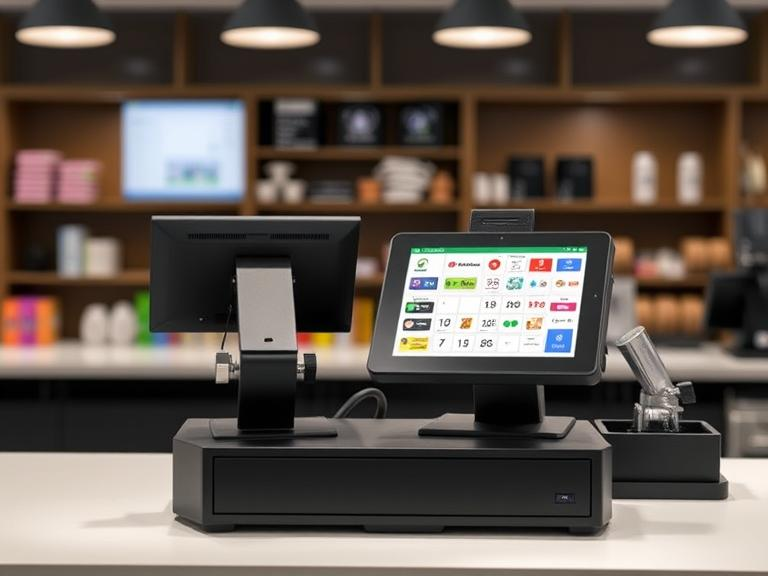
Event planning is a high-stakes industry where efficiency and customer experience are paramount. A Point of Sale (POS) system tailored for ticket sales is no longer just an option—it’s a necessity. It streamlines operations, boosts revenue, and enhances the overall attendee experience.
In this guide, we’ll explore why event planners need a POS system for ticket sales, covering benefits, key features, implementation strategies, and expert insights to help you choose the right system.
Learn More: Best Event Management Tools
The Role of a POS System in Event Ticketing
A POS system serves as a centralized hub for ticket sales, payment processing, and attendee management, ensuring seamless operations before, during, and after events.
How a POS System Enhances Ticketing:
- Omnichannel Ticket Sales: Sell tickets online, in-person, via mobile apps, and even through social media.
- Fast & Secure Transactions: Accept credit cards, mobile payments, and contactless payments.
- Real-Time Data & Analytics: Track sales, monitor attendance, and optimize pricing strategies.
- Fraud Prevention & Security: Implement encrypted transactions and counterfeit ticket detection.
- Seamless Check-Ins: Use QR code and barcode scanning for quick entry.
Related: How to Secure Your Event Transactions
Key Benefits of Using a POS System for Event Ticketing
Faster Transactions & Reduced Wait Times
A slow check-in process frustrates attendees. A POS system accelerates ticket processing, reducing long queues and enhancing guest experience.
Multi-Channel Sales for Maximum Reach
Sell tickets through various platforms: ✅ Event Website & Mobile App – 24/7 ticket purchases. ✅ Social Media Sales – Direct integration with Facebook & Instagram. ✅ On-Site Kiosks & Box Office – Quick, secure in-person purchases.
Fraud Prevention & Data Security
With real-time ticket validation and encryption, POS systems reduce ticket fraud and unauthorized entry.
Revenue Optimization Through Upselling
POS systems allow event planners to upsell merchandise, VIP packages, parking passes, and food & drinks during ticket purchases.
Streamlined Event Operations
Monitor sales trends, manage inventory, and predict peak crowd times through real-time insights provided by the POS system.
Discover More: The Future of Event Ticketing
Must-Have Features in a POS System for Event Ticketing
Cloud-Based vs. On-Premise POS
- Cloud-Based: Ideal for large-scale, multi-location events.
- On-Premise: Best for venues with unreliable internet access.
Mobile & Contactless Payments
Modern POS systems support NFC, QR code payments, and mobile wallets, catering to today’s digital-first audience.
CRM & Marketing Automation Integration
A robust POS system should integrate with CRM software to track customer behavior and automate marketing campaigns for future events.
Multi-Venue & Multi-Event Support
For planners managing multiple events or locations, the POS system must support cross-venue ticketing and centralized reporting.
Offline Mode for Uninterrupted Sales
An offline-capable POS system ensures transactions continue seamlessly, even when internet connectivity drops.
Learn More: How to Choose the Right POS System
Choosing the Right POS System for Your Event
Define Your Event Needs
- Event Scale: Small, medium, or large?
- Sales Channels: Online, in-person, mobile, or all?
- Payment Methods: Credit cards, mobile wallets, cash?
Compare Pricing & Features
Evaluate pricing models (flat fees, commission-based, or subscription) to find the best value for your event type and budget.
Ensure 24/7 Customer Support
Technical issues can arise anytime. Choose a provider that offers round-the-clock support and comprehensive onboarding assistance.
Seamless Integrations
A strong POS system should integrate with: ✅ Event Management Software (Eventbrite, Cvent, Ticketmaster) ✅ Payment Gateways (Stripe, PayPal, Square) ✅ Marketing Tools (MailChimp, HubSpot, Google Analytics)
Implementation Strategy: Setting Up Your POS System
Step 1: Select the Right POS Provider
Compare features, pricing, and scalability to align with your event goals.
Step 2: Train Your Team
Ensure event staff is well-trained on the system for efficient ticket sales and check-in processes.
Step 3: Test Before the Event
Run a mock ticketing scenario to ensure the system functions smoothly under live conditions.
Step 4: Monitor and Optimize
Analyze sales trends and attendee behavior in real time to make on-the-fly improvements.
Future Trends in Event Ticketing POS Systems
🚀 AI & Predictive Analytics – AI-driven insights will help optimize pricing and predict ticket demand. 📱 Mobile-First Ticketing – 80%+ of ticket buyers use mobile; POS systems must prioritize mobile usability. 🔗 Blockchain & NFT Tickets – Event planners are leveraging NFTs for unique digital tickets with added perks. 🤖 Automation & Chatbots – AI-powered chatbots will streamline customer service and ticket inquiries.
Explore More: How AI is Changing Event Management
Why Event Planners Should Invest in a POS System
A POS system for event ticket sales is a game-changer for event organizers. It enhances security, optimizes revenue, and ensures a frictionless attendee experience.
Key Takeaways:
✅ Boost sales & reduce wait times with omnichannel ticketing. ✅ Improve security with fraud prevention & encrypted transactions. ✅ Maximize revenue through upselling & real-time analytics. ✅ Enhance attendee experience with contactless check-ins & mobile ticketing.
Next Steps: Get the Right POS System Today!
🚀 Whether you’re planning conferences, concerts, or festivals, upgrading to a modern event POS system will set you up for success.
🔎 Need help choosing the right POS system? Contact us today for expert guidance!
FAQ
Q: What is the best POS system for event ticketing?
A: The best POS system depends on your event size, budget, and required features. Popular options include Square, Eventbrite, and Ticketmaster.
Q: Can a POS system work offline?
A: Yes! Many modern POS systems offer offline capabilities to ensure uninterrupted sales.
Q: How does a POS system prevent ticket fraud?
A: Advanced barcode scanning, real-time validation, and encryption help prevent fraud and unauthorized entries.
📢 Have more questions? Contact Us Now!

