
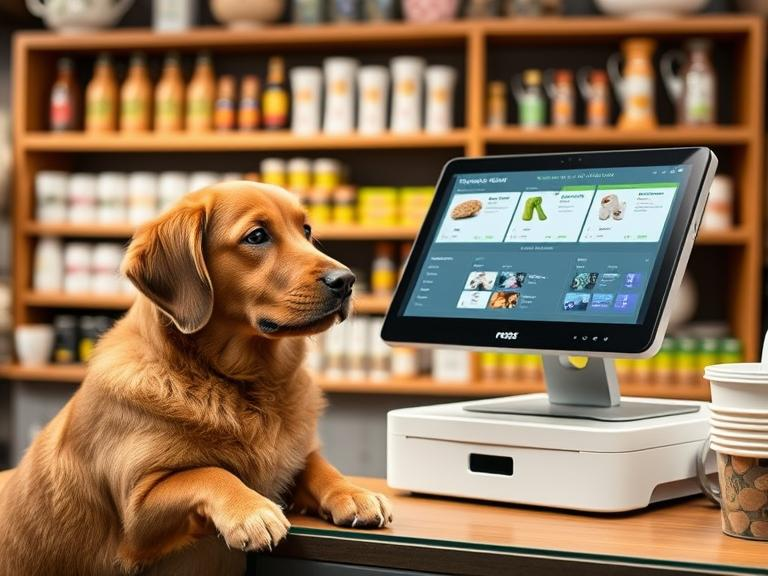
As a pet retailer, managing your store efficiently is crucial for offering excellent customer service, keeping track of inventory, and processing sales quickly. A good POS (Point of Sale) system plays a major role in making all of this possible. If you’re looking for POS System Setup Tips for Pet Retailers, this guide is for you. We’ll walk you through everything you need to know, from choosing the right POS system to setting it up and getting the most out of its features.
What is a POS System for Pet Retailers?
A POS system for pet retailers is a technology tool that helps manage and process transactions in your pet store. It allows you to track sales, manage inventory, process payments, and even collect customer data. A good POS system can make your store run more smoothly and allow you to focus more on serving your customers and managing your business.
How to Choose the Right POS System for Your Pet Store
Choosing the right POS system for your pet retail store can be tricky, but the right choice can make your operations much easier. There are a few important things to think about before making your decision:
1. Look for Inventory Management Features
Inventory management is a big part of any pet retail business. You’ll want a POS system that tracks stock levels in real time. This feature can help you avoid running out of popular products like pet food, toys, or accessories. Some POS systems also offer barcode scanning, which speeds up the checkout process and helps you manage stock levels more easily.
2. Consider Customer Management Features
A good POS system can track customer information, which can be useful for offering loyalty programs or personalized recommendations. Some systems also allow you to track purchase history and offer discounts or rewards to repeat customers. If customer service is a top priority for your pet store, this feature is something to look for.
3. Ease of Setup and Use
When choosing a POS system, you’ll want one that is easy to set up and simple to use. Look for a system that requires little training for your staff. Some systems offer cloud-based setups, which means you won’t have to deal with complicated hardware or software installation.
4. Security and Payment Options
It’s important to choose a POS system that keeps your customer data safe. Most POS systems offer secure payment processing options like credit card transactions, mobile wallets, and even cash payments. Make sure your system offers encryption and other security features to protect your customers’ information.
5. Scalability for Growth
As your pet store grows, your POS system should be able to grow with you. Choose a system that can handle multiple locations or larger inventories if you plan to expand. Some systems offer customizable options, so you can adjust the features based on your business needs.
Top POS Systems for Pet Retailers
Several POS systems are popular among pet retailers because of their features and reliability. Let’s take a look at some of the best options available:
1. Square for Retail
Square offers a simple and easy-to-use POS system that is great for small pet retailers. It comes with built-in inventory management tools, and you can track sales in real time. Square also integrates with various payment methods, including credit cards, Apple Pay, and Google Pay. It’s free to use with a small fee for each transaction.
2. Lightspeed Retail
Lightspeed is another popular POS system for pet retailers. It includes detailed reporting tools, inventory tracking, and customer management features. Lightspeed also offers customizable pricing plans based on your store’s size and needs, making it a great choice for small and large pet stores alike.
3. Vend POS
Vend offers a cloud-based POS system that works well for pet stores of all sizes. It includes features like inventory management, sales reporting, and customer tracking. Vend also integrates with other business tools like accounting software, so you can manage all parts of your business from one system.
4. Clover
Clover is known for its customizable features and ease of use. It offers POS hardware, as well as a user-friendly app to manage transactions, track sales, and monitor inventory. Clover is ideal for pet retailers who want a fully integrated system that works on both mobile devices and computers.
How to Set Up Your POS System
Setting up a POS system for your pet store might seem like a big task, but breaking it down into steps can make it easier. Here’s how to go about it:
1. Install the Hardware and Software
The first step in setting up your POS system is installing the hardware (like card readers or receipt printers) and the software (the POS app or system). If you’re using a cloud-based POS, the software installation might be as simple as signing up for an account and downloading an app.
2. Set Up Inventory Tracking
Once your system is up and running, the next step is to enter your inventory into the system. This can take some time, especially if you have a large selection of products in your pet store. Use barcode scanners to make this process faster and more accurate. Many POS systems allow you to import inventory lists, which can save time.
3. Set Up Payment Options
Next, connect your POS system to your payment processor. Most modern POS systems accept credit and debit cards, mobile wallets like Apple Pay, and sometimes even contactless payments. Make sure your payment setup is secure and works smoothly for your customers.
4. Train Your Staff
Once the system is set up, it’s time to train your staff on how to use it. Make sure they understand how to process sales, manage inventory, and access customer information. If your POS system includes advanced features like loyalty programs, ensure everyone is trained to use them properly.
5. Test the System
Before you open for business, test your POS system to make sure everything is working correctly. Process a few sample transactions, check the inventory, and make sure reports are generated accurately. You don’t want to run into problems on a busy sales day.
Common Issues When Setting Up POS Systems and How to Avoid Them
While setting up your POS system, you may encounter some challenges. Here are a few common issues and how to handle them:
1. Inventory Errors
When entering inventory into the POS system, it’s easy to make mistakes. Double-check your inventory levels and make sure your POS system is updated regularly to avoid stock errors. Many POS systems allow you to set automatic stock alerts to help with this.
2. Payment Processing Issues
Sometimes, payment processing can go wrong. If a payment isn’t processed correctly, it could lead to lost sales. Ensure your POS system supports multiple payment methods and that your internet connection is stable.
3. Staff Training Problems
Some employees might struggle to use the new POS system. To avoid this, offer proper training and keep the system simple. Many POS providers offer video tutorials and customer support to assist you and your staff.
4. System Downtime
Cloud-based POS systems can be vulnerable to internet connection issues. Make sure you have a backup plan in place for times when your internet goes down. Some POS systems have offline modes that let you process transactions without an internet connection.
Benefits of Using a POS System in Pet Retail
Using a POS system in your pet retail store brings several advantages:
1. Better Inventory Management
A good POS system keeps track of your products in real time, so you always know what’s in stock and what needs to be reordered. This reduces the chances of running out of popular items or overstocking on less popular products.
2. Faster Checkout Process
With a POS system, your staff can process payments quickly, helping to reduce wait times and keep customers happy. Barcode scanning and integrated payment options make transactions smoother.
3. Improved Customer Experience
POS systems that track customer information can help personalize their shopping experience. For example, you can offer loyalty programs or provide special discounts based on purchase history. This helps build customer loyalty and encourages repeat business.
4. Detailed Sales Reports
POS systems generate detailed sales reports that can help you understand which products are selling well and which ones are not. This information can guide your purchasing decisions and help you focus on products that drive revenue.
Conclusion
Setting up a POS system for your pet retail store can greatly improve how you run your business. It helps manage inventory, process payments quickly, and provide better customer service. Whether you choose a system like Square for Retail, Lightspeed, Vend, or Clover, make sure it suits your business needs and is easy for your staff to use. Follow the setup tips in this guide to get your POS system up and running, and take full advantage of its features to make your pet store more efficient and customer-friendly.
With the right POS system in place, your pet retail business will be well on its way to smoother operations and greater success.
FAQs
1. What is a POS system for pet stores?
A POS system for pet stores is a tool that helps manage sales, track inventory, and process payments. It simplifies the checkout process and keeps your store organized.
2. How do I choose the right POS system for my pet store?
Look for a system with inventory tracking, customer management features, and easy payment options. Make sure it suits your store’s size and future growth.
3. Which POS system is best for pet retailers?
Popular options include Square for Retail, Lightspeed, Vend, and Clover. These systems offer features that suit the needs of pet stores, such as inventory management and sales reporting.
4. How do I set up a POS system in my pet store?
Install the hardware, input your inventory, set up payment options, train your staff, and test the system before opening. Follow a step-by-step guide to make the process easier.
5. What are the benefits of using a POS system in a pet store?
A POS system helps with faster transactions, better inventory management, and improved customer service. It also provides detailed reports to track your store’s performance.

